
GridCraft: A Blazingly Fast, Near-Perfect Excel Clone for Linux
Verdict GridCraft emerges as a remarkably fast, open-source spreadsheet application that faithfully mimics Microsoft Excel's core functionalities and user interface across multiple operating systems. While it's still in

Verdict
GridCraft emerges as a remarkably fast, open-source spreadsheet application that faithfully mimics Microsoft Excel's core functionalities and user interface across multiple operating systems. While it's still in its alpha stages and lacks a robust template system, its performance, native XLSX compatibility, and extensive function set make it a highly promising alternative, particularly for Linux users.
Introduction: The Open-Source Spreadsheet We've Been Waiting For?
For years, a significant barrier to broader Linux adoption has been the lack of truly polished, feature-rich open-source alternatives to industry-standard applications like Microsoft Office. ArtCraft, the development team behind a growing suite of "craft" apps including PhotoCraft, WordCraft, DeckCraft, and PDFCraft, aims to dismantle these roadblocks. Their latest offering, GridCraft, sets its sights squarely on Microsoft Excel, promising a near-identical experience for spreadsheet enthusiasts, especially those on Linux.
GridCraft is not merely a rebranded application running through an abstraction layer; it's a native application written in Rust, ensuring stellar performance across Linux, FreeBSD, MacOS, and Windows. This commitment to native execution and an open-source model makes GridCraft a compelling choice for users seeking powerful spreadsheet capabilities without the proprietary constraints or cost of Microsoft Excel.
Core Functionality and Blazing Performance
From the moment you launch GridCraft, its speed is immediately apparent. Unlike the often-draggy performance associated with some spreadsheet applications, GridCraft opens instantly. The developers' choice of Rust for its codebase seems to be a significant factor here, as the application handles even very large spreadsheets (tested with 1,000 rows) without any discernible hiccups. This responsiveness is a huge advantage, especially for users accustomed to Excel's occasional sluggishness.
GridCraft offers a comprehensive suite of spreadsheet functionalities that align closely with what Excel users expect. This includes a standard spreadsheet workflow, ensuring a familiar experience for anyone transitioning from Microsoft's offering. It boasts native XLSX compatibility, meaning you can open and work with your existing Excel files seamlessly. During testing, an Excel spreadsheet containing a pivot table opened flawlessly in GridCraft, with all elements in place and functioning correctly.
The application is equipped with over 500 calculation functions, providing the analytical power necessary for complex data manipulation. Beyond basic calculations, GridCraft supports charts and pivot tables, which are crucial for data visualization and analysis. Advanced features like agent-native automation, copy-on-write workbooks with instant undo snapshots, incremental recalculation, and a virtualized grid further enhance its capabilities, making it a robust tool for various data-intensive tasks.
User Experience and Familiarity
One of GridCraft's strongest suits is its dedication to mimicking Excel's user interface. This design choice significantly lowers the learning curve for anyone already proficient with Microsoft Excel. The familiar layout and intuitive controls mean users can jump right into creating and editing spreadsheets without needing to adapt to a completely new paradigm. This intentional similarity is key to its appeal as an "Excel clone," providing comfort and efficiency for new adopters.
Where It Falls Short: Alpha State and Template Troubles
While GridCraft impresses with its speed and core features, it's crucial to approach it with an understanding of its current development stage. The developers themselves categorize these ArtCraft apps as being in their "alpha stages." This means that while highly functional, they are not yet considered production-ready. The reviewer advises against using GridCraft in a production environment due to the potential for unforeseen issues. It's recommended to always work with copies of critical spreadsheets, a sound practice for any new or alpha software.
The most significant functional gap identified in GridCraft is its template feature. Although it includes three sample templates (Household Budget, Quarterly Sales Dashboard, and Gradebook), the ability to create or robustly manage user-defined templates is largely absent. Specifically, there's no native way to save a spreadsheet as an .xltx (Excel template) file. The suggested workaround – saving a spreadsheet as a CSV into a manually created templates folder – is a viable hack but underscores a limitation that hopefully will be addressed in future updates. For users who rely heavily on custom templates, this is a notable inconvenience.
GridCraft vs. Microsoft Excel: A Comparative Look
GridCraft positions itself as a direct competitor to Microsoft Excel, offering several compelling advantages:
- Cost: GridCraft is completely free and open-source, eliminating the subscription fees associated with Microsoft Office.
- Platform Versatility: Unlike Excel, which is primarily Windows and macOS-centric, GridCraft runs natively and with identical performance across Linux, FreeBSD, macOS, and Windows. This cross-platform consistency is a major draw for diverse computing environments.
- Performance: GridCraft, written in Rust, is consistently described as "blazingly fast," outperforming Excel in launch times and handling large datasets without slowdowns, a welcome change for those frustrated by Excel's "draggy performance."
- Open-Source Philosophy: Being open-source allows for community contributions, transparency, and the freedom to modify and redistribute the software, aligning with the ethos of many Linux users.
However, Excel still holds the edge in certain areas, most notably its mature and extensive template ecosystem. For professional users who depend on a wide array of pre-built or custom templates, Excel's current offering is more robust. Despite this, GridCraft's native XLSX compatibility ensures that users can still leverage existing Excel files, even if creating new templates within GridCraft is currently cumbersome. For those already utilizing other ArtCraft apps like WordCraft or DeckCraft, GridCraft offers a consistent and familiar experience across their productivity suite.
Recommendation
GridCraft is an exceptional effort from ArtCraft, delivering a high-performance, feature-rich spreadsheet application that comes remarkably close to replicating the Microsoft Excel experience. For Linux users, open-source advocates, and anyone seeking a free and fast Excel alternative, GridCraft is absolutely worth trying. Its speed and native XLSX compatibility are major selling points. However, due to its alpha development stage and the current lack of a robust template management system, it is not yet recommended for critical production environments where data integrity and extensive template reliance are paramount. For personal use, experimentation, or non-critical tasks, GridCraft is a fantastic and promising tool that could quickly evolve into a truly production-ready powerhouse.
FAQ
Q: Is GridCraft a complete, 1:1 replacement for Microsoft Excel? A: No, not entirely. While GridCraft closely mimics Excel's UI and offers over 500 functions, charts, and pivot tables, it's currently in an alpha stage of development and lacks a robust template feature. The developer states it's "almost" a 1:1 replacement, but not 100% accurate, particularly concerning template functionality.
Q: Can I use GridCraft for professional work or with critical business data? A: It is not advised to use GridCraft in a production environment or with critical business data at this time, as it is still in its alpha stages. While it performs well, the potential for unforeseen issues exists. It's recommended to make copies of your work and use GridCraft for non-critical tasks or personal use.
Q: On which operating systems can GridCraft be installed? A: GridCraft is a truly cross-platform application. It runs natively and performs consistently across Linux, FreeBSD, MacOS, and Windows, offering flexibility regardless of your preferred operating system.
Related articles

Enterprise Software Upgrades: A Costly Trap for IT Budgets
A recent survey reveals enterprises are sinking nearly a third of their software budget into unwanted upgrades, migrations, and licensing changes that IT leaders themselves believe will degrade performance and reliability. This review unpacks the "Software Tax" and its staggering implications.

YouTube Dislike Button Test: A Step Backward
YouTube's latest experiment to tuck away the dislike button on regular videos is a concerning move, further eroding a vital feedback mechanism for viewers and potentially allowing low-quality content to thrive unchecked.

Chrome's New Scam Protection: Essential for Online Safety
Google Chrome is stepping up its game against online scams with a new suite of security features. These enhancements offer more robust protection against suspicious websites, advanced social engineering tactics, and
UGREEN 25W MagFlow: Portable 2-in-1 Charger Hits Record Low
The UGREEN 25W MagFlow, a foldable 2-in-1 magnetic wireless charger for iPhones and earbuds, is back to its record-low Prime Day price. Offering Qi2 25W charging and a compact design, it's ideal for travelers and minimalists.

AI Model Lock-in? It's Not the Model, It's Everything Else
A recent survey reveals that while swapping AI models is becoming common, the real lock-in risk for enterprises lies in the surrounding infrastructure: integrations, agent workflows, and guardrails. Despite concerns about vendor lock-in, it often ranks lower than immediate priorities like security and cost in AI purchasing decisions. However, multi-model adopters are proactively building open, flexible architectures, demonstrating a path to mitigate future migration headaches.
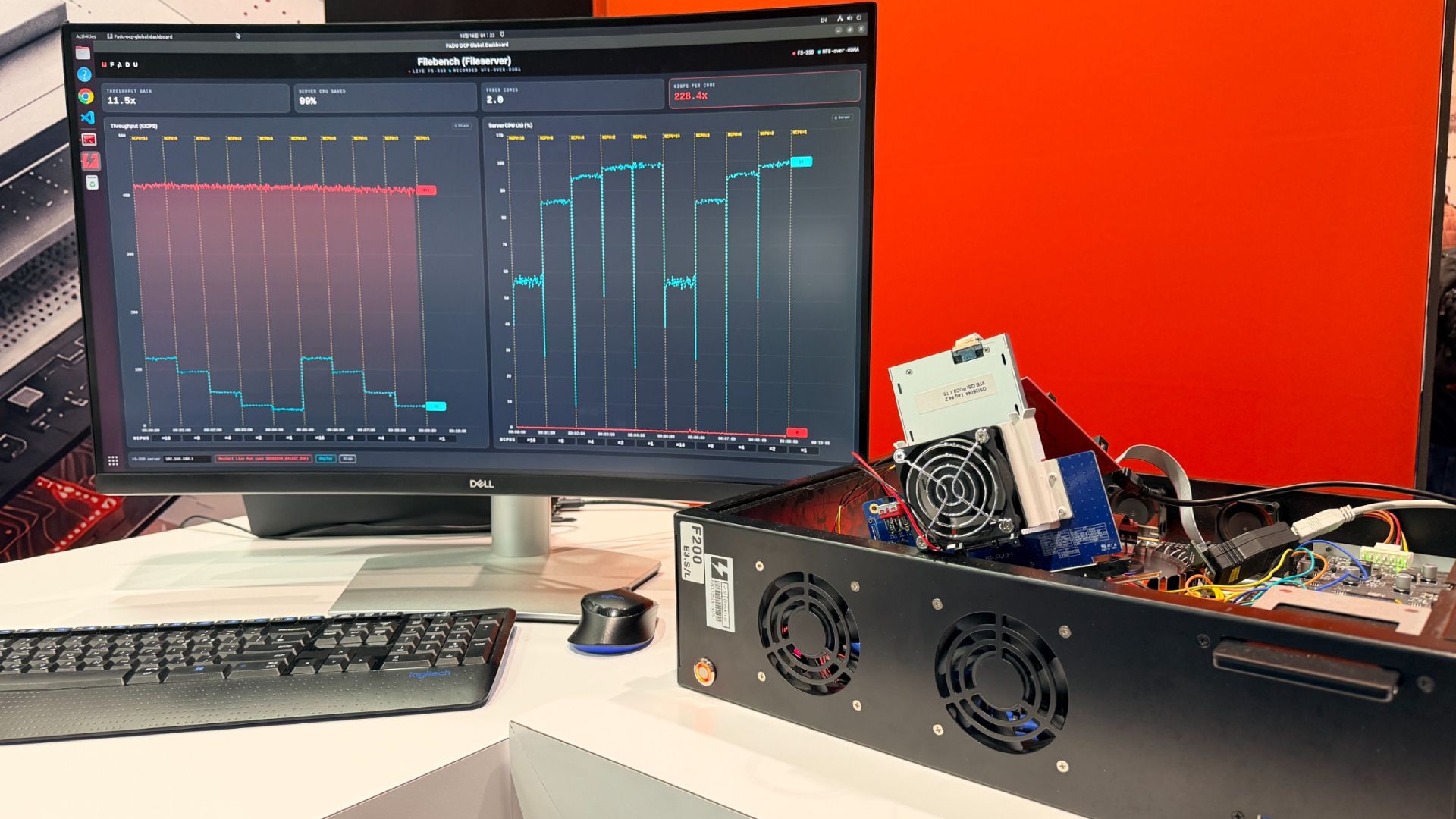
FADU FS-SSD: A Glimpse into the Future of Storage
FADU's File-Semantic SSD moves the filesystem directly into the drive, aiming to dramatically reduce host CPU overhead for file operations, especially for GPUs and DPUs. Promising early results, but a long wait for samples (Q3 2027).