
You could be taking way better photos on your phone: latest — Key
For years, smartphone cameras have been hailed for their convenience, always ready to capture a moment. Yet, despite significant advancements in hardware, the aesthetic quality of photos taken with default camera apps

For years, smartphone cameras have been hailed for their convenience, always ready to capture a moment. Yet, despite significant advancements in hardware, the aesthetic quality of photos taken with default camera apps often falls short of their true potential. A recent analysis by Verge Senior Reviewer David Imel reveals that with a little extra effort, utilizing third-party applications and committing to post-processing, smartphone users can unlock capabilities that genuinely rival dedicated digital cameras.
Modern smartphone camera sensors have grown larger and more capable, boasting enhanced light gathering and higher resolutions. However, Imel notes that the "straight-out-of-camera" quality from native phone apps has seen minimal, if any, improvement aesthetically. In fact, many default images appear flatter and less engaging than they could be.
This aesthetic decline stems from how smartphone cameras are primarily optimized: for "information transfer." They aim to produce clear, easily discernible images of menus, signs, or faces, which often means pulling down highlights and lifting shadows. While this provides more visible detail across the frame, it inadvertently strips images of depth, leading to a "washed out" look. Furthermore, phones often apply aggressive over-sharpening and noise reduction to compensate for smaller sensors, contributing to a frequently "muddy" visual.
Unlocking RAW Power: The Right Apps
The key to transcending these limitations lies in shooting RAW. Unlike compressed JPEGs, RAW files contain virtually all the unprocessed data captured by the camera's sensor, offering maximum flexibility for editing. While a RAW photo might not look impressive straight out of the camera, it provides the user with complete creative control to make an image truly shine.
To access RAW shooting, users need to bypass the default camera app. Recommended third-party camera apps include Moment Pro Camera II and Halide for iOS users, and VWFNDR and Zerocam for Android users. These applications not only facilitate RAW capture but also offer modes like "Natural" or "Process Zero" that apply much lighter processing than standard phone cameras.
Imel suggests reserving RAW shooting for artistic compositions such as landscapes, city scenes, or portraits, where nuanced control over aesthetics is paramount, rather than for everyday informational snaps. It's also worth noting that in extremely dark conditions, the computational photography of native apps, which combines multiple frames to reduce noise, might still offer superior results due to physical sensor limitations. When shooting RAW, apps will typically restrict you to native focal lengths, with the main sensor often yielding the highest quality due to its larger size.
Mastering the Edit: Post-Processing for Perfection
Once RAW photos are captured, the next crucial step is editing. Since most phones don't display RAW images in their standard galleries, it's best to share them directly to a dedicated editing app. Snapseed, a free and recently overhauled app, comes highly recommended. For Adobe subscribers, Lightroom Mobile offers a familiar and powerful suite of tools.
Editing RAW files begins by establishing a baseline. Hitting an "auto" button can provide a starting point, but manual adjustments are where the magic happens. A truly impactful photo typically features a natural balance of contrast, with well-defined shadows and bright highlights that retain some detail. While subjective, avoiding excessive manipulation of these elements usually leads to a more pleasing image.
Color manipulation is another vital aspect. "Vibrance" is often preferred over "saturation" as it selectively boosts flatter colors more, preventing an overly intense or artificial look. Adjusting white balance can also impart a warmer, more universally appealing tone to outdoor scenes. Advanced tools like "color mix" or "selective editing" in apps like Lightroom Mobile allow for precise hue shifts (e.g., making yellows more orange or blues more cyan), offering granular control over the image's palette. Geometry and perspective tools are also indispensable for correcting distortions, particularly in architectural photography, ensuring lines appear straight and compositions are aligned.
Beyond the Snap: The Impact of Effort
While this process requires more engagement than simply pointing and shooting, David Imel emphasizes that the transformative results are well worth the investment. He attests to being consistently impressed by the caliber of images achievable from smartphones, noting their remarkable proximity to professional-grade dedicated cameras. For those seeking to elevate their mobile photography from casual captures to artistic expressions, embracing RAW and post-processing is the definitive path forward.
FAQ
Q: Why do my phone's default photos often look flat or muddy?
A: Default smartphone camera apps prioritize "information transfer," leading to flatter images by balancing highlights and shadows. They also apply aggressive over-sharpening and noise reduction, which can result in a less aesthetically pleasing, sometimes "muddy," appearance.
Q: What are RAW files and why should I use them for smartphone photography?
A: RAW files contain nearly all the unprocessed data captured by your phone's camera sensor. Using them allows you to make all the creative decisions during editing, offering far greater flexibility and control over the final image quality compared to heavily processed default JPEGs.
Q: What are the essential steps for editing RAW photos on a phone?
A: After importing your RAW file into an app like Snapseed or Lightroom Mobile, focus on adjusting contrast (deep shadows, bright highlights), color (using vibrance and white balance), and geometry (to correct distortions). Experiment with selective editing tools to refine specific areas and develop your personal aesthetic.
Related articles
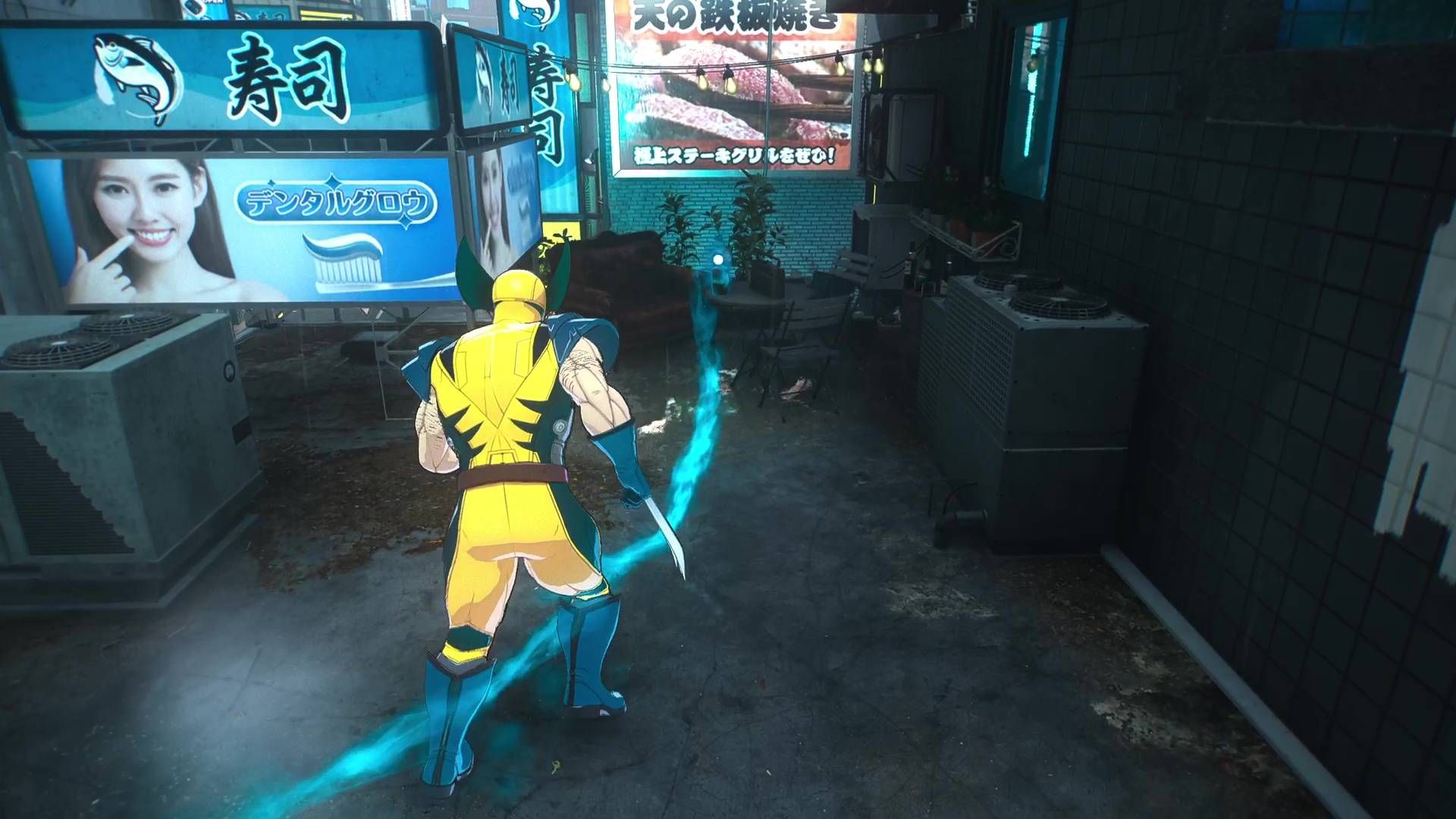
Wolverine's Controversial Scent Trails Just Got a Much-Needed Facelift
Marvel's Wolverine has received a significant post-launch update addressing player feedback on its controversial "scent trails." Insomniac Games reduced the opacity of these in-game navigation cues, making them less intrusive and blending better with the environments. The developer also teased future toggleable options for even greater player control.

Vals, backed by Andreessen Horowitz, is looking to become the gold
Vals, a San Francisco startup, has secured $40 million in Series A funding led by Andreessen Horowitz to revolutionize AI benchmarking. The company aims to replace outdated, manipulable evaluation systems with rigorous, confidential, and task-specific assessments for AI models. Vals' approach focuses on real-world impact across industries, seeking to become the trusted standard for AI accountability and public trust.

Meta CTO Blames 'Bad Actors' for Glasses Privacy Woes Amidst
Meta's CTO, Andrew Bosworth, dismisses privacy concerns over smart glasses as a "bad actors" problem, just as the company prepares to launch a camera-free version, "Luna." This strategic product shift, coupled with mounting regulatory scrutiny in Europe and easily defeated privacy safeguards on existing models, casts doubt on Bosworth's defense.

Fire Emblem: Fortune's Weave – Should You Brave the War Arc, or Blink
Deciding whether to skip Act 2, the War Arc, in Fire Emblem: Fortune's Weave depends on your playthrough. First-timers should always play it for story and challenge, as it's a vital bridge to Act 3. For subsequent runs, skipping can be efficient, auto-leveling characters to 45, but you lose control over development and potential higher levels.

ai: World model companies are keeping a lot of secrets: TechCrunch AI
Despite accumulating significant funding and industry buzz, leading world model companies such as Yann LeCun’s AMI Labs and Fei-Fei Li’s World Labs are maintaining an intense veil of secrecy around their actual product

Space hardware startup plans $125M stock offering and Nasdaq listing
Space hardware startup Gravitics is pursuing a $125 million stock offering and Nasdaq listing through a reverse takeover of shell company Non-Invasive Monitoring Systems. This unorthodox move aims to accelerate its public market entry and fund the development of orbital carriers and space station modules, building on significant contracts with Axiom Space, NASA, and the U.S. Space Force.