
Upgrade Your Smart Home: Devices That Shine on Zigbee & Thread
Discover how to enhance your smart home's reliability and efficiency by choosing Zigbee or Thread devices for critical functions like security sensors, smart locks, lighting, and motion detection. Reduce Wi-Fi congestion and battery drain.
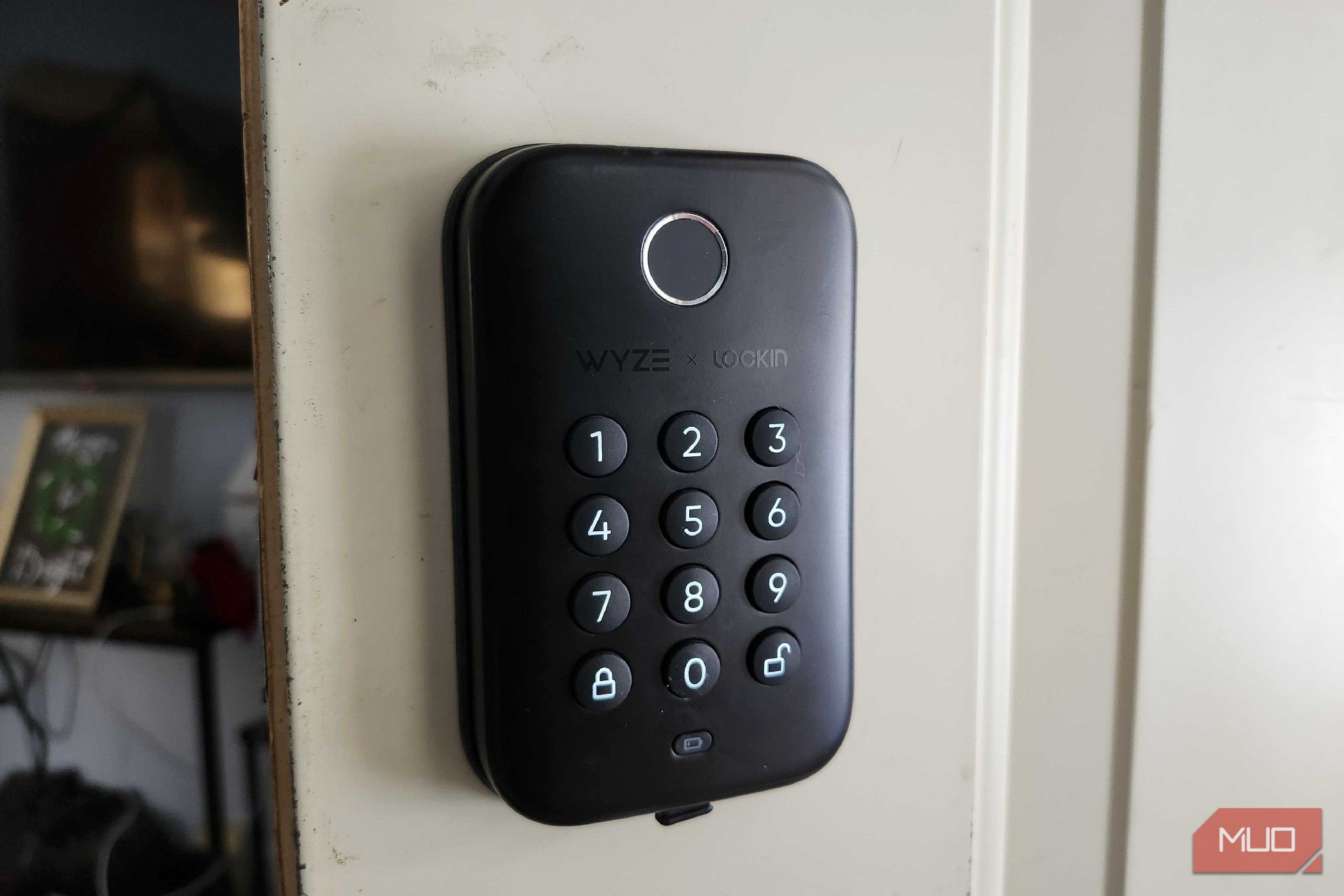
Building a smart home offers incredible convenience, from automating tasks to enhancing security. However, with the vast array of devices and technologies available, it's easy to feel overwhelmed. Many smart devices rely on your home's Wi-Fi network, which can quickly become congested, leading to slower performance and frustration. Thankfully, alternative technologies like Zigbee and Thread offer a more efficient and reliable way to connect certain smart home gadgets.
This guide will walk you through four specific types of smart home devices that perform significantly better on Zigbee or Thread networks than on traditional Wi-Fi. By understanding why these devices thrive on alternative protocols, you'll be able to make smarter choices, improve your smart home's responsiveness, extend battery life, and ensure consistent operation, even when your Wi-Fi is strained or your internet goes down.
Prerequisites for Your Enhanced Smart Home
Before diving into specific devices, ensure you have the following in place:
- A Compatible Smart Home Hub: Zigbee and Thread devices create their own low-frequency mesh networks, which typically require a dedicated hub or gateway. This central hub facilitates communication between your devices and connects them to your broader smart home ecosystem (like Samsung SmartThings or Apple HomeKit) and, if desired, to the internet for remote access. Ensure your hub supports the Zigbee or Thread protocols you plan to use.
- Device Compatibility: Always check the product packaging or specifications for compatibility with Zigbee, Thread, or Matter (a new standard designed to unify these protocols).
4 Devices That Are Better on Zigbee or Thread
Let's explore the devices that truly benefit from moving off your Wi-Fi network.
1. Window and Door Sensors
What they do: These small, two-piece sensors attach to your windows and doors, sending an alert whenever they are opened or closed. They are a common and effective way to bolster your home's security.
Why Zigbee or Thread is better:
- Extended Battery Life: Most window and door sensors are battery-powered (often using CR or AAA batteries). When connected via Wi-Fi, these batteries can drain quickly due to the higher power demands of Wi-Fi communication. Zigbee and Thread operate on low-frequency networks, significantly reducing power consumption and extending battery life, meaning less frequent battery changes.
- Network Independence: Unlike Wi-Fi devices, Zigbee and Thread sensors don't rely on your home network's connection to function. They create their own dedicated network. This means they can still send alerts and communicate their status even if your main internet connection is down or your Wi-Fi router loses power.
2. Smart Locks
What they do: Smart locks allow you to remotely check your door's status, lock and unlock it from your phone, and create temporary passcodes for guests. They offer advanced security and convenience, eliminating the need for physical keys.
Why Zigbee or Thread is better:
- Reliable Operation: Smart locks are critical security devices, and consistent operation is paramount. Wi-Fi locks are often battery-powered, which can lead to rapid battery drain. Moreover, they need a strong Wi-Fi signal to work reliably; if your router is too far or the signal is weak, you might experience frustrating delays or disconnections.
- Enhanced Security & Accessibility: With Zigbee or Thread, smart locks consume less power, preserving battery life. Their dedicated mesh network ensures a more stable and consistent connection, overcoming the range limitations and signal strength issues often faced by Wi-Fi devices. In a power outage, if your smart lock is Zigbee or Thread enabled, it can continue to operate locally, whereas a Wi-Fi-only lock might become unresponsive without a working router.
3. Smart Bulbs
What they do: Smart bulbs allow you to control your lighting remotely, change colors, adjust brightness, and set schedules, often with voice commands or through an app.
Why Zigbee or Thread is better:
- Mesh Network for Extended Range: Smart bulbs often reside in rooms farthest from your Wi-Fi router, leading to connectivity issues and frustrating delays. Zigbee and Thread smart bulbs excel by forming a mesh network. Each mains-powered bulb acts as a repeater, extending the network's reach throughout your entire home. This eliminates dead spots and ensures your lights respond reliably, regardless of their distance from the main hub.
- Instant Responsiveness & No Lag: When smart bulbs are connected via Wi-Fi, an overloaded network can cause noticeable lag between your command and the light's response. Zigbee and Thread's low-bandwidth communication ensures commands are processed almost instantly, providing a seamless and satisfying user experience. No more flicking a physical switch because your voice command didn't register!
4. Motion Sensors
What they do: Motion sensors detect movement and can trigger alerts or activate other smart home automations, such as turning on a light when someone enters a room.
Why Zigbee or Thread is better:
- Immediate Response Time: The effectiveness of a motion sensor hinges on its ability to detect and report movement instantly. If your network is congested with Wi-Fi devices, the response time can be delayed, diminishing the sensor's utility. Zigbee and Thread sensors require minimal bandwidth and communicate quickly, ensuring you're alerted without delay and automations are triggered precisely when needed.
- Reliable Automation Triggers: Motion sensors are frequently used as triggers for various smart home automations (e.g., turning on lights, adjusting thermostats). A delayed Wi-Fi sensor can mean your lights don't come on immediately, or your security system reacts slowly. Thread and Zigbee's efficient, interconnected network ensures that these critical triggers function without interruption or lag, making your automations truly smart and reliable.
Troubleshooting & Best Practices
- Verify Hub Connection: If devices are not responding, first check that your Zigbee or Thread hub is powered on and properly connected to your network (if it requires an internet connection for remote control).
- Check Mesh Coverage: Ensure your devices are within range of other Zigbee/Thread devices or the hub to maintain a strong mesh network. Adding more mains-powered devices (like smart bulbs) can strengthen the mesh.
- Battery Status: While Zigbee/Thread devices are battery-efficient, they still need power. If a battery-powered device stops responding, check its battery level.
- Product Selection: Always look for the Zigbee or Thread logo on product packaging. While Thread devices are often newer and can be more expensive, Zigbee offers a wider variety of options. Don't hesitate to mix and match both protocols if your hub supports them, choosing the best device for each specific need.
Next Steps for Your Smart Home
As you continue to build out your smart home, consider exploring devices that are compatible with Matter. Matter is a unified standard designed to improve interoperability between smart home devices and ecosystems, regardless of whether they use Wi-Fi, Thread, or other protocols. This can simplify your setup and ensure long-term compatibility. Investing in the right protocols now will lead to a more efficient, reliable, and enjoyable smart home experience.
FAQ
Q: Do I need a special hub for Zigbee or Thread devices?
A: Yes, Zigbee and Thread devices create their own low-frequency mesh network, which typically requires a compatible hub or gateway to connect them to your broader smart home ecosystem and the internet. This hub facilitates communication between devices and allows for remote control and automation.
Q: Can Zigbee and Thread devices work together?
A: While Zigbee and Thread operate on different underlying protocols, many modern smart home hubs are designed to support both standards, allowing you to integrate devices from both ecosystems into a unified smart home setup. The advent of Matter also aims to further improve interoperability across these and other protocols.
Q: What happens if my home's internet goes out?
A: One significant advantage of Zigbee and Thread devices is their ability to continue operating locally without an internet connection. Since they create their own mesh network, battery-powered devices like door sensors and smart locks can often still communicate with your hub and perform their basic functions within your home, even if your Wi-Fi or internet service is down. Remote access and cloud-based features, however, would be unavailable.
Related articles

Apple Unveils iPhone Duo: Pricey Foldable Sees Soaring Demand
Apple has officially entered the foldable smartphone arena with the long-anticipated launch of the iPhone Duo. Priced starting at a hefty $1,999, the device features a 5.4-inch outer display and a larger 7.6-inch inner

DJI Solo Video Setups: Smart Choices for Lone Creators
This review delves into DJI's recommended solo video setups, highlighting the Osmo Pocket 3 Creator Combo as a top pick for its integrated camera, gimbal, and mic. It also covers stabilizers like the Osmo Mobile 8 and RS 4, and the DJI Mic Mini series for enhanced audio, providing honest pros, cons, and clear buying advice.

Ditch Merge & Center: The Better Way to Align Text in Excel
Learn to use Excel's "Center Across Selection" to align text across cells without merging, avoiding common data manipulation issues. This guide provides steps to utilize this newly accessible feature and add it to your Quick Access Toolbar.

Ars Technica's Rocket Report: Your Essential Space Industry Briefing
Quick Verdict Ars Technica's Rocket Report, presented by veteran space reporter Stephen Clark, offers an invaluable and meticulously organized weekly (or similar frequency, implied by "Edition 9.15") digest of the most

Stop Android Auto Battery Drain: Essential Features to Disable and
Android Auto offers unparalleled convenience, bringing your phone's most useful features directly to your car's display. From navigation and calls to messages and music, it keeps you connected without distracting you

Apple’s new HomeView smart display is $10 cheaper at Amazon: latest
In a rare move for a new Apple product, the highly anticipated HomeView smart display is already available at a discount on Amazon, weeks before its official launch. Consumers can now pre-order Apple's first dedicated