
Unleash Blazing Fast Downloads: 5 Key LanCache Uses
Learn how LanCache supercharges download speeds for specific tasks on your local network, saving bandwidth and time, especially for gamers, multi-device households, and small offices.
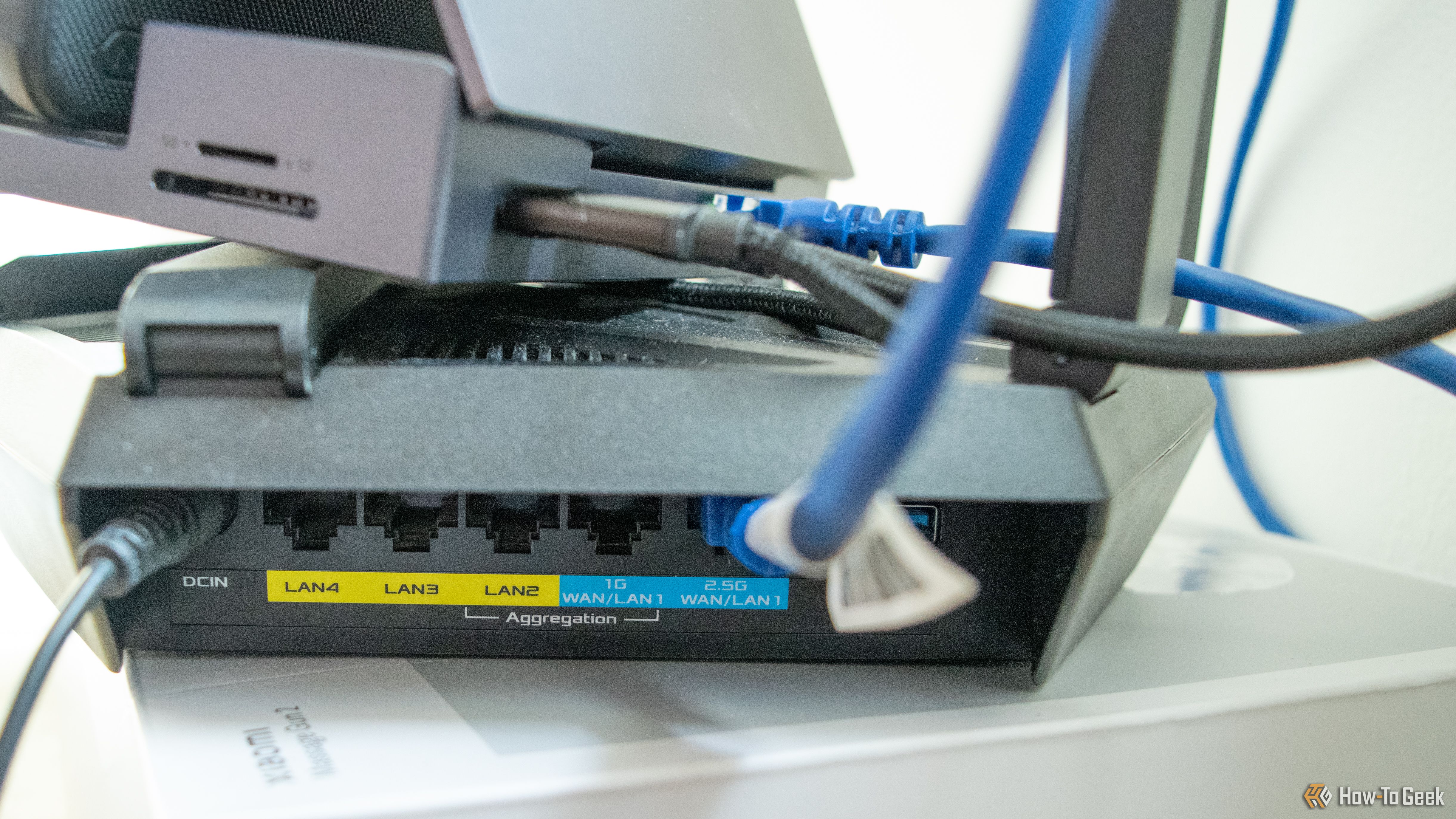
Are you tired of sluggish downloads and busting through your monthly internet data caps, especially when you have multiple devices or frequently host gaming sessions? Imagine downloading a massive game update or a new title on your local network at speeds up to nine times faster than your internet connection allows, all while saving valuable internet bandwidth. That's the magic of LanCache.
LanCache isn't about making your initial download from the internet faster. Instead, it acts as a smart local storage for commonly downloaded files. Once a game, update, or operating system patch is downloaded by one device on your network, LanCache saves a copy. The next time another device on your network needs that same file, it pulls it directly from your LanCache at blazing-fast LAN speeds, bypassing your internet service provider (ISP) entirely. This guide will walk you through the five primary tasks where LanCache truly shines, offering incredible speed boosts and significant data savings.
Who Benefits and What You Need
LanCache is a game-changer for specific setups. You'll see the most benefit if you:
- Have multiple PCs or consoles: Families with several gamers, small offices with many workstations, or even gaming cafés will find it invaluable.
- Host LAN parties: Say goodbye to endless waiting for everyone to download the same games.
- Face ISP data caps: LanCache helps you stay within your limits by serving subsequent downloads locally.
To experience these benefits, you'll need a properly configured LanCache server on your local network. This guide focuses on what LanCache optimizes, assuming you have or are planning to set up this powerful tool.
The 5 Key Tasks LanCache Supercharges
Here are the specific scenarios where LanCache transforms your download experience:
1. Steam Games and Updates
PC games today can be enormous, often exceeding 100GB. If you have multiple gaming PCs or a Steam Deck, downloading the same game or a large update on each device can quickly consume your data allowance. With LanCache, the first download goes through your internet connection at its normal speed. However, for every subsequent download of that same game or update on another device, LanCache kicks in. While a 100Mbps fiber connection might offer around 10-11MB/s, LanCache can easily push speeds up to 90MB/s, limited only by your local network's capability. This not only saves you significant data but also drastically cuts down on waiting times, getting everyone into the game much faster.
2. Epic Games, Riot, and EA Downloads
Beyond Steam, LanCache extends its magic to other popular gaming platforms. Whether it's freebies from the Epic Games Store, essential updates for Riot's Valorant, or chunky patches for the latest Battlefield title on the EA App or Battle.net, LanCache handles them all. Just like with Steam, once a game or update is cached, any other PC on your network requesting that content will receive it at your local network's top speed, bypassing the internet. This is particularly useful for large patches, which can range from 6GB to 13GB for a single title, minimizing interruptions to your gaming sessions.
3. Console Game Downloads
PC gamers aren't the only ones who benefit. Console updates often come with even larger file sizes than their PC counterparts. For instance, a Battlefield update that's under 10GB on PC might balloon to 50GB on an Xbox. When you have multiple consoles like PlayStation 5s and Xbox Series X/Ss in your home, these large updates can quickly add up and strain your internet connection and data limits. LanCache, when correctly configured, allows your consoles to download these games and updates at superfast LAN speeds, greatly reducing the time spent waiting and helping you manage your data usage, especially with modern games utilizing uncompressed audio and photogrammetry that contribute to ever-growing file sizes.
4. Windows Updates
It's not just for gaming! Small to mid-sized offices with 10 to 20 Windows-based PCs can significantly reduce network congestion and downtime with LanCache. While individual Windows updates might not be massive, if all computers attempt to download them simultaneously, it can easily saturate the internet bandwidth, impacting critical business operations like call centers or video editing firms. Implementing LanCache in an IT environment allows updates to be downloaded once from the internet, then distributed internally to all other PCs at high speed. This improves productivity, ensures all machines are up-to-date efficiently, and saves IT staff a considerable amount of hassle.
5. LAN Parties
Hosting a LAN party used to involve a full day of setup, primarily due to the time-consuming process of installing games on multiple machines. Modern games, even if played online, still require significant downloads. With LanCache, this changes dramatically. The host can download a library of fully patched games once, and then all attending machines can pull those games directly from the LanCache at incredibly fast local speeds. This means less time waiting for installations and updates, and more time actually playing. You can even enjoy your pizza while the games are installed, ready to jump straight into action when everyone is settled back in their chairs.
Understanding LanCache's Limits
While powerful, LanCache isn't a magic bullet for all your download needs. It's crucial to understand its limitations:
- Specific CDNs Only: LanCache only works with traffic from specific Content Delivery Networks (CDNs) that it recognizes. This means not all downloads will be cached.
- No General Browsing/Streaming: Services like Netflix, YouTube, or general web browsing traffic are not cached. You won't see speed increases for these activities.
- First Download is ISP Speed: The initial download of any file must come from the internet at your normal ISP speed. The benefits apply to subsequent downloads of that same file.
- Encrypted Traffic Issues: Fully encrypted traffic that doesn't follow a recognizable CDN pattern may not be cached.
- Single-Device Limitation: If you only have one PC or console, LanCache provides no benefit, as there's no other device to pull cached content from.
Maximize Your LanCache Benefits
Beyond just understanding what LanCache does, consider why it's so valuable. Many users, like the author, primarily set up LanCache to avoid exceeding ISP data limits and facing overage charges. With a household featuring multiple PCs, PlayStation 5s, and Xboxes, crossing Fair Usage Policy (FUP) limits during busy periods is a real concern. LanCache effectively mitigates this by eliminating ISP bandwidth usage for subsequent downloads, transforming your download speeds and protecting your wallet.
Conclusion: Is LanCache Right for You?
If you find yourself in any of the scenarios described above—juggling multiple gaming platforms, managing an office network, or regularly hosting friends for gaming—LanCache offers a compelling solution. It delivers significant local download speed enhancements and critical data savings that can vastly improve your digital experience. While it requires an initial setup, the long-term benefits in terms of speed, convenience, and cost reduction make it a highly worthwhile investment for eligible home and small business users.
FAQ
Q: Does LanCache increase my overall internet speed?
A: No, LanCache does not increase your internet connection speed. It boosts the speed of subsequent downloads for specific types of content within your local network by serving files from a local cache instead of re-downloading them from the internet.
Q: Is LanCache useful for someone who only has one computer or console?
A: LanCache provides no benefit for a single PC or console user. Its primary advantage comes from having multiple devices on a network that frequently download the same games, updates, or software, allowing them to share cached content.
Q: What types of content will LanCache not cache?
A: LanCache will not cache general internet browsing, streaming services like Netflix or YouTube, or any traffic from Content Delivery Networks (CDNs) that it doesn't recognize. It's designed specifically for game and operating system updates from major platforms.
Related articles

Ditch Merge & Center: The Better Way to Align Text in Excel
Learn to use Excel's "Center Across Selection" to align text across cells without merging, avoiding common data manipulation issues. This guide provides steps to utilize this newly accessible feature and add it to your Quick Access Toolbar.

Stop Android Auto Battery Drain: Essential Features to Disable and
Android Auto offers unparalleled convenience, bringing your phone's most useful features directly to your car's display. From navigation and calls to messages and music, it keeps you connected without distracting you

Turn Your Android Phone into a Powerful Desktop Replacement
Learn how to transform your Android phone into a full-fledged desktop computer using external displays and accessories, providing a cost-effective and integrated alternative to new Googlebooks.

howto: Four Ways the Fitbit Edge Is Better Than the Charge 6, and Two
Learn the key differences between the Fitbit Edge and Charge 6, including four advantages of the Edge and two areas where it falls short, to help you choose the best fitness tracker for your needs.
How to Connect Your Googlebook to a Printer - Print Documents with
Learn to quickly connect your Googlebook to a printer via Wi-Fi, USB, or Bluetooth and print documents in minutes. This guide covers direct printing, app-specific connections, troubleshooting, and even printing screenshots as a workaround.
How to Debloat Windows 11 for a Faster, Cleaner PC
Learn to reclaim your Windows 11 PC's performance by removing bloatware, disabling ads, and optimizing startup processes in five easy steps.