
tvOS 27.2 Review: Small Steps, Big Comfort for Apple TV Users
Apple TV users, gather 'round! The latest iteration of Apple's set-top box operating system, tvOS 27.2, has landed. Following closely on the heels of iOS 27.2 and macOS 27.2, and notably skipping a 27.1 release, this

Apple TV users, gather 'round! The latest iteration of Apple's set-top box operating system, tvOS 27.2, has landed. Following closely on the heels of iOS 27.2 and macOS 27.2, and notably skipping a 27.1 release, this update isn't about revolutionary changes. Instead, it’s a collection of thoughtful refinements and quality-of-life improvements that collectively enhance the overall Apple TV experience. While it won't force you to rush out and buy new hardware, these subtle tweaks are welcome additions that make interacting with your Apple TV just a little bit better.
Screen Savers Get a Much-Needed Refresh
For many, Apple TV's aerial screen savers are a mesmerizing, albeit predictable, part of the living room aesthetic. Up until now, you were stuck picking a single category. tvOS 27.2 thankfully rectifies this with a new "Shuffle" option. This isn't just a minor tweak; it’s a genuine improvement that adds significant variety to what used to be a static choice. Now, your screen can cycle through Aerials, Memories (your personal photos), Portraits, and even a charming Snoopy collection. Every time your TV goes idle, you're greeted with something fresh, preventing the visual monotony that could set in.
Beyond the shuffle, Apple has also addressed a long-standing privacy concern regarding personal photos as screen savers. Previously, if you wanted to display your treasured memories, you often had to share your entire photo library with the Apple TV. In a shared household, this could lead to some awkward or overly personal displays. tvOS 27.2 now allows you to pick specific photos from your iPhone for your screensaver without granting access to your entire library. This is a brilliant, understated privacy win that many users will appreciate, making the feature far more practical for family living rooms.
FaceTime: More Accessible, Still Requires Your iPhone
FaceTime on the big screen, powered by Continuity Camera using your iPhone as a webcam, has been a neat party trick. tvOS 27.2 streamlines the process by introducing FaceTime links, making it easier to jump into a call directly from your Apple TV interface. While the core functionality still relies on your iPhone for the camera and microphone, the added convenience of direct links is a small but appreciated refinement.
More significantly, Apple has expanded FaceTime's accessibility features. The update now supports third-party sign language interpreters and live captioning services for calls made through Apple TV. This is a crucial step forward for inclusivity, mirroring similar updates across iOS, iPadOS, and macOS. It underscores Apple's continued commitment to making its technology accessible to a wider audience, and its integration into the living room experience is particularly impactful.
Finding Your Elusive Siri Remote
Ah, the classic dilemma: where's the remote? The latest Apple TV 4K includes a Siri Remote with improved Find My support and a built-in speaker, allowing you to ping it for easy location. While this speaker functionality remains exclusive to the newest hardware, tvOS 27.2 still offers a small but meaningful upgrade for owners of previous-generation Apple TVs (specifically, the second-gen Apple TV 4K from 2021 and later models).
Your Siri Remote will now appear directly in the Find My app on your iPhone or other Apple devices. This means you no longer have to dig into your iPhone's Control Center to access the TV Remote app to locate it. It's a subtle but welcome consistency improvement, making the process of tracking down your remote a bit more intuitive and streamlined. While it's not the auditory 'ping' of the latest remote, it's a step in the right direction for existing users.
Expanded Accessibility and Personalization
Beyond FaceTime, tvOS 27.2 broadens accessibility within the Apple TV app itself. Select movies and shows now offer support for American Sign Language (ASL) and British Sign Language (BSL). This can be toggled via the player controls or within the Settings menu, marking another positive move towards making content more inclusive.
For households with multiple users, the long-awaited profile support for the Apple TV app on iPhone and iPad has finally arrived with iOS 27.2, and these profiles now sync seamlessly with your Apple TV. This means that personalized watchlists, recommendations, and viewing progress are consistent across devices. Apple has even added new character options to the profile selection screen, making the experience more engaging for everyone, especially kids. This feature alone significantly improves the multi-user experience, ensuring everyone gets a tailored content journey without interfering with others'.
Finally, a minor aesthetic detail: the Apple Music icon has received a makeover, now sporting a black-and-white ripple design that aligns with the updated branding seen in iOS 27.2. It's a small touch, but it contributes to a more cohesive visual identity across Apple's ecosystem.
Compatibility and Hardware Nuances
It's important to note that while tvOS 27.2 is a free update available for the second-generation Apple TV 4K (released in 2021) and subsequent models, not all the truly headline-grabbing features are available to all. For instance, the ability to set up a full surround sound system with two pairs of the new HomePod mini 2 (or HomePod 2nd generation) is exclusive to the latest Apple TV 4K, which features the more powerful A19 chip. Similarly, the enhanced Find My capabilities with an audible speaker are tied to the new Siri Remote that accompanies this top-tier hardware.
This distinction is crucial for consumers. If you own an older, but still recent, Apple TV 4K, you'll benefit from the screensaver improvements, FaceTime accessibility, remote tracking consistency, and profile syncing. However, if your primary interest lies in the more advanced audio setups or the full remote-finding experience, you'll need to consider an upgrade to the newest Apple TV 4K model.
Verdict: A Worthwhile, If Modest, Update
tvOS 27.2 is a quintessential Apple incremental update. It doesn't redefine the streaming box landscape, but it delivers a series of thoughtful enhancements that collectively improve the daily user experience. The screensaver privacy options, enhanced FaceTime accessibility, and the much-welcomed multi-user profile syncing are genuinely valuable additions. While some of the more impactful features are reserved for the latest hardware, for existing compatible Apple TV owners, this free update is a no-brainer. It polishes an already robust platform, making it slightly more personal, more accessible, and simply more enjoyable to use.
FAQ
Q: Is tvOS 27.2 a mandatory update for my Apple TV? A: No, it's not mandatory, but it's highly recommended. It brings a variety of welcome improvements to user experience, privacy, and accessibility, making it a worthwhile free upgrade for all compatible devices.
Q: Do all the new features in tvOS 27.2 work on older Apple TV models? A: Not entirely. While many software-based improvements like the screen saver shuffle, selective photo sharing, FaceTime links, and profile syncing are available on compatible older Apple TV 4K models (2021 and later), some key features such as the speaker in the Siri Remote for Find My, and surround sound setup with new HomePods, are exclusive to the latest Apple TV 4K hardware (with the A19 chip).
Q: Should I upgrade my Apple TV hardware just to get the tvOS 27.2 features? A: The tvOS 27.2 update itself doesn't introduce features compelling enough on its own to warrant a hardware upgrade for most users. If you're particularly keen on the advanced surround sound capabilities with the latest HomePods or the full 'ping-your-remote' functionality, then the new Apple TV 4K might be worth considering. Otherwise, existing compatible hardware will still see significant software enhancements with this update.
Related articles

Binance Reopens After Historic Heist: A Fragile Recovery
Verdict Binance, one of the world's largest cryptocurrency exchanges, has reopened transactions after suffering a staggering $6.3 billion crypto heist, one of the largest in history. While the platform has commendably

Touchscreen MacBook Pro: Uninspired and Unconvincing
Apple's new touchscreen MacBook Pro with its PROLED XDR Display feels like an uninspired addition. Despite the beautiful OLED panel, the touchscreen functionality is uncomfortable for extended use and doesn't justify its premium.

Waititi Blasts Critics: Is Fan Love Enough When Box Office Crumbles
Taika Waititi has publicly lambasted film critics as "irrelevant, out of touch, obsolete" after his latest film, Klara and the Sun, received overwhelmingly negative reviews. Despite warmer audience reception, the movie has struggled at the box office, sparking debate on critical versus fan opinion.

GeekWire Week in Review: A Curated Dose of PNW Tech News
Verdict: Your Weekly Dose of Pacific Northwest Tech Insights GeekWire's "Week in Review" for October 25, 2026, serves as a highly efficient digest for anyone looking to stay abreast of the significant tech and startup
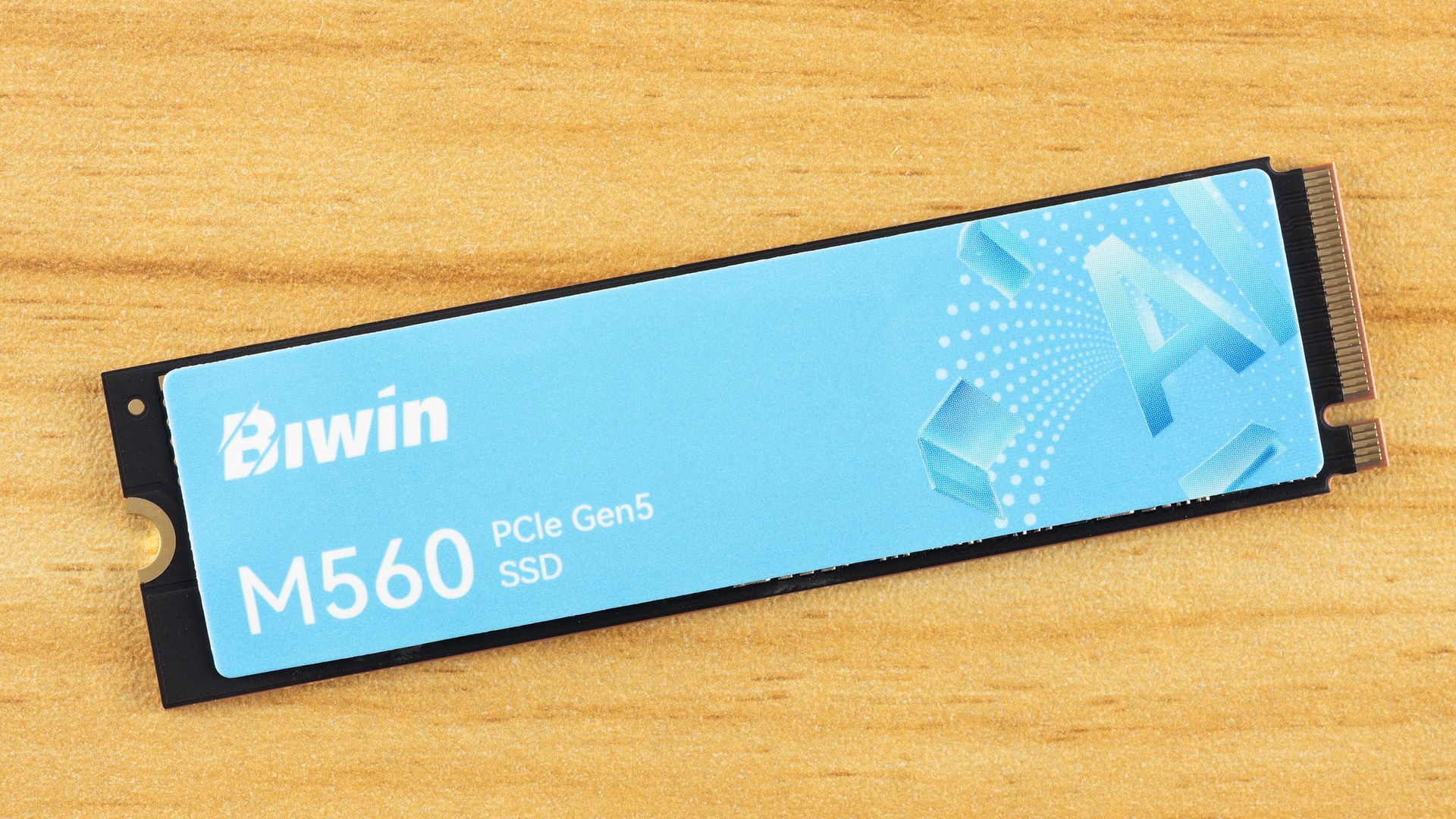
Biwin M560 2TB SSD Review: A DRAM-less PCIe 5.0 Powerhouse
The Biwin M560 2TB SSD is a top-tier PCIe 5.0 DRAM-less drive, delivering exceptional application and gaming performance with impressive efficiency. Its SMI SM2504XT controller shines, making it a strong contender for next-gen storage.

Lenovo Fingerprint USB: Security Mirage Exposed
Lenovo's ThinkPlus FU100 fingerprint USB, advertised with AES-256 encryption, was found to be a simple unencrypted SD card. Further research revealed critical vulnerabilities, backdoors, and hardcoded keys in other "secure" USB products from Lenovo and other vendors, turning supposed data protection into a dangerous illusion.