
NVIDIA DLSS: A Powerful AI Upscaling Game-Changer
NVIDIA DLSS, or Deep Learning Super Sampling, has become a cornerstone technology for PC gamers with RTX graphics cards. It's a proprietary upscaling solution designed to boost game performance and, in some cases,
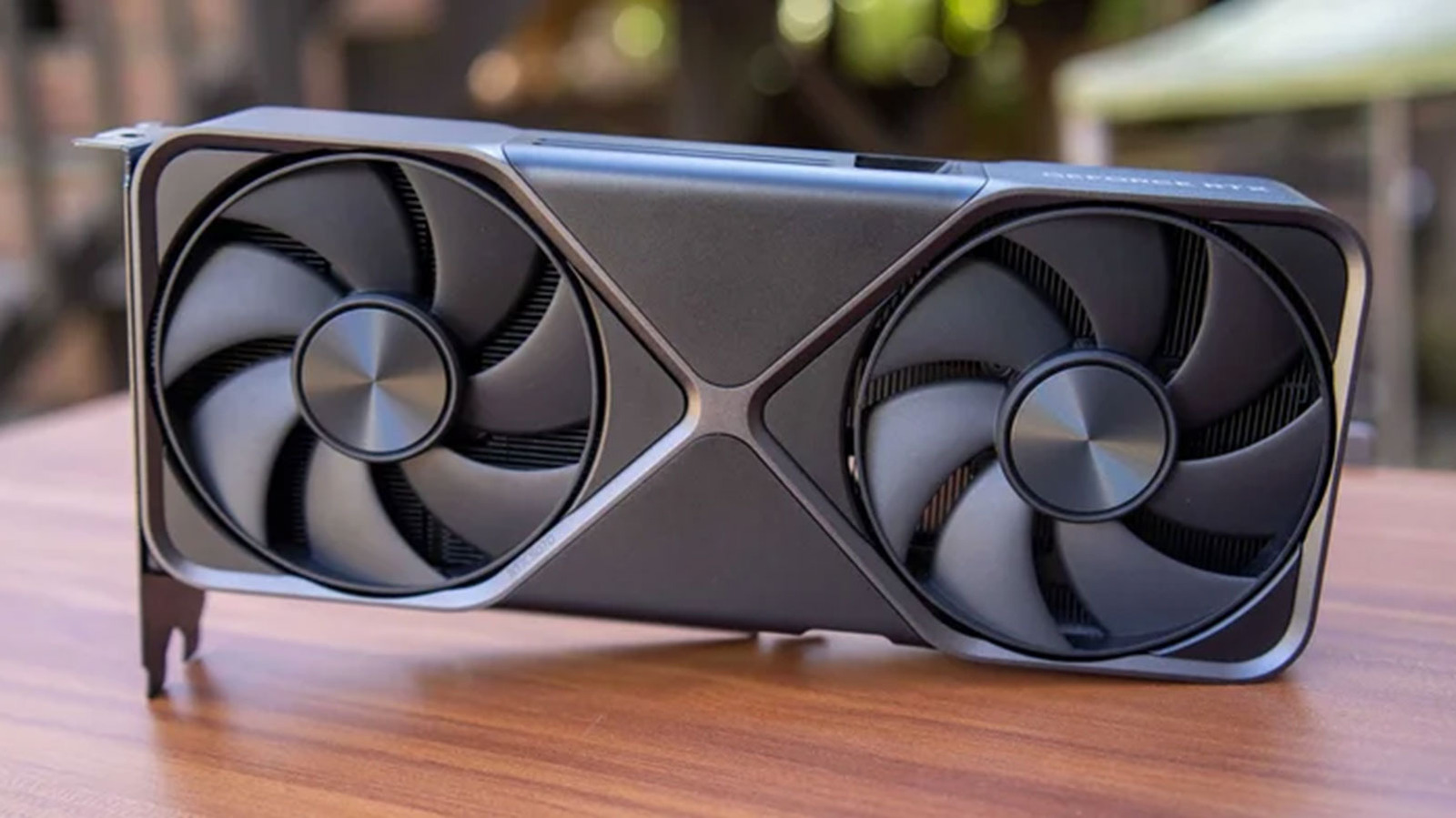
NVIDIA DLSS, or Deep Learning Super Sampling, has become a cornerstone technology for PC gamers with RTX graphics cards. It's a proprietary upscaling solution designed to boost game performance and, in some cases, significantly enhance visual fidelity. In essence, it allows your GPU to render games at a lower internal resolution, then intelligently rebuilds the image to your monitor's native resolution using a sophisticated, NVIDIA-trained machine learning algorithm. The result? You can often push graphical settings higher or achieve drastically increased framerates without a noticeable drop in visual quality, assuming it's implemented well.
Quick Verdict
DLSS is a genuinely transformative technology for NVIDIA RTX GPU owners. When properly utilized, it delivers a substantial performance boost, enabling smoother gameplay or higher visual settings than native rendering would allow. It's not without its nuances and potential compromises, particularly in more aggressive modes or with its experimental DLSS 5 iteration, but its benefits, especially with Frame Generation and Ray Reconstruction, make it an indispensable tool for modern gaming.
How DLSS Works Its Magic
At its core, DLSS operates on a principle of smart efficiency. Instead of forcing your graphics card to render every single pixel at your monitor's native resolution (say, 4K), it renders the game at a lower resolution (e.g., 1440p). This significantly reduces the computational load. Once the lower-resolution image is rendered, NVIDIA's machine learning models spring into action. These models, trained on vast datasets, analyze the image along with motion vectors, depth, and brightness information from the game engine. They then use this data to intelligently upscale the image, filling in the missing pixels to approximate native resolution quality. This process has become incredibly refined over generations, leading to impressive results that often look indistinguishable from native resolution, or even better, in some scenarios. It's important to configure your target output resolution to match your monitor's native resolution for optimal results.
Finding Your Sweet Spot: DLSS Modes Explained
One of the key aspects of DLSS is its flexibility, offered through various modes. These modes dictate the internal render resolution your GPU starts with before upscaling. Understanding them is crucial for balancing performance and image quality:
Quality Mode: Renders at 66.7 percent of your target resolution. For a 4K display, this means a 1440p internal render. It offers the best image quality among the modes, with a moderate, but noticeable, framerate increase.
*
Balanced Mode: Renders at 58 percent of your target resolution. A 4K output would start from roughly 1253p. As the name suggests, it aims for a middle ground between visual fidelity and performance.
*
Performance Mode: Renders at 50 percent of your target resolution. This translates to 1080p for a 4K output or 720p for a 1440p monitor. You'll see significant framerate gains here, but image quality can start to show signs of upscaling artifacts.
*
Ultra Performance Mode: Renders at a mere 33.3 percent of your target resolution. This mode is primarily designed for 8K displays to make them playable. Using it on 1440p or 4K monitors will likely result in a noticeably blurry image.
As a general guide, 1440p monitor owners should typically start with Quality mode and only drop to Balanced if more frames are absolutely necessary. For 4K users, Balanced mode is often a good starting point, with Performance mode being an option for those chasing higher framerates. Beyond these, the image quality compromise can become quite apparent.
Beyond Upscaling: The DLSS Ecosystem
NVIDIA's DLSS branding has expanded to cover a suite of related technologies, each serving a distinct purpose:
Deep Learning Super Sampling (Evolution): The original DLSS (2019) required game-specific training, limiting its adoption. DLSS 2 (2020) revolutionized this with a generalized algorithm, leading to widespread support (over 1,000 games and apps by early 2025). DLSS 4 (early 2025) introduced a transformer-based machine learning architecture, improving image quality, reducing ghosting, and enhancing stability. However, it's worth noting that DLSS 4 can have a higher overhead on older RTX GPUs, so NVIDIA offers presets to revert to older models if performance is impacted.
*
Deep Learning Anti-Aliasing (DLAA): Unlike DLSS, DLAA doesn't upscale. Instead, it processes a native resolution image to reduce shimmer and flickering, offering a superior form of temporal anti-aliasing (TAA). It's designed purely for image stability and can even be enabled through the NVIDIA app in games that don't natively support it.
*
Frame Generation (DLSS 3 & Up): Exclusive to RTX 40 series GPUs and newer, Frame Generation creates entirely new, interpolated frames between two traditionally rendered frames. This can dramatically boost the reported framerate, making gameplay smoother, particularly when your GPU can already maintain at least 60 FPS and you have a high-refresh-rate monitor. DLSS 4.5, introduced in March, further enhanced this with multi-frame generation for RTX 50 series GPUs, interpolating up to six frames from a single rendered frame.
*
Ray Reconstruction (DLSS 3.5 & Up): This feature is a denoising algorithm specifically for games utilizing ray tracing. Ray Reconstruction intelligently processes the sparse light ray data in a scene and generates high-quality pixels between these rays, significantly reducing artifacting and making ray-traced visuals look more coherent and realistic. While it can offer some performance gains, its primary benefit is a noticeable improvement in the visual quality of ray-traced environments.
The Curious Case of DLSS 5
DLSS 5 stands apart from its predecessors. Instead of focusing on performance or traditional image enhancement, it interprets a game's color and motion vectors to apply an AI filter that NVIDIA describes as "photoreal lighting and materials." Early demonstrations garnered attention for an "uncanny" effect, sometimes dubbed "yassifying" characters. While it aims to add layers of realistic shadows and textures, the key distinction is that DLSS 5 does not improve framerate; in fact, due to the computational overhead, it can actually lower it. As of October 2026, DLSS 5 is only officially available in NBA 2K27, though modders have begun implementing it in other titles. Its future widespread adoption by developers remains uncertain due to its performance cost and specific aesthetic application.
Pros and Cons
Pros:
*
Significant Performance Boost: Allows for higher framerates or graphic settings.
*
Improved Visual Quality: DLAA offers superior anti-aliasing, and Ray Reconstruction enhances ray tracing.
*
Frame Generation: Drastically increases FPS on compatible RTX cards.
*
Wide Game Support: DLSS 2 and 4 are supported in over a thousand games and apps.
*
Continuous Innovation: NVIDIA consistently refines the technology with new versions and features.
Cons:
*
Proprietary: Exclusively available on NVIDIA RTX GPUs (and select hardware like the Nintendo Switch 2).
*
Image Fidelity Compromise: More aggressive DLSS modes (Performance, Ultra Performance) can lead to blurriness or artifacts.
*
DLSS 4 Overhead: Can reduce performance on older RTX GPUs, requiring users to switch to older presets.
*
DLSS 5 Impact: Lowers framerate and has limited game integration, with an aesthetic that might not appeal to everyone.
*
Implementation Varies: Not all games integrate DLSS perfectly, leading to inconsistent results.
Buying Recommendation
If you own an NVIDIA RTX graphics card, embracing DLSS is a no-brainer. It's a powerful tool that genuinely enhances your gaming experience, whether you're aiming for buttery-smooth framerates on a high-refresh monitor or want to crank up the visual fidelity without turning your game into a slideshow. For most users, sticking to DLSS Quality or Balanced modes for upscaling, leveraging DLAA for pure anti-aliasing, and activating Frame Generation and Ray Reconstruction where supported (and your GPU allows) will provide the best overall experience. DLSS 5, while intriguing, is currently a niche feature that will primarily appeal to those interested in its specific visual filter and willing to sacrifice framerate. Overall, DLSS remains one of the strongest reasons to opt for an NVIDIA GPU in the current gaming landscape.
FAQ
Q: Is DLSS only for NVIDIA GPUs?
A: Yes, DLSS is a proprietary NVIDIA technology that requires an NVIDIA RTX graphics card to function. While the article mentions the Nintendo Switch 2, for PC gaming, it's exclusive to NVIDIA's RTX series.
Q: Will DLSS always make my games look better?
A: DLSS's primary goal is to boost performance, allowing you to achieve higher framerates or graphical settings. While modes like Quality or Balanced often maintain excellent image quality, more aggressive modes (Performance, Ultra Performance) can introduce blurriness. Features like DLAA and Ray Reconstruction are specifically designed to enhance visual quality, but DLSS 5 can reduce framerate while adding a distinct visual filter, which may not appeal to everyone's aesthetic preferences.
Q: What's the best DLSS mode to use?
A: The optimal DLSS mode depends on your monitor's resolution and your performance targets. For 1440p, start with Quality or Balanced for a good balance. For 4K, Balanced or Performance are generally recommended as starting points. Always aim for the highest image quality mode that still provides your desired framerate. Ultra Performance is typically reserved for 8K displays due to the significant image compromise at lower resolutions.
Related articles

Ars Technica's Rocket Report: Your Essential Space Industry Briefing
Quick Verdict Ars Technica's Rocket Report, presented by veteran space reporter Stephen Clark, offers an invaluable and meticulously organized weekly (or similar frequency, implied by "Edition 9.15") digest of the most

Apple iPhone Duo: A Daring Debut with Notable Compromises
Apple's highly anticipated iPhone Duo, priced at $2,000, has gone on pre-order. While hailed as "Apple's most exciting device in a decade" for its innovative foldable design and immersive display, it comes with significant drawbacks like the absence of FaceID and a premium camera.

KDE Plasma 6.8: A Future-Focused 30th Anniversary Update
Quick Verdict KDE Plasma 6.8, arriving as the "30th Anniversary Edition," is a pivotal release that decisively pushes the desktop environment into the future. With a definitive farewell to native X11 sessions and a
Galaxy Watch One UI 9 Beta: Promising Progress, But Patience Needed
Galaxy Watch 8, Watch Ultra, and Watch 7 are receiving a new One UI 9 Watch beta build with bug fixes and a security patch. Active development signals progress, but a stable release date remains elusive.

Enterprise AI Beyond Chatbots: A Vision for Actionable Intelligence
Quick Verdict: Redefining Enterprise AI's Potential TechRadar Pro's opinion piece, "What it takes to move enterprise AI beyond the chatbot," delivers a refreshingly honest and vital perspective on the current state and

Prototype Racing 2030: A Unified Future Driven by Software
Prototype racing is heading towards a unified, LMDh-based rule set by 2030, promising greater stability, cost-effectiveness, and a focus on software-driven innovation for OEMs, despite current economic challenges.