
Nvidia Ampere Dual-GPU Frame Gen: A Niche Performance Boost
Quick Verdict: A Resourceful 4K Refresh For gamers holding onto a high-end Nvidia Ampere GPU like the RTX 3090 and who happen to have a spare, lower-tier card such as an RTX 3050, this dual-GPU setup leveraging Lossless
Quick Verdict: A Resourceful 4K Refresh
For gamers holding onto a high-end Nvidia Ampere GPU like the RTX 3090 and who happen to have a spare, lower-tier card such as an RTX 3050, this dual-GPU setup leveraging Lossless Scaling software is a remarkably effective and budget-friendly way to achieve significantly higher frame rates at 4K. It effectively doubles perceived performance, making 144 FPS at 4K a reality on hardware that wouldn't typically reach it natively. While it's a niche solution requiring specific hardware, it offers compelling value during a period of expensive GPU upgrades.
The Innovation: Dual-GPU Frame Generation
In the ever-evolving landscape of PC gaming, finding ways to squeeze more performance out of existing hardware is a constant quest. A recent revelation from a gaming enthusiast, 'quziwuzzi' on Reddit, highlights a particularly ingenious method: pairing an Nvidia GeForce RTX 3090 with a GeForce RTX 3050 to dramatically boost 4K frame rates using a software tool called Lossless Scaling. This isn't your grandad's SLI; instead, it's a clever division of labor where the primary GPU handles the heavy lifting of game rendering, and the secondary, less powerful card takes on the computationally intensive task of frame generation.
The core of this strategy lies in Lossless Scaling, an affordable utility available on Steam for just $7. Unlike proprietary solutions such as Nvidia's DLSS, AMD's FSR, or Intel's XeSS, Lossless Scaling boasts universal compatibility. It can be applied to virtually any game or video application, irrespective of whether the title natively supports specific upscaling or frame generation technologies. This broad applicability is a significant advantage, opening up performance enhancements for a vast library of games that might otherwise be left behind.
Performance and User Experience
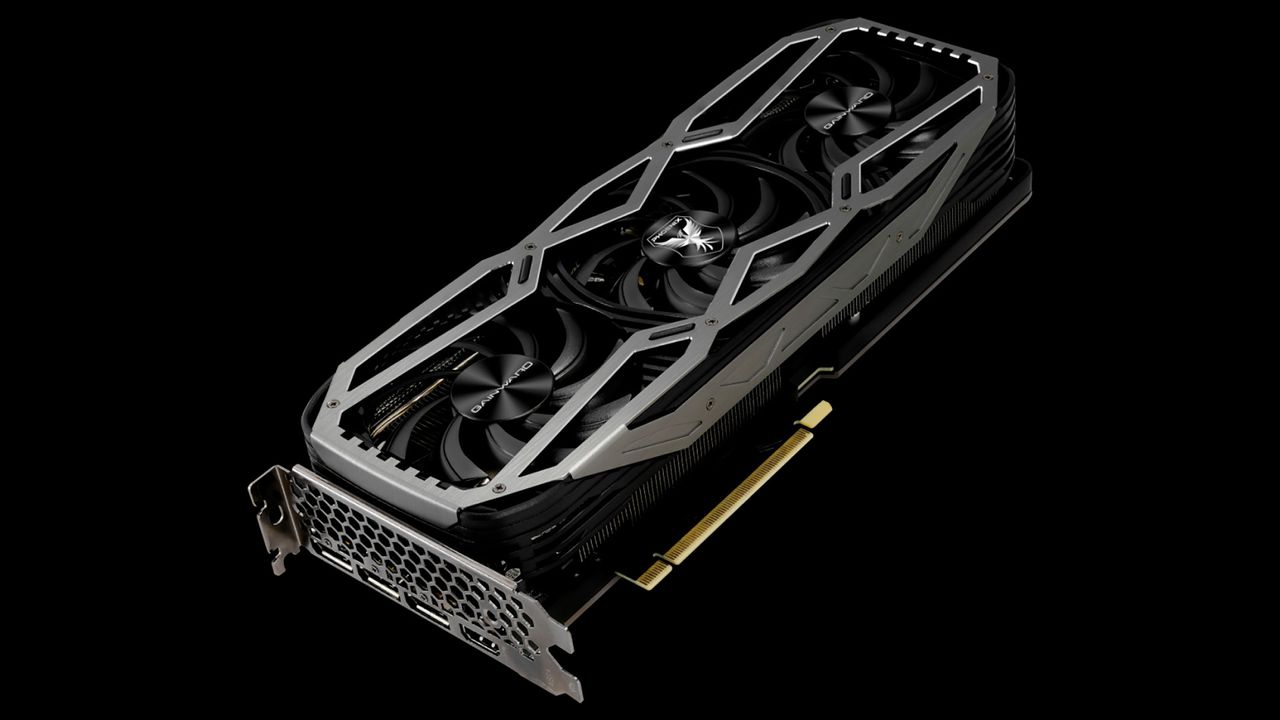
The reported results from this dual-GPU configuration are impressive. The Gainward GeForce RTX 3090 Phoenix, when operating alone, achieved up to 71 frames per second (FPS) at a demanding 4K (3840x2160) resolution. However, by offloading the frame generation process to an Asus Dual GeForce RTX 3050 OC Edition via Lossless Scaling, the system's performance surged to 144 FPS at 4K. This represents a near-doubling of the frame rate, aligning perfectly with the Reddit user's 42-inch LG C4 OLED television, which features a 144 Hz refresh rate.
The key to this performance uplift is the efficient distribution of workload. The RTX 3090 is allowed to dedicate its full resources to rendering the game's visuals, while the RTX 3050, despite being a much less powerful card, proves more than capable of handling the frame generation tasks at 4K resolution. Lossless Scaling offers 2X, 3X, and 4X frame generation multipliers, as well as an adaptive mode, all of which reportedly worked well in the user's experience. While the specific games used for testing were not disclosed in the source, the consistent frame rate doubling across these modes suggests a robust implementation.
One of the most appealing aspects of this approach is its cost-effectiveness. In a market still grappling with memory shortages and inflated GPU prices, upgrading to the latest and greatest graphics card can be financially prohibitive for many. Lossless Scaling, at a mere $7, offers an accessible alternative for those looking to breathe new life into their existing hardware. The article even suggests that much older cards, like the GeForce GTX 750 Ti or Radeon RX 550, could potentially improve gaming performance when utilized for frame generation, although the 4K/144FPS numbers cited were specifically with the RTX 3050 as the secondary unit.
Pros and Cons
Pros:
- Significant Performance Boost: Dramatically increases frame rates, with the reported case showing a doubling of FPS at 4K, enabling smoother gameplay on high refresh rate displays.
- Cost-Effective Upgrade Path: For users with existing compatible hardware, the $7 cost of Lossless Scaling is minimal compared to purchasing a new, high-end GPU.
- Extends Hardware Lifespan: Allows older, powerful cards like the RTX 3090 to remain competitive at high resolutions and refresh rates.
- Universal Compatibility: Lossless Scaling works with virtually any game or video application, independent of native support for proprietary upscaling technologies.
- Workload Offloading: Separating rendering and frame generation across two GPUs reduces strain on the primary card, potentially leading to more stable performance.
Cons:
- Niche Requirement: Necessitates owning two discrete graphics cards, which isn't a common setup for most users.
- "Fake Frames" Perception: While improving perceived smoothness, frame-generated frames are synthetic and some purists may find the input lag or visual artifacts (though not specifically mentioned in the article for Lossless Scaling) undesirable.
- Specifics Lacking: The Reddit post didn't detail the exact games tested, making it harder to gauge consistent performance across titles.
- Not a Direct Upgrade: This method enhances frame rates but doesn't fundamentally increase the primary GPU's raw rendering power.
Comparison to Alternatives
The article mentions proprietary frame generation and upscaling solutions like Nvidia DLSS, AMD FSR, and Intel XeSS. The key differentiator for Lossless Scaling in this dual-GPU context is its universality and the ability to offload the task to a secondary GPU. DLSS, FSR, and XeSS are typically integrated directly into games and utilize the primary graphics card to perform upscaling and frame generation. While these proprietary solutions often leverage specific hardware (like Nvidia's Tensor Cores for DLSS) and can offer highly optimized results, their adoption is game-dependent.
Lossless Scaling bypasses these limitations by operating as a separate application, applying its techniques to the final output. The ingenious part of this setup is distributing the compute load across two cards. With DLSS or FSR frame generation, the primary GPU handles both rendering and frame generation, which can still introduce overhead. By dedicating a secondary GPU, even a lower-end one, to just frame generation, the primary RTX 3090 can run unburdened, maximizing its native rendering output before the frames are multiplied. This unique approach means Lossless Scaling fills a different role, providing a broad, hardware-leveraging solution where proprietary, in-game options might be absent or less efficient due to a single GPU bottleneck.
Buying Recommendation
This dual-GPU Lossless Scaling setup comes with a strong recommendation for a very specific demographic: gamers who currently own a high-end Ampere GPU (like an RTX 3090) and possess a spare, discrete, lower-to-mid-range Nvidia or AMD graphics card (such as an RTX 3050). If you're in this fortunate position and are looking to push 4K gaming to high refresh rates without breaking the bank on a new generation GPU, this $7 investment into Lossless Scaling is an absolute no-brainer. It's an excellent way to extend the relevant lifespan of your existing top-tier card and fully utilize a high refresh rate 4K display.
However, it's crucial to understand this isn't a solution for everyone. If you don't have a spare GPU lying around, purchasing a new RTX 3050 (or similar) solely for frame generation alongside an RTX 3090 might not be the most economical path compared to saving up for a more modern, single-card upgrade. It's best viewed as a resourceful optimization for existing hardware configurations, particularly valuable in the current market climate where GPU upgrades are costly.
FAQ
Q: Is this setup complicated to achieve?
A: The source content doesn't delve into the specifics of the setup process beyond mentioning that the user 'explained on Reddit' their dual-GPU configuration. However, Lossless Scaling itself is a Steam application designed for broad compatibility, suggesting its software implementation is user-friendly. The main complexity would likely involve ensuring proper driver installation for both GPUs and configuring Lossless Scaling to correctly utilize the secondary card, which might require some basic PC hardware and software understanding.
Q: Can I use any two GPUs for this frame generation trick?
A: The article highlights the successful pairing of an RTX 3090 and an RTX 3050 for high-refresh 4K gaming. It also states that Lossless Scaling is compatible with iGPUs and suggests even very old cards like the GeForce GTX 750 Ti or Radeon RX 550 can improve gaming performance for frame generation. However, the specific 4K 144 FPS result was achieved with the RTX 3050 handling the frame generation, indicating that a more capable secondary card will yield better results, especially at higher resolutions and frame rate targets.
Q: Is frame generation as good as native frames, or does it introduce issues?
A: The article acknowledges the common argument that frame generation produces "fake frames." While it significantly improves the perceived frame rate and smoothness, it's fundamentally an interpolation technique. This means generated frames aren't rendered natively and can, in some implementations, introduce minor input latency or visual artifacts. However, for a mere $7, the trade-off is presented as a cost-effective way to "trick your brain" and improve the gaming experience, especially when native performance falls short of high refresh rate targets.
Related articles

Here’s where you can preorder the new OLED-equipped iPad Mini: Apple
Apple has officially opened preorders for its eighth-generation iPad Mini, featuring a vibrant 8.5-inch OLED display and powerful A20 Pro chip. Starting at $699, the device can be preordered from Apple and Best Buy before its November 6th release, promising significant upgrades in visual technology and performance.

Nothing CMF Clip Pro Review: Open-Ear Awareness at a Steal
The Nothing CMF Clip Pro offers a unique open-ear listening experience, designed for situational awareness and comfort. Now $30 off at $69, it's an appealing option for those seeking spacious sound without sealing off the world.

Apple's Touchscreen MacBook Pro: A Long-Awaited Touch
The Verdict Apple's rumored touchscreen MacBook Pro represents a long-overdue evolution, promising to blend the convenience of direct screen interaction with the powerful macOS laptop experience. While not an essential

CMF Watch 3 Pro: Affordable Style Meets Solid Performance
CMF Watch 3 Pro: Affordable Style Meets Solid Performance In the crowded market of smartwatches, finding a device that balances features, design, and affordability can be a challenge. Enter the CMF Watch 3 Pro, a

Love Island Australia S8 Guide: Navigating the Stream, Mostly Free
Love Island Australia Season 8 Streaming Guide: Navigating the Digital Waters Verdict: TechRadar's guide to watching Love Island Australia Season 8 is a generally useful, if somewhat navigationally challenged, resource

Sculpture Re-creates Lycurgus Cup Effect: A Glimmering Triumph of Art
The University of Sheffield successfully re-creates the 1,600-year-old dichroic glass recipe of the Lycurgus Cup. A new sculpture by artist Elliott Walker displays the stunning green-to-red optical effect, blending ancient tech with modern art. A significant scientific and artistic achievement.