
How to Give Abandoned Gadgets a New Life - Unlock Hidden Potential
Discover how enthusiast communities transform unsupported devices like Kindles, iPods, and Wiis, adding new features and functionality far beyond their original design, giving them a second chance at usefulness.
Have you ever found yourself holding an old gadget, perfectly functional in terms of hardware, but rendered obsolete because the manufacturer pulled the plug on support or online services? It's incredibly frustrating when devices become effectively useless, destined for the e-waste bin, simply because a company decided to move on.
But what if that wasn't the end of the story? What if, thanks to dedicated enthusiast communities, these 'abandoned' devices could not only be brought back to life but even become better than they ever were?
This guide will explore how five different gadgets defied planned obsolescence, gaining new features and extending their usefulness far beyond their official support lifespans. You'll learn what makes these devices special and how passionate communities have transformed them into true powerhouses. Prepare to rethink what's possible with your old tech!
Before You Begin: General Prerequisites
While this guide highlights the possibilities, each modification or software installation requires specific steps unique to the device and the community project. Here are some general considerations:
- Internet Access: You'll need a stable internet connection to download community-developed software, firmware, or access online guides.
- Basic Technical Comfort: While not always complex, these processes often involve downloading files, transferring them to your device, and sometimes interacting with command-line tools. Familiarity with basic computer operations is helpful.
- Community Research: The most crucial prerequisite is your willingness to dive into online forums, wikis, and dedicated project websites. These communities provide detailed instructions, necessary files, and troubleshooting support for specific device models.
- Device-Specific Hardware (Optional): Some modifications, particularly for devices like the iPod, might involve opening the device and replacing internal components. Ensure you have the right tools if you plan to go this route.
1. Kindle: More Than Just an Amazon Reader
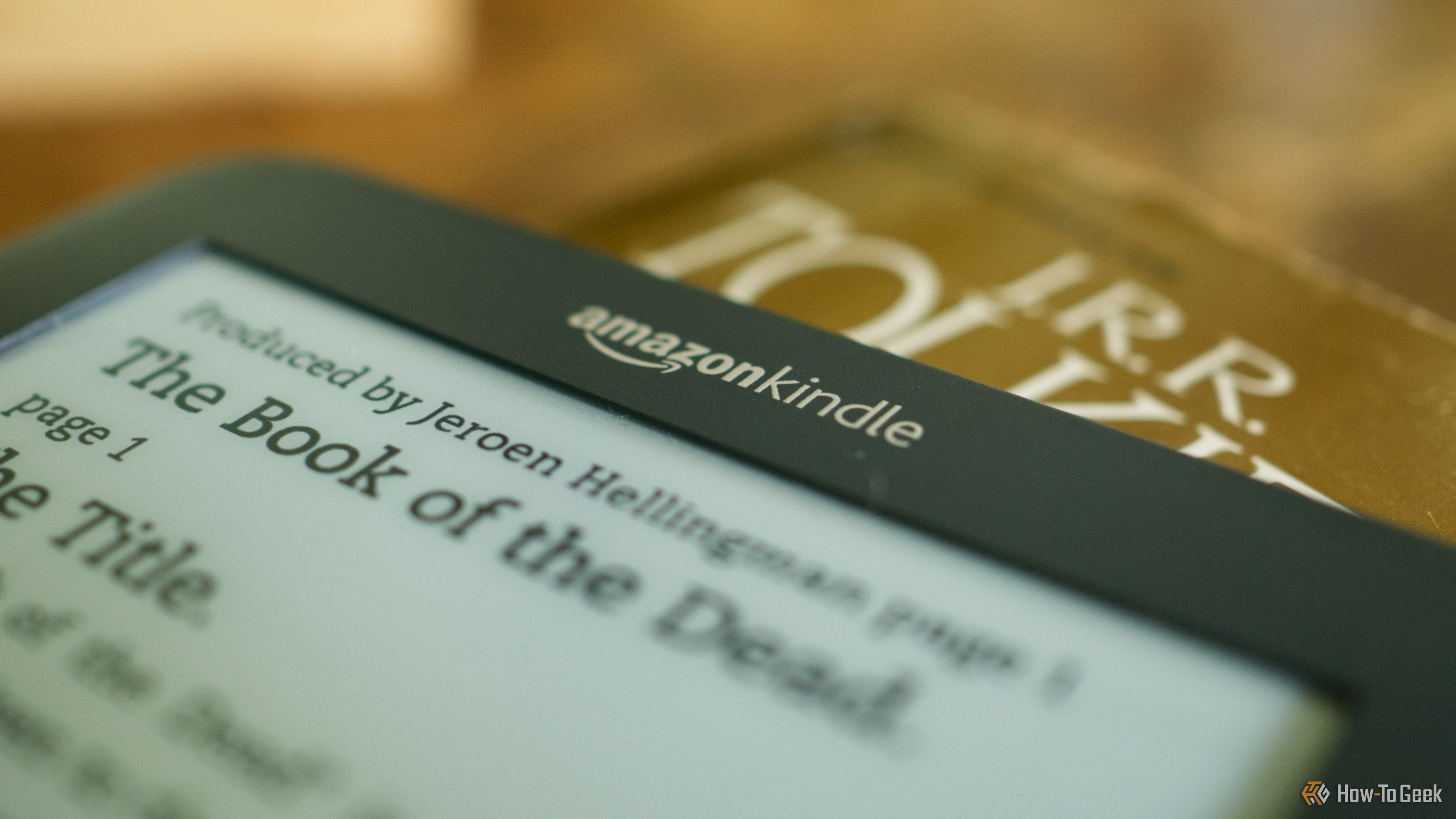
Many loyal Kindle users faced disappointment when Amazon stopped supporting older models, particularly those from 2012 or earlier. This cut off essential features like purchasing or borrowing books from the Kindle Store and using the 'Send to Kindle' service, severely limiting the device's utility.
How the Community Stepped In: Enthusiasts discovered ways to 'jailbreak' these Kindles, opening them up to alternative software. The most prominent example is KOReader, a highly customizable reader application.
What Your Old Kindle Can Become: With KOReader, your Kindle transforms. It offers far greater customization options than Amazon's stock software and supports a wider array of file formats. Beyond reading, plugins can extend its capabilities further, adding features never imagined for a standard Kindle. Your decade-old device can become a versatile e-reader, tailored exactly to your preferences.
2. Spotify Car Thing: From Dashboard to Desk Controller
Spotify's Car Thing was an intriguing dashboard-mounted touchscreen designed for in-car music control. However, its life was short-lived; Spotify first discontinued it, then completely disabled existing devices, rendering them useless for their original purpose.
How the Community Stepped In: The community responded with DeskThing, a project aimed at repurposing the Car Thing hardware.
What Your Car Thing Can Become: DeskThing breathes new life into the device, transforming it into a customizable desk controller. The screen, physical buttons, and dial can all be integrated with community-developed applications. Imagine using it to control your smart home devices, trigger customizable computer shortcuts, play simple games, or even control Spotify on your computer – all from your desk. It effectively becomes a programmable mini-console for your digital life.
3. Pebble Watches: The Smartwatch That Refused to Die
Pebble watches were pioneers in the smartwatch market, celebrated for their always-on e-paper displays and impressive battery life. However, the company ceased operations in 2016, and by 2018, its cloud services were shut down, threatening to brick countless devices.
How the Community Stepped In: A dedicated community quickly developed Rebble Web Services to replace the defunct cloud infrastructure.
What Your Pebble Watch Can Become: Rebble restored crucial functionality, giving owners back access to their favorite apps, watch faces, weather updates, and even dictation features. But the community didn't stop there. They pushed boundaries, adding entirely new capabilities like smart home controls and RSS readers. In a remarkable turn, the Pebble brand has even been revived, releasing new models that run an open-source PebbleOS and share an app ecosystem with Rebble, demonstrating the enduring power of community support.
4. Nintendo Wii: Beyond the Console
The Nintendo Wii was a cultural phenomenon, bringing motion-controlled gaming to the masses. But like all consoles, its official online life eventually ended, with Nintendo shutting down online multiplayer services in 2014 and the Wii Shop Channel in 2019.
How the Community Stepped In: The robust homebrew community ensured the Wii's story didn't end there. They developed the Homebrew Channel, an unofficial gateway for custom applications.
What Your Wii Can Become: With homebrew, your old Wii becomes a versatile entertainment hub. You can run unofficial applications, including emulators for other classic consoles, turning your Wii into a retro gaming machine. It can also function as a media player, and for the truly adventurous, you can even install and run Linux. Furthermore, community-driven services have replaced Nintendo's abandoned multiplayer, allowing you to continue playing online with friends. Your Wii is far more capable today than it ever was officially.
5. Apple iPod: The Ultimate Portable Music Player
The iPod was instrumental in Apple's rise, but the iPhone's dominance eventually led to its discontinuation. Despite this, many still desire a dedicated music player free from smartphone distractions.
How the Community Stepped In: Enthusiasts found two primary avenues for revitalizing old iPods: alternative firmware and hardware modifications.
What Your iPod Can Become:
- Rockbox Firmware: This alternative firmware, compatible with many iPod models, adds features Apple never included. Expect native FLAC audio support, extensive interface customization, advanced audio processing tools, and even basic games.
- Hardware Modifications: The community has pioneered ways to upgrade the physical device. You can replace the original, often limited, hard drive with high-capacity flash storage, allowing your iPod to hold hundreds of gigabytes of music. Swapping in better batteries extends playback time, and some even modify the internal Bluetooth to connect wireless headphones without the need for external adapters.
A modified iPod, with its iconic design, can become a truly powerful, long-lasting music player, perfectly suited for audiophiles seeking a distraction-free listening experience.
Troubleshooting and Best Practices
Embarking on any of these projects requires patience and careful attention to detail. Here are some tips:
- Start with Research: Always begin by thoroughly researching your specific device model and the exact steps required for the modification. Community wikis and forums are your best friends.
- Backup Everything: Before making any significant changes, if your device allows it, back up any important data. This safeguards against data loss during the process.
- Follow Instructions Carefully: Do not skip steps or improvise. The instructions provided by the community are usually tried and tested.
- Engage with Communities: If you encounter issues, don't hesitate to ask for help on relevant forums. Chances are, someone else has faced a similar problem and found a solution.
- Be Aware of Risks: Modifying devices always carries some risk, including the possibility of 'bricking' your device if done incorrectly. Proceed with caution.
Next Steps: Join the Movement
These examples are just a glimpse into the vibrant world of device communities. If you have an old gadget gathering dust, consider researching if a similar revival project exists. You could save a device from becoming e-waste and gain a uniquely capable piece of tech in return. Embrace the spirit of open-source innovation and give your abandoned gadgets a second, even better, life!
FAQ
Q: Is it legal to modify my old gadgets in this way?
A: Generally, modifying devices you own for personal use, especially after official support has ended, falls into a legal gray area or is often permitted. However, distributing modified software or using it for piracy is typically illegal. Always ensure you are using community solutions responsibly and for personal enjoyment.
Q: Will modifying my device void its warranty?
A: Absolutely. If your device is still under warranty, any modifications will almost certainly void it. However, for devices discussed in this guide, manufacturer support and warranties have long expired, making this a non-issue.
Q: Where can I find reliable information and software for these projects?
A: The best sources are often dedicated enthusiast websites, open-source project pages (like GitHub), and well-established forums for specific devices. Look for communities with active users, clear documentation, and reputable contributors. A simple search for "[Your Gadget Name] homebrew" or "[Your Gadget Name] alternative firmware" is a good starting point.
Related articles

Ditch Merge & Center: The Better Way to Align Text in Excel
Learn to use Excel's "Center Across Selection" to align text across cells without merging, avoiding common data manipulation issues. This guide provides steps to utilize this newly accessible feature and add it to your Quick Access Toolbar.

Stop Android Auto Battery Drain: Essential Features to Disable and
Android Auto offers unparalleled convenience, bringing your phone's most useful features directly to your car's display. From navigation and calls to messages and music, it keeps you connected without distracting you

TGS 2026: These Forward-Looking Cosplays Are Already Living in the
Tokyo Game Show 2026 showcased incredible cosplay, with many fans embodying characters from unreleased games like *Blast Blade* and *Mononoke No Kuni*. This gallery highlights the community's foresight, alongside debut *Palworld* cosplay and refreshed takes on classics. It’s a testament to the passion that brings gaming's future to life.

Turn Your Android Phone into a Powerful Desktop Replacement
Learn how to transform your Android phone into a full-fledged desktop computer using external displays and accessories, providing a cost-effective and integrated alternative to new Googlebooks.

howto: Four Ways the Fitbit Edge Is Better Than the Charge 6, and Two
Learn the key differences between the Fitbit Edge and Charge 6, including four advantages of the Edge and two areas where it falls short, to help you choose the best fitness tracker for your needs.
How to Connect Your Googlebook to a Printer - Print Documents with
Learn to quickly connect your Googlebook to a printer via Wi-Fi, USB, or Bluetooth and print documents in minutes. This guide covers direct printing, app-specific connections, troubleshooting, and even printing screenshots as a workaround.