
Galaxy Z Fold 8 Ultra: Essential Apps for a Supercharged Foldable
This review details the top 5 apps — Obsidian, Inoreader, YouTube, Kindle, and Komoot — that perfectly leverage the Samsung Galaxy Z Fold 8 Ultra's massive 8-inch display and unique features, offering a transformative mobile experience.
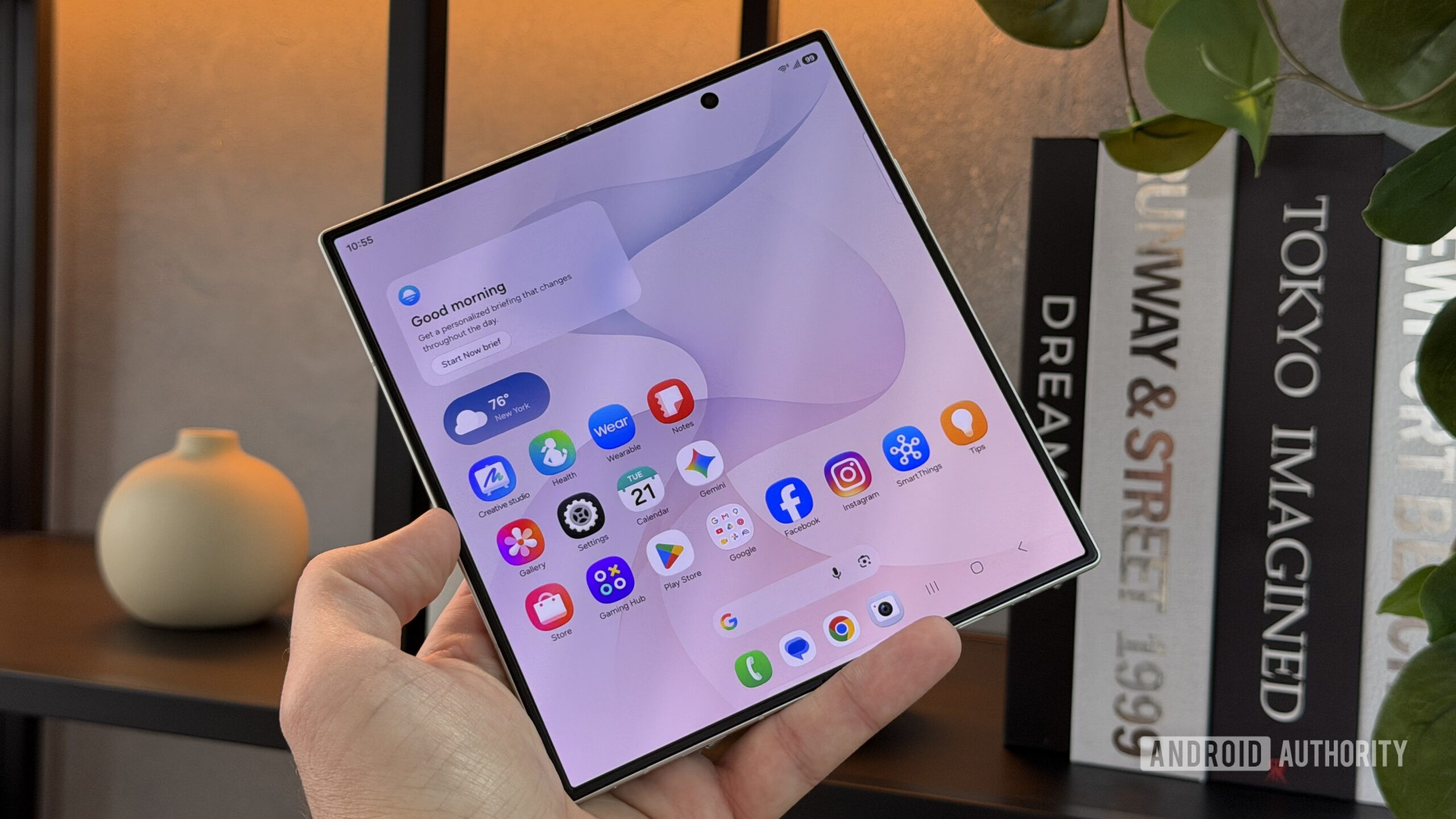
The Samsung Galaxy Z Fold 8 Ultra has just arrived, flaunting its impressive 8-inch foldable display, ready to redefine how we interact with our mobile devices. While the hardware itself is a marvel, the true magic unfolds when paired with applications that truly leverage its unique capabilities. Having spent time exploring the potential of this device, it's clear that certain apps move beyond mere functionality to offer a genuinely transformative user experience. These aren't just good apps; they are apps that feel built for the Fold 8 Ultra, turning it from a large smartphone into a versatile productivity and entertainment powerhouse. For anyone picking up Samsung's latest foldable, here are the first five applications that will instantly elevate your digital life, making the most of that expansive screen.
Unlocking the Fold 8 Ultra's Potential: Key Features for App Enhancement
The Galaxy Z Fold 8 Ultra isn't just about a bigger screen; it's about a more adaptable canvas. The substantial 8-inch internal display, coupled with features like enhanced dual-pane multitasking and the intuitive Flex Mode, allows applications to stretch their wings in ways conventional smartphones simply cannot. This isn't just about scaling up interfaces; it's about fundamentally changing workflows and consumption habits. From intricate data management to casual video viewing, the Fold 8 Ultra empowers a desktop-like efficiency and a tablet-tier immersion, all within a device that still fits in your pocket.
App Deep Dive: Maximizing the Foldable Advantage
Obsidian: Your Desktop Workspace, Anywhere
Obsidian stands out as a critical tool for knowledge management, project tracking, and creative writing. On a standard smartphone, it performs adequately, but on the Fold 8 Ultra, the experience undergoes a radical shift. The larger display allows Obsidian to adopt a desktop-like layout, providing ample space for navigating files and folders via a permanently docked side menu, while your notes or articles occupy the main reading pane. This eliminates constant swipes and taps, streamlining your workflow. Crucially, the ability to open a research note alongside an article you're drafting in a split-screen view makes the Fold 8 Ultra a genuine mobile productivity station. Tables, often cumbersome on smaller screens, are rendered with minimal to zero sideways scrolling, making data review far more comfortable. Obsidian truly becomes the first essential download, promising to keep you on top of your professional and personal endeavors with unprecedented ease.
Inoreader: Intelligent News Consumption
For those who prefer a curated news diet, Inoreader is an exceptional RSS reader, consolidating content from various sources into one organized feed. On the Z Fold 8 Ultra, this app transforms from a capable news aggregator into a dynamic digital magazine. The extended screen real estate significantly reduces eye strain during prolonged reading sessions. What truly sets it apart is the dual-pane support, presenting a list of articles on one side and the full content of a selected piece on the other. This seamless navigation eradicates the repetitive 'tap-to-read, tap-back-to-feed' cycle common on smaller devices. Furthermore, Inoreader's magazine view spreads across the large display in a multi-column grid, allowing you to skim twice as many headlines at a glance, making your news consumption both efficient and enjoyable. It effectively mimics a desktop browser experience for news, proving invaluable for staying informed.
YouTube: Entertainment, Uninterrupted
While YouTube comes pre-installed on Android devices, its performance on the Galaxy Z Fold 8 Ultra warrants special mention as a cornerstone app. The sheer size of the 8-inch display dramatically enhances the video-watching experience, making it far more immersive and comfortable for extended viewing sessions compared to a typical bar phone. Beyond simple enlargement, the Fold 8 Ultra’s dual-pane capability shines here too. You can comfortably watch a video on one half of the screen while simultaneously scrolling through comments or browsing recommendations on the other. On smaller devices, this split-screen functionality often renders the video impossibly tiny, but on the Fold 8 Ultra, both elements remain perfectly usable. Adding to this, Flex Mode is a game-changer; folding the device halfway creates a built-in kickstand, positioning the video on the upper screen and controls on the lower. This hands-free viewing is a distinct advantage, eliminating the need for external stands or awkward propping, making it ideal for everything from desk work breaks to kitchen counter entertainment.
Kindle: Your Digital Library, Reimagined
For avid readers, the Kindle app on a standard smartphone is often a compromise, especially when compared to a dedicated E-Ink device. The Fold 8 Ultra, however, narrows this gap considerably. While it doesn't replicate the E-Ink display, its large screen significantly reduces the eye strain typically associated with reading on a phone for hours. The most compelling feature is the ability to view two pages side-by-side, mirroring the experience of holding a physical book. This layout, even if it makes the text slightly smaller, contributes immensely to the feeling of an authentic reading session. For those who frequently travel, the Fold 8 Ultra equipped with the Kindle app could easily serve as a primary e-reader, potentially allowing you to leave your dedicated Kindle device at home. It transforms the mobile reading experience from a quick glance into a truly enjoyable and sustained activity.
Komoot: Charting Your Adventures with Clarity
For outdoor enthusiasts, Komoot offers invaluable assistance in planning and navigating hikes, runs, and bike trails. On any phone, it's a solid tool for discovering routes and understanding their details like length, elevation, and difficulty. However, the Galaxy Z Fold 8 Ultra truly amplifies its utility. The large display provides an unparalleled overview of maps, dramatically reducing the need for constant zooming and panning. You can view the entire route, surrounding terrain, and the crucial elevation profile simultaneously, making route adjustments and preparedness far more intuitive. While the compact cover screen remains practical for quick glances during an active trail, the unfolded display is the undeniable star during the planning phase or when taking a break. It offers a comprehensive, at-a-glance understanding of your adventure, though it's worth noting that full navigation capabilities beyond a single free region require an additional purchase.
Overall User Experience & Recommendation
The Galaxy Z Fold 8 Ultra stands as a testament to the evolution of mobile technology, offering a versatile platform that blurs the lines between smartphone and tablet. The applications highlighted — Obsidian, Inoreader, YouTube, Kindle, and Komoot — are not merely functional on this device; they are elevated, fundamentally changing the user experience from merely 'mobile' to 'desktop-class' productivity and immersive entertainment. The combination of the Fold 8 Ultra's expansive screen, intelligent dual-pane multitasking, and unique Flex Mode transforms everyday digital interactions.
For anyone investing in the Galaxy Z Fold 8 Ultra, installing these five apps should be a top priority. They are carefully selected not just for their inherent quality but for their exceptional synergy with the foldable form factor, promising to unlock the full potential of your new device and enhance your digital life significantly.
Pros and Cons of the Fold 8 Ultra App Experience
Pros:
- Expansive Display for Immersion and Detail: The 8-inch screen provides an unparalleled canvas for all types of content, from detailed documents in Obsidian to vast maps in Komoot, and immersive videos on YouTube.
- Revolutionary Multitasking: Dual-pane functionality in apps like Inoreader and YouTube allows for efficient content consumption and parallel workflows, previously impractical on smaller devices.
- Unique Hands-Free Convenience: Flex Mode transforms the device into its own stand, offering comfortable, unencumbered viewing for media and interaction for other apps.
- Desktop-Like Layouts: Many apps adapt to the larger screen, providing layouts reminiscent of desktop applications, enhancing productivity and user comfort.
- Reduced Eye Strain: For activities like reading (Kindle) or prolonged content consumption, the larger screen significantly lessens visual fatigue.
Cons:
- App Optimization Variability: While these specific apps are well-optimized, not every application will perfectly leverage the foldable form factor or Flex Mode, potentially leading to inconsistent experiences.
- Purchase Required for Some Features: While the core apps are free, some functionalities (like Komoot's region navigation) may require in-app purchases.
- Initial Adaptation: Users new to foldables might need a brief adjustment period to fully utilize dual-pane and Flex Mode effectively.
FAQ
Q: Is the Z Fold 8 Ultra's large screen truly beneficial for everyday apps, or just specific productivity tools?
A: Absolutely. As demonstrated by apps like YouTube and Kindle, the large screen profoundly enhances everyday media consumption and reading comfort, making it feel less like a smartphone and more like a miniature tablet or dedicated reader. Its benefits extend well beyond just niche productivity tools to general daily use.
Q: Does the Flex Mode offer significant advantages over traditional phones?
A: Yes, Flex Mode is a unique advantage. It essentially turns your Fold 8 Ultra into its own kickstand, allowing for hands-free viewing of videos, following recipes, or even stable video calls without needing a separate accessory. This convenience is unmatched by traditional slab phones.
Q: Are these recommended apps generally free to use?
A: Most of the core apps listed (Obsidian, Inoreader, YouTube, Kindle) are free to download and use, though some may offer premium features or subscriptions (like Inoreader's advanced features). Komoot provides free route planning globally but requires a purchase for navigation beyond one free region.
Related articles
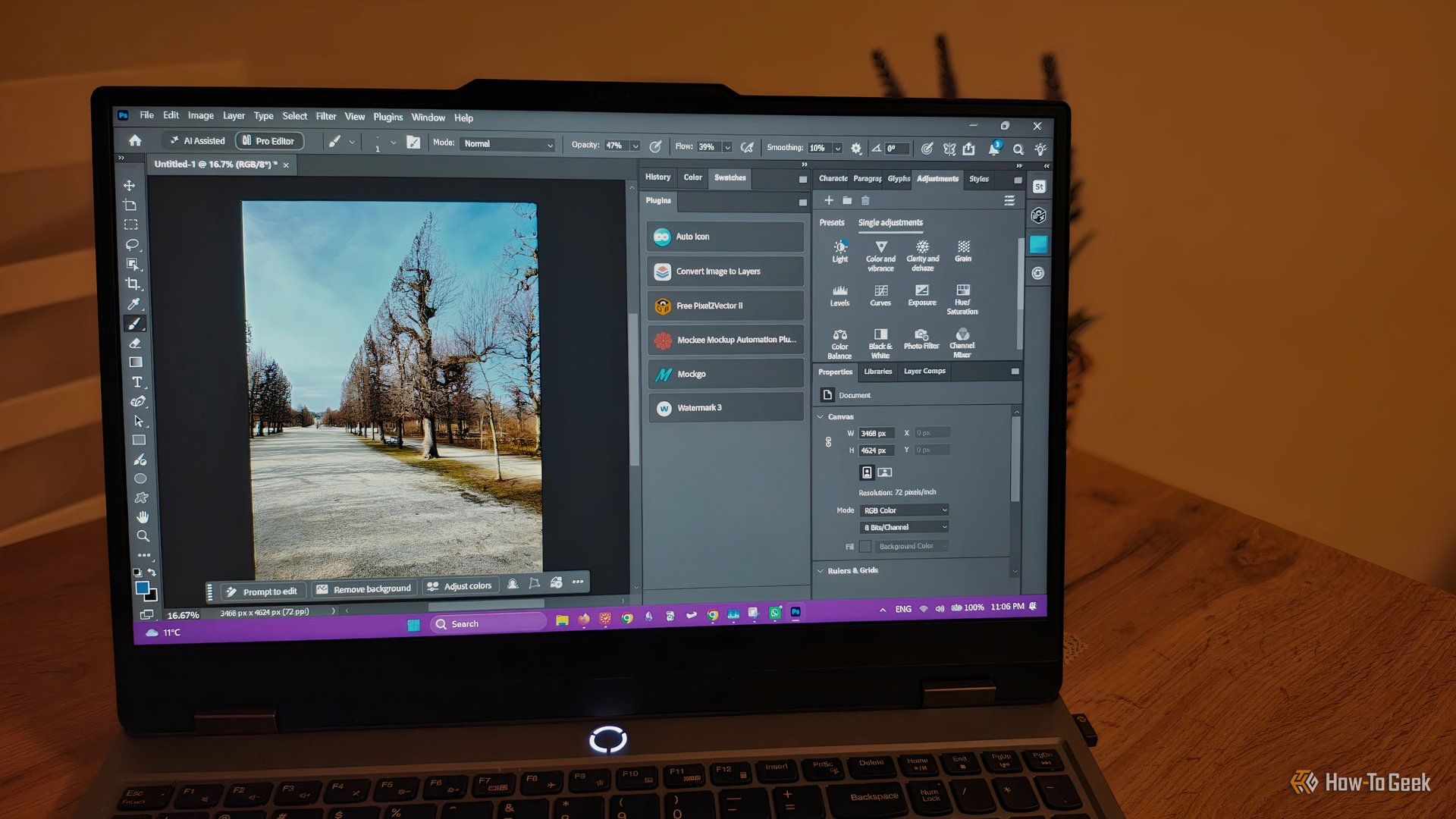
howto: 4 Photoshop plugins so essential they should be built-in
Discover four essential Photoshop plugins that streamline your workflow, save time, and unlock new creative possibilities, making you wonder why they aren't built-in features.

Nothing CMF Clip Pro Review: Open-Ear Awareness at a Steal
The Nothing CMF Clip Pro offers a unique open-ear listening experience, designed for situational awareness and comfort. Now $30 off at $69, it's an appealing option for those seeking spacious sound without sealing off the world.

Apple's Touchscreen MacBook Pro: A Long-Awaited Touch
The Verdict Apple's rumored touchscreen MacBook Pro represents a long-overdue evolution, promising to blend the convenience of direct screen interaction with the powerful macOS laptop experience. While not an essential

CMF Watch 3 Pro: Affordable Style Meets Solid Performance
CMF Watch 3 Pro: Affordable Style Meets Solid Performance In the crowded market of smartwatches, finding a device that balances features, design, and affordability can be a challenge. Enter the CMF Watch 3 Pro, a

Love Island Australia S8 Guide: Navigating the Stream, Mostly Free
Love Island Australia Season 8 Streaming Guide: Navigating the Digital Waters Verdict: TechRadar's guide to watching Love Island Australia Season 8 is a generally useful, if somewhat navigationally challenged, resource

Sculpture Re-creates Lycurgus Cup Effect: A Glimmering Triumph of Art
The University of Sheffield successfully re-creates the 1,600-year-old dichroic glass recipe of the Lycurgus Cup. A new sculpture by artist Elliott Walker displays the stunning green-to-red optical effect, blending ancient tech with modern art. A significant scientific and artistic achievement.