
Don't Neglect Your BIOS: Unlock Your PC's Full Potential
Understand BIOS/UEFI, its critical role in PC stability and compatibility, and why updates are essential for unlocking full CPU performance and faster boot times.
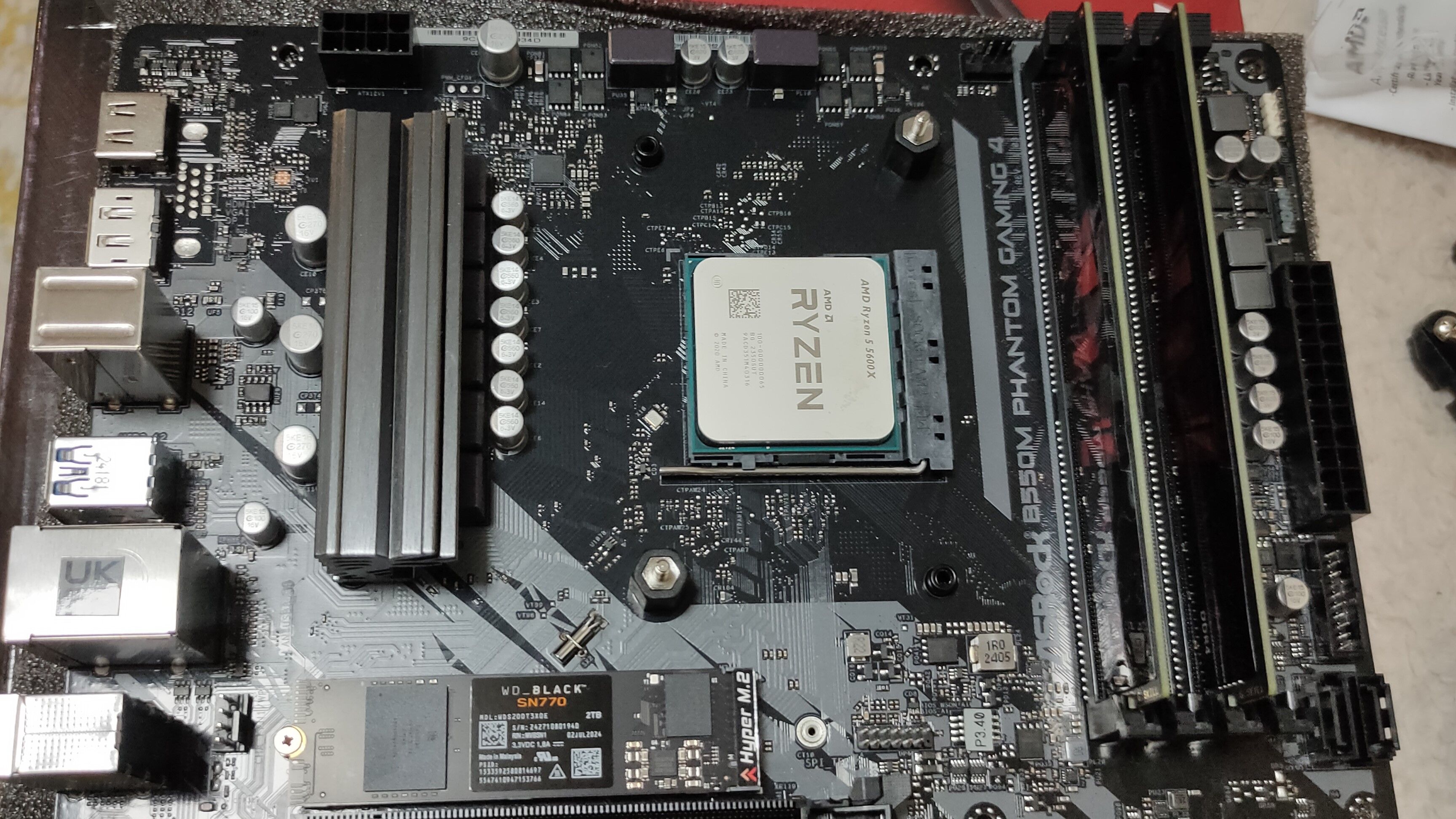
Is your PC performing at its best, or is there untapped power lurking just beneath the surface? Many users overlook one critical component that can significantly impact their system's stability, compatibility, and even boot speed: the motherboard's firmware, commonly known as BIOS or, more accurately on modern systems, UEFI.
Ignoring BIOS updates isn't just a minor oversight; it means you could be leaving valuable performance, stability, and compatibility benefits on the table. This guide will help you understand what BIOS/UEFI is, why keeping it updated matters, and how it can ensure your PC runs optimally.
What You'll Accomplish
By reading this guide, you'll gain a clear understanding of:
- The foundational role of BIOS and UEFI in your PC's operation.
- Why keeping your motherboard's firmware up-to-date is crucial for system stability and hardware compatibility.
- How proper firmware management contributes to better overall PC performance, including faster boot times and support for cutting-edge components.
Prerequisites and Essential Knowledge
Before diving into the world of BIOS/UEFI updates, it's helpful to understand a few fundamental concepts:
- Your Motherboard's Identity: Knowing your motherboard's make and model is key to understanding its capabilities and update requirements.
- CPU Generations: Being aware of your processor's generation helps in identifying potential compatibility needs for firmware updates.
- The Nature of Firmware: Recognizing that BIOS/UEFI is software embedded on your motherboard, governing how your hardware communicates.
Understanding Your PC's Foundation: BIOS and UEFI
At the very core of your computer's operation lies the Basic Input/Output System (BIOS). However, on virtually all modern motherboards, BIOS has been replaced by its more advanced successor: the Unified Extensible Firmware Interface, or UEFI.
UEFI was engineered to overcome the significant limitations of the older legacy BIOS. Where legacy BIOS struggled with modern hardware, UEFI brought a host of improvements:
- Enhanced Drive Support: UEFI provides crucial support for hard drives and SSDs larger than 2TB, thanks to its compatibility with the GUID Partition Table (GPT) disk format. Legacy BIOS was restricted to the older Master Boot Record (MBR) format, which couldn't fully utilize high-capacity storage.
- Faster Boot Times: One of the most noticeable benefits of UEFI is its ability to significantly speed up the boot sequence, getting you to your operating system much quicker.
- User-Friendly Interface: Unlike the often cryptic, text-only menus of legacy BIOS, UEFI introduced a graphical interface. This means you can navigate the firmware settings with a mouse, making it far more accessible and intuitive for users.
- A More Capable Pre-OS Environment: UEFI provides a more robust and versatile pre-operating system environment, allowing for more complex operations and diagnostics before the OS even loads.
In essence, UEFI transformed the motherboard's firmware from a basic, text-based utility into a powerful, graphical control center, laying a better foundation for your PC's performance and capabilities.
The Critical Role of BIOS Updates
While UEFI provides a modern foundation, its firmware isn't static. Manufacturers frequently release updates for various reasons, with one of the most critical being CPU compatibility. Here's a deeper look into why these updates are indispensable:
1. Ensuring CPU Compatibility and Stability One primary reason you might need to update your motherboard's BIOS is to ensure proper recognition and operation of newer CPUs. BIOS updates frequently include new microcode and compatibility data. This microcode is essential for your motherboard to correctly identify and initialize processors that were released after your motherboard was manufactured. Imagine trying to read a new book with an old dictionary that doesn't recognize half the words—that's what your motherboard faces with an unsupported CPU.
- Preventing POST Failure: Without the necessary microcode, your system may fail to Power On Self-Test (POST). This means your computer won't even get to the point of displaying anything on the screen, appearing dead even though components might be receiving power.
- Maintaining System Stability: Even if a system manages to boot with an older BIOS version and a newer CPU, it may behave unstably. This could manifest as random crashes, freezes, or performance issues, making your PC unreliable.
Example Scenario: If you're upgrading your processor to a newer generation, but your motherboard was manufactured to support the previous generation (even if they share the same physical socket type), a BIOS update is often a critical prerequisite. For instance, dropping a 13th-gen Intel Raptor Lake CPU into an older motherboard designed for 12th-gen Alder Lake might require an update to the motherboard's firmware (e.g., updating a Z690 board for a 13th-gen chip).
2. Unlocking Performance and Enhancing Reliability While direct performance boosts from BIOS updates might not always be immediately apparent in benchmarks, they contribute significantly to overall system health and potential:
- Maximizing New Hardware: By enabling support for newer CPUs, BIOS updates allow you to leverage the full performance capabilities of advanced processors that would otherwise be incompatible. This directly translates to "performance on the table" that you would otherwise miss out on.
- Consistent System Performance: A stable system, thanks to correct CPU microcode, means fewer crashes and hangs. This consistent operation allows your PC to deliver its expected performance without interruptions.
- Benefiting from Core UEFI Improvements: As mentioned, UEFI itself brings faster boot times. While not strictly an "update" benefit, ensuring your system runs on a well-maintained UEFI platform guarantees you're getting these foundational speed advantages.
Recognizing the Need for an Update: Troubleshooting
Since the precise steps for updating vary by motherboard manufacturer, focusing on when an update is necessary is key. A primary indicator often relates to CPU compatibility:
- New CPU, No Boot: If you've just installed a newer processor and your system fails to POST (no display, no boot sequence), an outdated BIOS is a very strong suspect. The motherboard simply doesn't have the microcode to communicate with your new CPU.
- System Instability with New Hardware: Should your PC experience random crashes, freezes, or unexplained errors shortly after installing a new CPU, but otherwise functions, an outdated BIOS preventing stable communication with the processor could be the root cause.
In these scenarios, investigating your motherboard's BIOS version and potential updates for your specific CPU becomes a crucial troubleshooting step.
Best Practices for Firmware Management
- Stay Informed with New Hardware: Whenever you plan to install a newer CPU into an existing motherboard, proactively check the motherboard manufacturer's support page for BIOS updates. They will typically list supported CPUs and the minimum BIOS version required.
- Understand the 'Why': Appreciating the role of microcode and compatibility data will help you make informed decisions about when an update is genuinely beneficial.
By staying aware of your motherboard's firmware and its importance, particularly when upgrading your CPU, you ensure your system remains stable, compatible, and ready to deliver all the performance it's capable of.
FAQ
Q: What exactly does UEFI stand for, and what improvements did it bring over the old BIOS?
A: UEFI stands for Unified Extensible Firmware Interface. It replaced legacy BIOS on modern motherboards, bringing major improvements such as support for drives larger than 2TB, faster boot times, a graphical interface with mouse support, and a much more capable pre-operating system environment, making it far more user-friendly.
Q: Why might I need to update my motherboard's BIOS before installing a newer CPU?
A: A BIOS update is often necessary because it includes updated microcode and CPU compatibility data. This allows the motherboard's firmware to properly recognize, initialize, and communicate with newer processors. Without it, the system might fail to POST or behave unstably, preventing the new CPU from functioning correctly.
Q: Can updating my BIOS actually improve my PC's performance?
A: While not always a direct performance boost in every scenario, BIOS updates significantly contribute to performance by ensuring system stability and compatibility. They enable support for newer, more powerful CPUs, allowing you to harness their full potential. Additionally, the underlying UEFI platform itself inherently offers faster boot times compared to legacy BIOS, and keeping the firmware updated ensures you benefit from a stable, optimized foundation for your hardware.
Next Steps
Now that you understand the vital role of BIOS/UEFI and why updates are important, consider exploring your motherboard's specifications and keeping an eye on manufacturer updates, especially if you're planning any CPU upgrades. A well-maintained firmware is key to a healthy and powerful PC experience.
Related articles
Fitbit Edge: Hold Your Horses on Day One
The Google Fitbit Edge has arrived with an MSRP of $179.99, sparking considerable interest in the wearables market. Positioned as a device that balances the utility of a basic fitness band with some advanced features,

How to Find Specific Google Play In-App Prices
Learn to find specific in-app purchase prices for Android apps by checking the Apple App Store, developer websites, and user reviews before downloading.

Premier League Soccer Streaming: Global Access, Regional Maze
Quick Verdict Streaming Premier League soccer from anywhere is a viable option for international fans, but it's a fractured landscape. In the US, Peacock and NBC Sports Network are your go-to. UK viewers rely on Sky

Navigating Pixel vs. Galaxy: Understanding Exclusive Features Before
When considering a switch between Google Pixel and Samsung Galaxy phones, it's easy to assume that all Android flagships offer similar core features. However, as many users discover after making the leap, this isn't

Mercedes-AMG Unveils 1,153HP Electric GT SUV, First Ground-Up EV
Mercedes-AMG has officially pulled back the curtain on its most ambitious electric vehicle yet: the 2028 Mercedes-AMG GT SUV. This groundbreaking, all-electric full-size SUV marks a significant milestone as the

Plug-in Solar Legalization: A Bright Step for Home Energy
The legalization of plug-in solar in 10 US states signals a major shift towards accessible home energy. This review covers the systems, legal status, savings potential, and crucial considerations for consumers.