
Wired vs. Wireless CarPlay: Which Connection Drives Better
An in-depth review comparing wired and wireless Apple CarPlay, detailing user experience, pros, and cons to help you decide which connection type is best for your daily commute and longer journeys. Wireless offers convenience, while wired ensures reliability and charge.
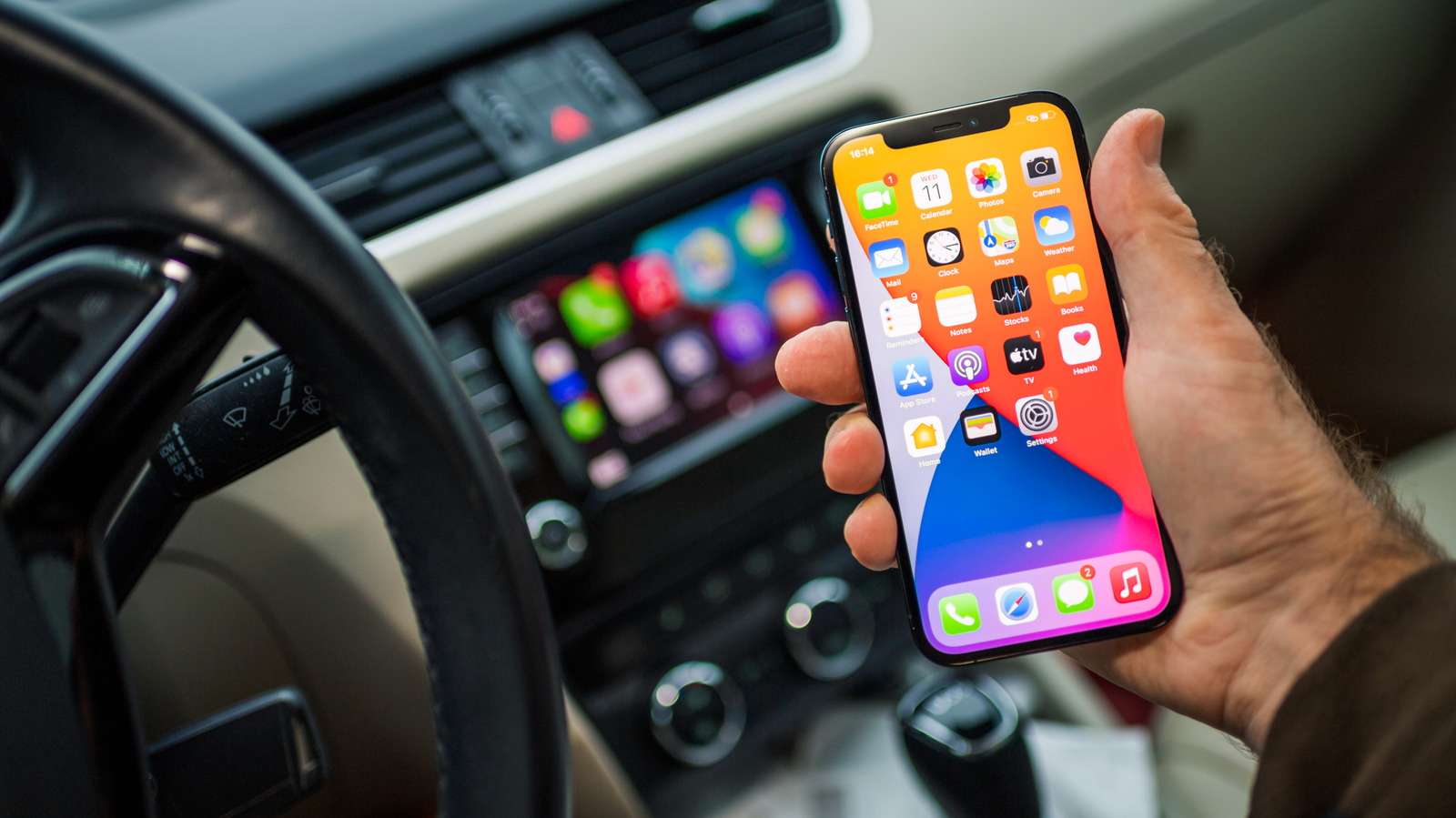
For iPhone users on the road, Apple CarPlay has become an indispensable feature, transforming a car's infotainment system into a safer, more integrated extension of your smartphone. Since its debut in 2014, CarPlay has allowed drivers to seamlessly access navigation, messaging, music, and other essential apps directly from their car's display, minimizing distractions and enhancing the driving experience. Compatible with iPhones as far back as the iPhone 5 and supported by most major car manufacturers like Ford, Hyundai, BMW, and Honda, CarPlay is easily accessible. But with the rise of wireless connectivity, many drivers are left wondering: is it better to stick with the traditional wired setup or embrace the convenience of wireless CarPlay?
The Verdict: Convenience vs. Reliability
While the core functionality and feature set are identical across both wired and wireless CarPlay – you'll enjoy the same apps, calls, and even the new Siri AI regardless of your connection type – the user experience can vary significantly. Generally, if your vehicle supports wireless CarPlay, its sheer convenience makes it the preferred choice for many. However, wired CarPlay still holds a significant edge in specific scenarios, particularly concerning reliability, audio quality, and battery management. It's not a clear-cut win for one over the other; the 'better' option ultimately depends on your priorities and driving habits.
Diving Deep into the Experience
Apple CarPlay fundamentally leverages your iPhone's capabilities to provide a familiar and intuitive interface on your car's screen. Both wired and wireless versions offer this unified experience. To get wired CarPlay running, you typically need your iPhone, a USB cable, and an internet connection for streaming and navigation. Wireless CarPlay, found in newer car models, streamlines this by connecting automatically via Bluetooth and Wi-Fi as soon as you start your engine, eliminating the physical cable altogether.
The decision between the two hinges on more than just the presence of a cable. It delves into aspects like connectivity stability, power management, audio fidelity, and overall daily convenience.
Wired CarPlay: The Case for a Solid Connection
Despite the allure of wireless freedom, wired CarPlay brings several compelling advantages to the table that are worth considering:
- Unwavering Stability: One of the biggest pain points with wireless CarPlay can be occasional connectivity glitches. Car infotainment systems are notorious for being finicky, and losing navigation or music mid-journey can be incredibly frustrating. A physical, wired connection virtually eliminates these unwelcome interruptions, offering a more dependable experience.
- Hassle-Free Pairing: Wireless setups sometimes require fiddling with Bluetooth settings to establish a connection. Wired CarPlay bypasses this entirely; simply plug in, and you're good to go. This is especially useful if your car has multiple iPhones paired wirelessly, as it can sometimes automatically connect to the wrong device, necessitating manual switching – a nuisance a wired connection sidesteps by prioritizing the physically connected phone.
- Consistent Charging: Connecting your iPhone via a cable ensures it's charging throughout your commute. This is a crucial benefit, especially for users with iPhones suffering from aging batteries. You'll arrive at your destination with a fully charged phone, rather than one screaming for power.
- Superior Audio Quality: For audiophiles or those subscribing to lossless audio services, a wired connection delivers better audio fidelity. It minimizes data compression, ensuring that your music sounds as good as intended. Latency, whether skipping tracks or summoning Siri, is also virtually eliminated, making interactions feel snappier.
- No Cable Compatibility Woes (Sort Of): While modern iPhones typically come with USB-C to USB-C cables, many cars still feature USB-A ports. This means you might need to find a compatible USB-A to USB-C cable for a wired setup. However, once you have the right cable, the connection is solid.
Wireless CarPlay: Embracing Untethered Convenience
For many, the primary appeal of wireless CarPlay is its sheer convenience and the absence of cables. Here's why it often wins out for daily use:
- Clutter-Free Cabin: The most immediate benefit is the elimination of cable clutter. Modern iPhones, being larger, can sometimes struggle to fit comfortably in car cubbyholes when tethered. Wireless CarPlay means no messy cables tangling around your center console.
- Effortless Connectivity: Just hop in, start the car, and your iPhone automatically connects. There's no fumbling with cables, making it ideal for short trips or quick errands where repeatedly plugging and unplugging your phone can become tedious.
- Enhanced Phone Mobility: If you have passengers who like to take control of the music, it's far easier to pass a wirelessly connected phone around the cabin. This flexibility is a significant advantage over a tethered device.
- Full Feature Parity: Crucially, you don't lose any CarPlay features by going wireless. The experience of navigating, messaging, or using apps remains identical. Even video playback, introduced with iOS 27, works flawlessly over AirPlay, which is designed to account for audio/visual synchronization, negating any potential latency concerns.
- Modern Aesthetic: A wireless setup simply feels more modern and integrated, aligning with the growing trend of wire-free tech ecosystems.
The Direct Comparison
Let's break down the key differences in a straightforward comparison:
| Feature/Aspect | Wired CarPlay | Wireless CarPlay |
|---|---|---|
| Connectivity Type | Physical USB cable | Bluetooth & Wi-Fi (automatic after initial pairing) |
| Core Functionality | Identical (Navigation, apps, calls, Siri, video) | Identical (Navigation, apps, calls, Siri, video) |
| Reliability | Highly stable, fewer connectivity issues | Occasional connectivity issues, can be finicky |
| iPhone Charging | Charges phone while connected | Drains phone battery (requires separate wireless charger) |
| Audio Quality | Generally better, ideal for lossless audio, no latency | Good, A/V sync accounted for with AirPlay |
| Convenience | Less convenient for frequent stops, cable management | Highly convenient, automatic connection, no cables |
| Multi-Device Use | Prioritizes connected iPhone | Can connect to wrong iPhone, requires manual switching |
| Cable Mess | Requires dealing with cables, potential clutter | Completely cable-free |
| Cable Requirement | Specific USB-A to USB-C cable might be needed | No cable required for connection |
Making Your Decision
For most everyday users with newer cars supporting wireless CarPlay, the convenience factor will likely make it the preferred choice. The ability to simply get in and drive without fussing with cables is a significant quality-of-life improvement. However, this comes with a few caveats: be mindful of potential battery drain on your iPhone (unless your car also has a wireless charging pad) and be prepared for the occasional connectivity hiccup. The benefits of a cable-free experience often outweigh these minor annoyances for casual use.
On the other hand, if your daily commute is long, you frequently rely on precise navigation in unfamiliar areas, you prioritize the absolute best audio quality, or you simply despise any form of connectivity instability, wired CarPlay remains a robust and reliable option. It ensures your phone stays charged, your music sounds pristine, and your navigation remains uninterrupted. It might require dealing with a cable, but for mission-critical driving, that small trade-off can be well worth it.
Ultimately, if your car offers both options, you have the luxury of choosing based on the situation. For a quick trip to the store, wireless might be perfect. For a cross-country road trip, plugging in could be the smarter move. Understand your habits, weigh the pros and cons, and choose the CarPlay experience that best fits your driving lifestyle.
FAQ
Q: Is there a functional difference between wired and wireless CarPlay?
A: No, both wired and wireless CarPlay offer the exact same feature set, including access to navigation, messages, music, calls, and Siri, with no loss of functionality between the two connection types.
Q: Does wired CarPlay charge my iPhone?
A: Yes, when your iPhone is connected via a USB cable to your car for wired CarPlay, it will also charge the device, helping to prevent battery drain during your drive.
Q: Why might I prefer wired CarPlay over wireless?
A: You might prefer wired CarPlay for its superior connection reliability, better audio quality (especially for lossless audio), elimination of latency, and the benefit of charging your iPhone while in use, making it ideal for longer journeys or when a stable connection is critical.
Related articles
Android 17 QPR2 Beta 7.1: The Performance Relief You've Been Waiting
Android 17 QPR2 Beta 7.1: Finally Fixing the QPR1 Performance Woes Verdict: Android 17 QPR2 Beta 7.1 is a crucial and highly anticipated software update for Google Pixel users, specifically targeting and resolving the

DJI Solo Video Setups: Smart Choices for Lone Creators
This review delves into DJI's recommended solo video setups, highlighting the Osmo Pocket 3 Creator Combo as a top pick for its integrated camera, gimbal, and mic. It also covers stabilizers like the Osmo Mobile 8 and RS 4, and the DJI Mic Mini series for enhanced audio, providing honest pros, cons, and clear buying advice.

Ars Technica's Rocket Report: Your Essential Space Industry Briefing
Quick Verdict Ars Technica's Rocket Report, presented by veteran space reporter Stephen Clark, offers an invaluable and meticulously organized weekly (or similar frequency, implied by "Edition 9.15") digest of the most

Apple iPhone Duo: A Daring Debut with Notable Compromises
Apple's highly anticipated iPhone Duo, priced at $2,000, has gone on pre-order. While hailed as "Apple's most exciting device in a decade" for its innovative foldable design and immersive display, it comes with significant drawbacks like the absence of FaceID and a premium camera.

KDE Plasma 6.8: A Future-Focused 30th Anniversary Update
Quick Verdict KDE Plasma 6.8, arriving as the "30th Anniversary Edition," is a pivotal release that decisively pushes the desktop environment into the future. With a definitive farewell to native X11 sessions and a
Galaxy Watch One UI 9 Beta: Promising Progress, But Patience Needed
Galaxy Watch 8, Watch Ultra, and Watch 7 are receiving a new One UI 9 Watch beta build with bug fixes and a security patch. Active development signals progress, but a stable release date remains elusive.