
Why Android Launchers Aren't Essential Anymore: A Modern Perspective
Discover why custom Android launchers, once essential for personalization, are now largely redundant as default phone interfaces offer robust customization and performance.
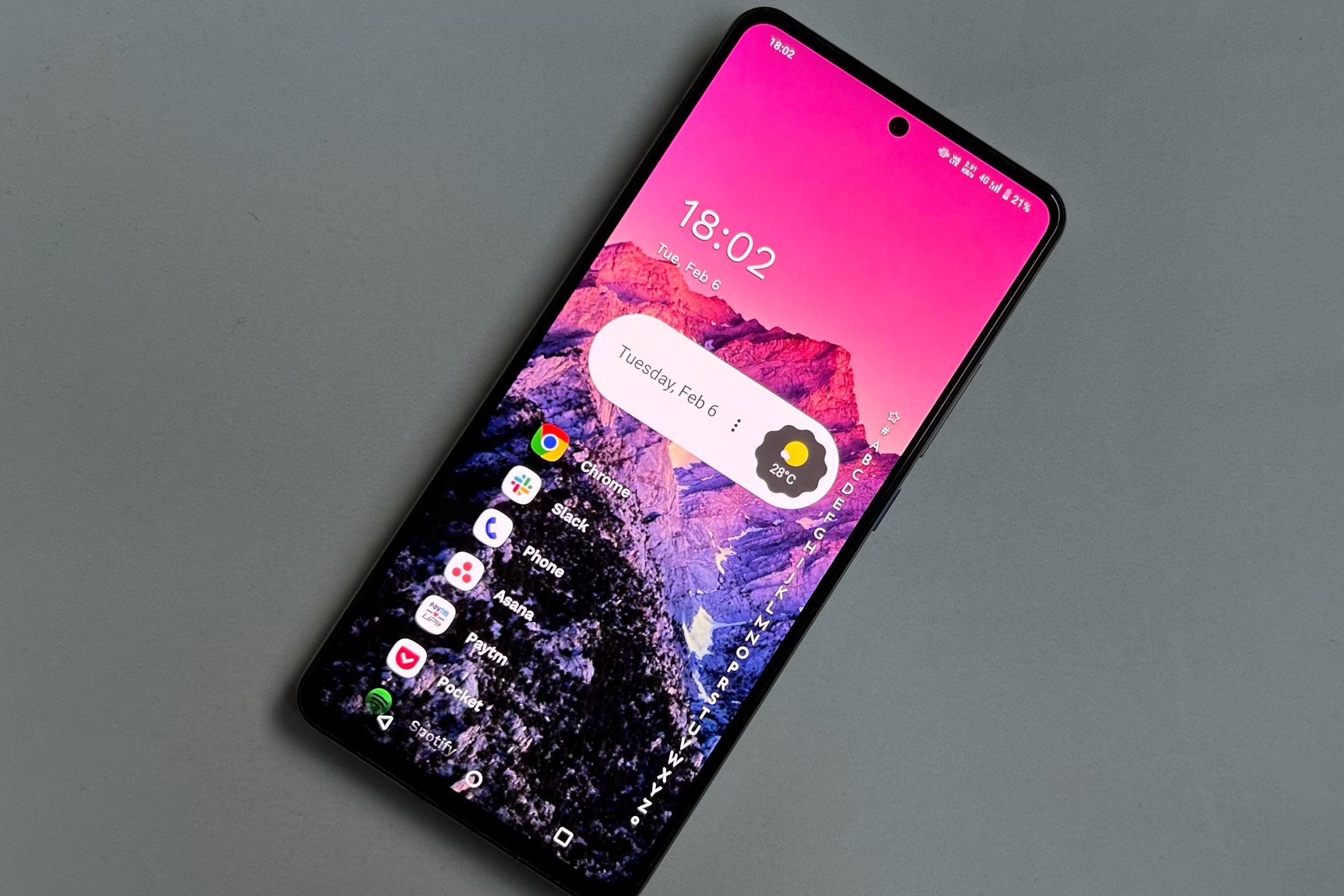
Remember a decade ago? Android phones were just taking off, and if you wanted to personalize yours, custom launchers were the go-to solution. They offered a way to completely transform your phone's appearance and feel, attracting both tech enthusiasts and everyday users.
Fast forward to now, and you'd be hard-pressed to find many users opting for third-party launchers. They've largely fallen out of favor, with most people sticking to whatever came pre-installed on their device. This guide will walk you through the journey of Android launchers, explaining why their once-critical role has largely diminished, and why you might find yourself perfectly content with your phone's default experience.
The Era When Custom Launchers Reigned Supreme
In the early days of Android, many phones came with manufacturer-specific interfaces – like Samsung's notorious TouchWiz – that were often described as clunky, slow, or aesthetically unappealing. Other brands such as HTC, Motorola, and LG also had their own custom skins that left much to be desired.
Since removing these skins entirely required advanced methods like rooting and flashing custom ROMs, third-party solutions became immensely popular. Custom launchers like Nova Launcher and GO Launcher emerged as heroes, offering a complete overhaul of the home screen and app drawer. They were praised for making the interface cleaner, smoother, and, most importantly, far more customizable.
These launchers provided an incredible array of features largely absent from stock Android at the time. Users could change the app drawer layout (vertical, horizontal, or tabbed), adjust grid sizes (from 4x4 to 5x5 and beyond), fine-tune app icons, labels, and sizes, hide specific apps from the drawer, and implement all kinds of custom gestures and animations.
Beyond functionality, the visual transformation was a huge draw. Users could make their phone look completely unique by changing the entire UI with new color schemes, icon packs, and animated wallpapers. It was common for two people with the same phone and launcher to have devices that looked entirely different due to their personalized themes.
Crucially, despite their extensive built-in features and customization options, these third-party launchers often ran smoother and had fewer bugs than the pre-installed manufacturer skins. This stark contrast in user experience highlighted just how much value custom launchers brought to the table.
Default Launchers Catch Up and Surpass
Manufacturers quickly caught on to user demand for greater customization and a smoother user experience. Over the years, default Android launchers underwent a dramatic transformation, learning from what users expected and valued.
Samsung's One UI is a prime example of this evolution. It moved from being a "bloated, heavy, and laggy" interface to one that is "clean, smooth, and fast," continuously improving with each update. The shift demonstrates how manufacturers like Samsung, Motorola, Xiaomi, and even Google with its Pixel line, embraced user feedback.
Today, many brands offer robust customization directly within their system. This includes system-wide theme downloads that go beyond just the home screen and app drawer, applying across the entire user interface. Users can also install custom icon packs, and for those who want to truly make their device their own, tools like Samsung's Theme Park allow intricate adjustments to nearly every detail.
For instance, if you're looking for an Android phone with a highly customizable system, a device like the Samsung Galaxy S26 is a fantastic choice, offering extensive options right out of the box. Even without installing anything extra, the standard Android experience now provides a significant amount of personalization that satisfies most users' needs, often removing the desire to look elsewhere.
Custom Launchers: More Redundant, Less Value
With the vast improvements in stock Android, custom launchers often feel redundant. While they might technically offer a few extra features compared to the average OEM Android skin, many of these are now considered "gimmicks" rather than essential enhancements.
Consider niche animations when swiping between home screen pages (like cube or flip styles) or ultra-fine grid adjustments for app and widget placement. Do these truly enhance daily phone use, or do they add unnecessary complexity? The same goes for many "power-user" features that launchers add, such as custom gestures for opening specific apps in unique ways or overly complex folder organization.
Many of these advanced features are simply overkill for the average user, feeling more like confusing bloat than a genuine benefit. If a feature is genuinely useful, there's a high probability the manufacturer has already integrated it, or a close equivalent, into their default UI.
Furthermore, the way we use our phones today is heavily app-based; we spend less time admiring our home screen and more time interacting within applications. This reduces the impact any home screen customization can have on our overall daily experience.
Beyond redundancy, custom launchers have historically faced stability issues. While phones have become more powerful and developers more skilled, conflicts, crashes, or glitches are still common. A launcher has to work across a wide range of phones and on top of various user interfaces, and with each new system update, there's always a risk that something will break or stop working as intended.
A significant frustration arises when the phone occasionally defaults back to the stock launcher, particularly when accessing the home screen or app drawer in an unconventional way, such as via the "Recent Apps" screen. This kind of friction, forcing you to re-open your preferred launcher when you expect your phone to "just work," is often enough to deter most people from using custom launchers altogether.
When Launchers Still Make Sense (For a Niche)
Despite the clear shift towards robust OEM Android UIs, custom launchers aren't entirely obsolete for everyone. Some users still seek them out, whether for nostalgia, specific functionality, or a truly unique aesthetic that even modern stock options don't provide.
The landscape of popular launchers has changed, with some older names fading, while newer options have taken the spotlight. Microsoft Launcher, for instance, boasts over 50 million downloads and a strong rating, offering a productivity-focused experience.
Niagara Launcher provides an ultra-minimalist, list-based interface, appealing to those who prefer extreme simplicity and efficiency. Smart Launcher stands out as a plain, solid alternative for those looking for a different, yet straightforward, approach to their phone's home screen.
If you're feeling nostalgic about custom launchers or have a very specific need that your default launcher can't meet, giving one of these a try might still be worthwhile, despite conventional wisdom suggesting you might gain few practical advantages.
Conclusion
The era where custom Android launchers were indispensable has gracefully given way to a new reality. Modern Android interfaces, driven by manufacturers like Samsung and Google, have evolved to meet and often exceed the customization and performance once exclusive to third-party apps.
While the allure of a completely transformed phone UI was undeniable in the past, today's default experiences provide robust, stable, and highly personalizable environments right out of the box. For the vast majority of users, the benefits of avoiding potential friction and enjoying a seamless, integrated system now far outweigh the dwindling advantages of a custom launcher. Your phone, straight from the factory, is likely more capable and personalizable than you might think.
FAQ
Q: Do custom launchers still offer any unique benefits today? A: While most core customization options are now built into default Android interfaces, some custom launchers still offer niche features like ultra-specific gestures, extreme grid layouts, or highly specialized interfaces (e.g., minimalist list-based designs) that might appeal to a small subset of power users or those with very particular preferences.
Q: Are custom launchers safe to use? A: Generally, launchers from reputable developers on the Google Play Store are safe. However, like any app, they require significant permissions, and there's always a risk of performance issues, conflicts with system updates, or occasional crashes. Always check reviews and developer reputation before installing.
Q: If I want to customize my Android phone, what are my best options without a custom launcher? A: Modern Android phones offer extensive built-in customization. You can explore system-wide themes, custom icon packs available through your phone's theme store (like Samsung's Theme Park), widget options, wallpaper choices, and various display and notification settings. Many default launchers now also include advanced gesture controls and app drawer organization features.
Related articles

Apple Unveils iPhone Duo: Pricey Foldable Sees Soaring Demand
Apple has officially entered the foldable smartphone arena with the long-anticipated launch of the iPhone Duo. Priced starting at a hefty $1,999, the device features a 5.4-inch outer display and a larger 7.6-inch inner
Android 17 QPR2 Beta 7.1: The Performance Relief You've Been Waiting
Android 17 QPR2 Beta 7.1: Finally Fixing the QPR1 Performance Woes Verdict: Android 17 QPR2 Beta 7.1 is a crucial and highly anticipated software update for Google Pixel users, specifically targeting and resolving the

Ditch Merge & Center: The Better Way to Align Text in Excel
Learn to use Excel's "Center Across Selection" to align text across cells without merging, avoiding common data manipulation issues. This guide provides steps to utilize this newly accessible feature and add it to your Quick Access Toolbar.

Ars Technica's Rocket Report: Your Essential Space Industry Briefing
Quick Verdict Ars Technica's Rocket Report, presented by veteran space reporter Stephen Clark, offers an invaluable and meticulously organized weekly (or similar frequency, implied by "Edition 9.15") digest of the most

Stop Android Auto Battery Drain: Essential Features to Disable and
Android Auto offers unparalleled convenience, bringing your phone's most useful features directly to your car's display. From navigation and calls to messages and music, it keeps you connected without distracting you

Windows October Update: A Must-Have Security Overhaul
Microsoft's October 2026 Windows update delivers a critical security overhaul, patching over 1,400 vulnerabilities including two zero-days, one already exploited. It's essential for all users, especially with several Windows 11 versions reaching end of support.