
Unlock Coding Potential: Build First, Learn Later with AI Tools
Learn how AI-assisted coding tools like Claude Code transform the learning experience by providing immediate feedback, allowing you to build projects first and then understand the code through reverse-engineering, overcoming traditional coding barriers.
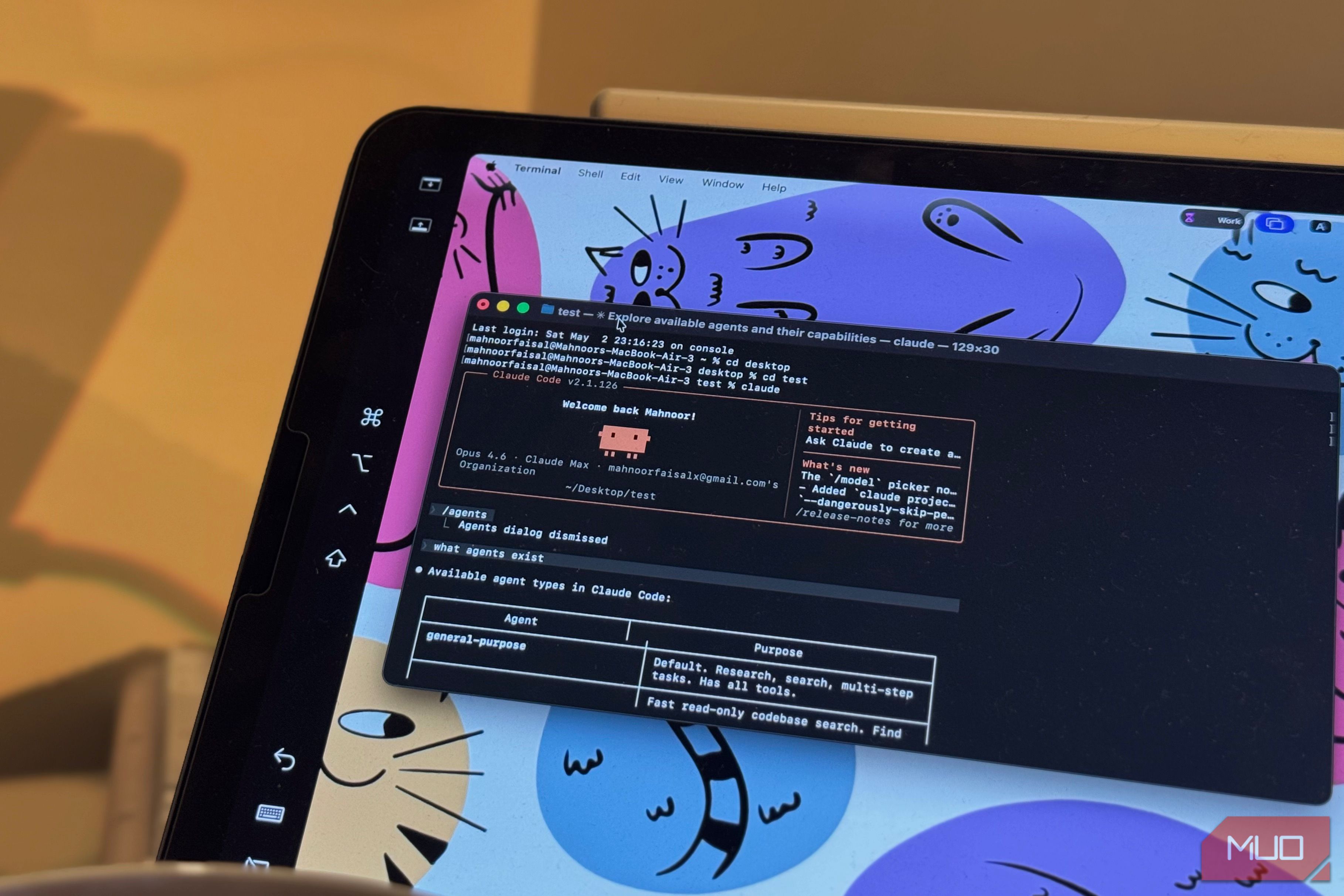
Many aspiring coders find themselves stuck in a cycle: completing courses, building sample projects, yet struggling to create anything independently. The problem isn't a lack of intelligence or passion; it's often the incredibly slow feedback loop inherent in traditional coding education. Imagine trying to paint if you had to make a hundred brushstrokes before seeing any result, or cooking a multi-course meal without tasting anything until the very end. That's what learning to code has felt like for many. You write lines and lines of code, grapple with complex concepts like variables, loops, functions, frameworks, and APIs, often without seeing any tangible outcome until much later. This gap between effort and visible result can be a huge motivation killer, making coding feel impossible.
But what if you could flip that process? What if you could build first, see your idea come to life in minutes, and then learn why and how it works? This is the revolutionary shift AI-assisted coding tools, like Claude Code, are bringing to the table. They provide instant validation for your ideas, transforming the learning journey from a daunting uphill battle into an engaging, interactive exploration. This guide will show you how to leverage these tools to finally break through the coding barrier, building your own projects and truly understanding code by working backward from a functional product.
Prerequisites
To get started, you'll need:
- A curiosity for technology and a desire to build.
- An idea for a project, no matter how small or ambitious.
- Access to an AI-assisted coding tool, such as Claude Code. Many offer free tiers or trials to begin your journey.
Step 1: Cultivate Your Project Idea
The first and most crucial step is to have an idea. Don't worry if it seems complex or if you don't know where to start. The beauty of AI coding tools is that they bridge the gap between your concept and a working prototype. Think about a small utility, a simple game, a personal script, or even a browser extension you've always wished existed. For example, the author had an idea for a Chrome extension for months but couldn't get it off the ground with traditional tutorials. This is your starting point—a personal problem or a creative vision you want to bring to life.
Step 2: Describe Your Vision to Your AI Assistant
Once you have your idea, articulate it clearly and simply to your chosen AI coding tool, like Claude Code. Think of it like explaining your idea to a non-technical friend. Use plain English. Describe what you want the software to do, what its purpose is, and how you envision it functioning. For instance, instead of saying "I need a Python script to perform a GET request to an API endpoint and parse JSON data," you might say, "I want to create a tool that fetches the current weather for my city when I type it in, and displays the temperature." The more clearly you describe your desired outcome, the better the AI can interpret and generate the initial code.
Step 3: Experience Instant Results and Interact
This is where the magic happens and the traditional feedback loop is shattered. Within minutes of describing your idea, the AI tool will generate a functional piece of software. You'll get to see, click, interact with, and test your creation almost immediately. This instant gratification is a powerful motivator. You're no longer just reading theory or following abstract instructions; you're engaging with something real that you conceived. Compare the generated output to the picture you had in your mind. Does it match? Is it close? This immediate visual and interactive feedback is what makes the "impossible" feeling of coding finally recede.
Step 4: Iterate, Refine, and Experiment
Rarely will the first output perfectly match your vision. This is where iteration comes in. Interact with the generated code. If it's a web application, click the buttons. If it's a script, run it with different inputs. Then, go back to your AI assistant and describe what you want to change or improve. "The button should be green," or "Can you add a feature that saves my data?" This back-and-forth process is how you refine your project. It's like a conversation where you continuously shape and mold your creation, much like a sculptor works with clay, getting immediate visual feedback with every adjustment.
Step 5: Decipher and Deconstruct for True Understanding
Now that you have a working product that you actually care about because it's your idea, the real learning begins. This is the "learn later" part. Don't just accept the code; interrogate it. Ask Claude Code (or your AI tool) to explain specific lines, blocks, or entire functions it generated. "Why did you choose this particular variable type?" "What does this loop do?" "Can you explain the purpose of this framework?" "Why did you implement it this way instead of another?" By reverse-engineering the code that solves your problem, you're learning practical concepts in a relevant context. It's a far more effective way to grasp programming fundamentals than learning them in isolation. You're motivated to understand because the code is directly tied to your project.
Step 6: Personalize Your Learning Journey with Advanced Tools
As you become more comfortable, you can take your "learn later" approach even further. Some innovative tools, like the codebase-to-course Claude Skill, can transform your generated code into a personalized learning experience. You can point it to the codebase you just created, and it will break it down into structured lessons tailored to that specific project. Instead of generic tutorials, you're learning from your own textbook—the code you used to solve your own problem. This deeply personalized learning accelerates your understanding and retention.
Troubleshooting Tips
- Output doesn't match your vision: This is common. Don't get discouraged. Break down your request into smaller, more specific parts. For example, instead of "build me a game," start with "create a simple 'hello world' in a web page," then "add a button," then "make the button change text."
- Code has errors: Ask the AI directly to identify and fix the errors. Explain what the error message says. This is an excellent way to learn debugging in context.
- Feeling lost in the generated code: This feeling will still happen. When it does, treat it as a starting point, not a wall. Select the confusing section and ask the AI, "Explain what this section does," or "Why did you use this function here?"
- AI provides too much or too little: Refine your prompts. If it's too much, add constraints like "keep it simple" or "use only basic HTML." If it's too little, add details like "include user input" or "make it interactive."
Tips for Success
- Embrace the "Do First, Learn Later" Mindset: This is the core philosophy. Focus on getting a working output, then dive into understanding how it works.
- Be Curious and Question Everything: Treat the AI as an infinitely patient tutor. Ask "why," "how," and "what if."
- Start Small, Then Scale: Begin with manageable projects to build confidence and understand the iterative process before tackling more ambitious ideas.
- Interact with the Code: Don't just read it; run it, click it, modify it, break it, and fix it. Active engagement leads to deeper learning.
- Keep a Learning Journal: Note down new concepts you learn by reverse-engineering your code. This reinforces understanding.
Next Steps
Once you've successfully used AI to build a project and understand its components, consider these next steps:
- Explore More Complex Projects: Gradually challenge yourself with more intricate ideas.
- Integrate Different Technologies: Experiment with combining various programming concepts or APIs in your projects.
- Share Your Creations: Show your work to others, gather feedback, and even contribute to open-source projects.
- Delve Deeper into Specific Concepts: If a particular aspect of your project (e.g., databases, web frameworks) sparks your interest, use traditional resources to learn it in more depth, now with a practical context.
FAQ
Q: Do I still need to learn traditional coding fundamentals if AI can write the code for me?
A: Yes, absolutely. AI tools like Claude Code act as powerful accelerators and learning aids, but they don't eliminate the need for understanding. By enabling you to "build first," they provide a concrete context for learning fundamentals. You'll learn what variables, loops, functions, and frameworks are by dissecting code that you care about, making the knowledge much more sticky and practical than learning in isolation. The goal isn't to avoid learning, but to make learning more effective and less frustrating.
Q: Can I really build complex, production-ready applications using this "build first, learn later" approach with AI?
A: While AI tools excel at rapidly prototyping and generating functional code, building truly complex, production-ready applications often requires a deeper, more comprehensive understanding of software architecture, security, scalability, and performance optimization. However, this approach is an excellent way to get started, build MVPs (Minimum Viable Products), and understand core concepts. As your understanding grows by reverse-engineering, you'll naturally develop the skills needed to tackle more intricate projects, potentially still leveraging AI as a powerful assistant.
Q: What if I don't have a specific project idea to start with?
A: Don't worry if a grand idea isn't immediately apparent. Start small and practical. Think about minor inconveniences in your daily digital life or simple tools that could make a task easier. It could be a script to rename files, a small web page that calculates something, or even just a program that asks for your name and greets you. The key is to start with something tangible, however basic, to kickstart the feedback loop and begin the learning process. You can also look at common beginner project ideas online and adapt one to your interests.
Related articles

TCG Pocket Responds: A Much-Needed Pace Shift for Pokémon Fans
Pokémon TCG Pocket is rolling out a major update for its second anniversary, primarily addressing player concerns about overwhelming content releases by shifting to a six-week set schedule. This aims to curb player decline and improve overall engagement by giving trainers more time to collect and strategize. The update also adds new collection methods, improved deck-building features, and enhanced trading functionality.

Ditch Merge & Center: The Better Way to Align Text in Excel
Learn to use Excel's "Center Across Selection" to align text across cells without merging, avoiding common data manipulation issues. This guide provides steps to utilize this newly accessible feature and add it to your Quick Access Toolbar.

AI's Confidence vs. Formal Methods' Rigor: Design Flaws & Verification
While AI accelerates code generation, formal methods remain critical for ensuring system correctness. Languages like TLA+ and tools like Quint enable developers to model and verify system designs before coding, catching subtle flaws. Quint makes formal methods more accessible with developer-friendly syntax and executability. This approach is vital for verifying AI-generated code through trace validation and model-based testing, ensuring reliability against real-world data.
Galaxy Watch One UI 9 Beta: Promising Progress, But Patience Needed
Galaxy Watch 8, Watch Ultra, and Watch 7 are receiving a new One UI 9 Watch beta build with bug fixes and a security patch. Active development signals progress, but a stable release date remains elusive.

Enterprise AI Beyond Chatbots: A Vision for Actionable Intelligence
Quick Verdict: Redefining Enterprise AI's Potential TechRadar Pro's opinion piece, "What it takes to move enterprise AI beyond the chatbot," delivers a refreshingly honest and vital perspective on the current state and

regional: ‘What is fusion?’ Helion Energy harnesses the power of
Helion Energy, the Everett-based fusion startup, gained mainstream attention this week after being featured as a clue on the popular game show "Jeopardy!". The $800 clue, part of a "Y Combinator" category, highlighted Helion's mission to build the first fusion power plant, bringing the concept of clean energy to a wider audience. CEO David Kirtley celebrated the "surreal" moment as a sign that reliable clean power is becoming more accessible.