
Steam's Gifting & Wishlist Revamp: Making Digital Generosity Easier
Valve, the company behind the ubiquitous PC gaming platform Steam, has recently rolled out a set of updates to two of its core features: game gifting and wishlists. These aren't flashy new services, but rather
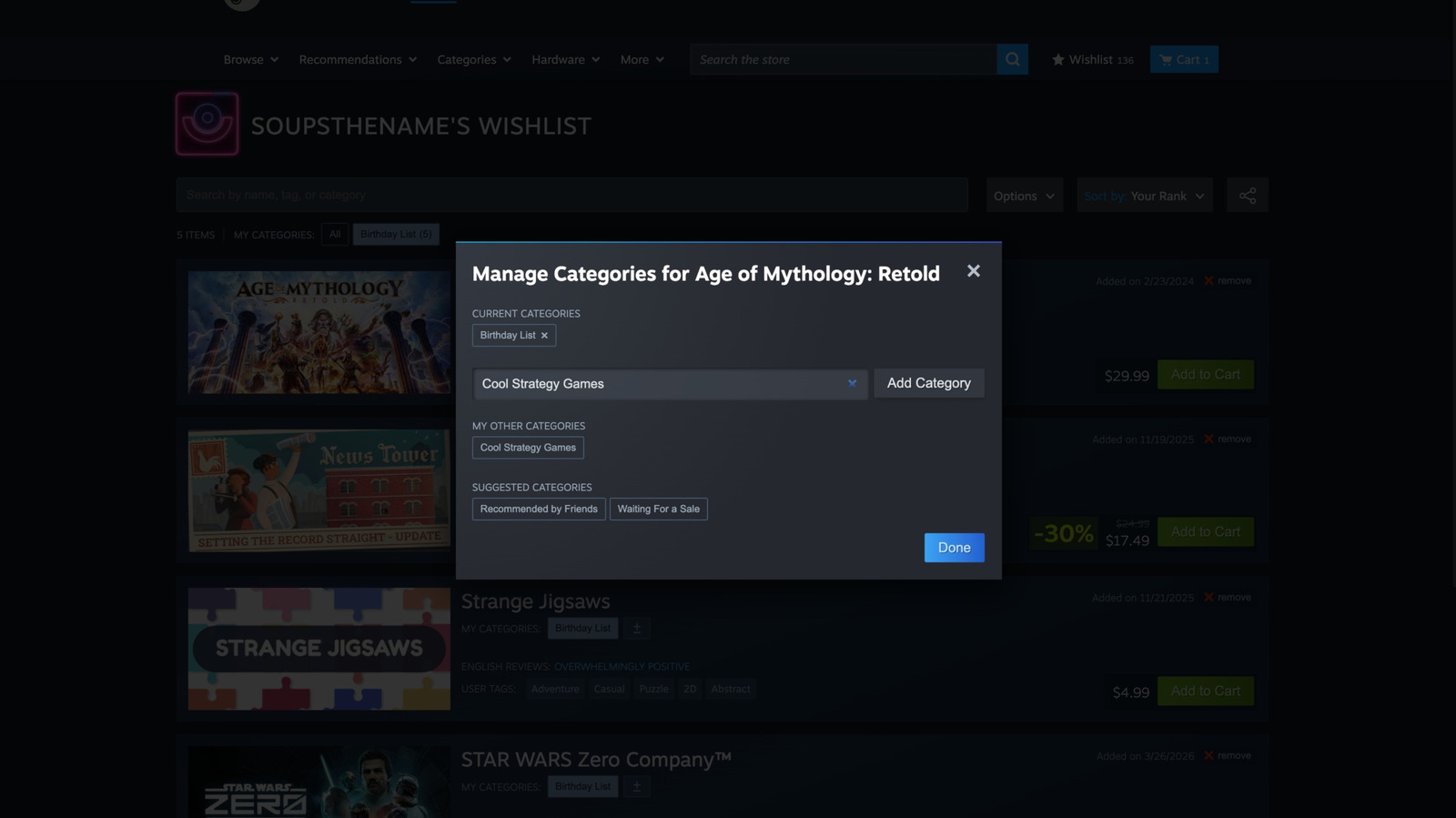
Valve, the company behind the ubiquitous PC gaming platform Steam, has recently rolled out a set of updates to two of its core features: game gifting and wishlists. These aren't flashy new services, but rather thoughtful enhancements designed to smooth out existing pain points and elevate the overall user experience. The verdict is clear: these are genuinely handy quality-of-life improvements that make Steam more accessible for gift-givers and more powerful for meticulous game collectors.
Enhanced Gifting Experience: Spreading the Joy of Gaming
Historically, gifting a game on Steam could be a bit of a hurdle, particularly for those less familiar with the platform. The requirement to know the recipient's exact Steam account name often complicated spontaneous acts of digital generosity. Valve's latest updates directly address this, significantly streamlining the entire gifting process.
One of the most notable changes is the expanded functionality of guest accounts. Previously limited to purchasing Steam gift cards or hardware, guest accounts can now be used to buy full games. This is a game-changer for individuals who want to surprise a friend or family member with a specific title but don't want the hassle of creating a full Steam account just for a single purchase. It removes a significant barrier for non-gamers looking to buy PC games for their loved ones.
The convenience doesn't stop there. Steam now allows users to send games directly via email. Instead of needing to be Steam friends or knowing a specific Steam ID, you can simply email a claim link to the recipient. This makes gifting far more approachable and user-friendly, as it leverages a communication method everyone understands. The recipient doesn't even need their email address to be associated with their Steam account at the time of purchase, further simplifying the transaction. There's a practical safety net too: if the game isn't accepted by the recipient within 30 days, the purchase is automatically refunded, preventing lost funds or unclaimed gifts.
While sending games via email to non-friends is limited to recipients in the same country, cross-country gifting for Steam friends has also seen a welcome improvement. For international gifts exchanged between Steam friends, the platform will now automatically calculate the game's cost in the recipient's local currency at checkout. This eliminates the guesswork and potential currency conversion issues that previously complicated sending games across borders, ensuring fairness and transparency in pricing. Collectively, these gifting refinements aim to make the act of sharing games more intuitive, especially for those who aren't deeply embedded in the PC gaming ecosystem.
Smarter Wishlist Management: Organize Your Gaming Dreams
Beyond gifting, Steam has also rolled out substantial improvements to its wishlist feature, transforming it from a simple 'save for later' list into a robust organizational tool. Valve acknowledges that wishlists serve various purposes for different users, and these updates reflect a more nuanced understanding of how players track their desired games.
Central to the wishlist overhaul are categories. These function much like folders or tags, allowing users to create custom groupings for their saved games. Whether you want to sort games by genre, priority ('Must Buy', 'Wait for Sale'), co-op potential ('Play with Friends'), or even by specific events ('Next Steam Sale'), the flexibility is entirely yours. Games can be easily added to these categories from their store page or directly from your existing wishlist, and selecting a category from the top of Steam's wishlist page instantly filters your entire list to show only those relevant titles.
This categorical organization extends to notifications, a highly requested feature for many. Users can now enable or disable sale notifications for specific categories. This means you can keep a close eye on your 'High Priority' games without being bombarded with alerts for every single title on your 'Eventually' list. It provides granular control over how and when you receive information, making sale events less overwhelming and more targeted.
Further enhancing the wishlist experience are several smaller but significant quality-of-life tweaks. Users can now generate a shareable link not just for their entire wishlist, but also for specific categories. This is perfect for dropping hints to gift-givers or for sharing curated lists with friends. Additionally, the wishlist now offers more immediate information: you can easily see if a saved game has a demo available, and hovering over a game entry will now play its trailer directly within the wishlist interface. These additions make browsing your wishlist more interactive and informative, allowing quicker decisions about your next potential purchase.
User Experience and Overall Impact
The combined impact of these updates is a more refined and user-friendly Steam experience. Gifting, often a source of minor frustration for those outside the hardcore PC gaming community, becomes remarkably straightforward. The ability to email a game without prior Steam account knowledge is a substantial step towards broader accessibility, making digital gifting feel as simple as sending any other online link. The 30-day refund window offers peace of mind for both the giver and receiver.
On the wishlist front, the organizational power of categories cannot be overstated. For gamers with extensive lists, managing and prioritizing desired titles has gone from a static scroll to a dynamic, searchable, and filterable system. The intelligent notification controls mean users can tailor their Steam alerts to their specific needs, reducing notification fatigue while ensuring they don't miss crucial sales on their most anticipated games. The added visual cues like demo indicators and hover-to-play trailers turn the wishlist into a more engaging personal library of future adventures.
Pros and Cons
Pros:
- Streamlined Gifting: Guest accounts can now purchase full games, not just gift cards or hardware, opening gifting to a wider audience.
- Effortless Email Gifting: Send games via email link without needing the recipient's Steam account details, simplifying the process significantly.
- International Gifting Convenience: Automatic currency conversion for cross-country gifts among Steam friends removes pricing complexities.
- Gifting Safety Net: Unclaimed gifts are automatically refunded after 30 days, protecting the sender's purchase.
- Robust Wishlist Organization: Custom categories allow for highly personalized sorting and filtering of desired games.
- Granular Notifications: Control sale alerts by specific wishlist categories, reducing clutter and targeting relevant deals.
- Enhanced Wishlist Interactivity: Quickly see available demos and play game trailers by hovering over wishlist items.
- Flexible Sharing: Share entire wishlists or individual categories with easily generated links.
Cons:
- Country Restriction for Email Gifting: Direct email gifting to non-friends is limited to recipients within the same country, potentially complicating international surprises.
Recommendation
These Steam updates are universally beneficial and come highly recommended for all users. Whether you frequently gift games or maintain a sprawling wishlist, these enhancements significantly improve convenience and functionality. They demonstrate Valve's commitment to refining core platform features based on user needs, making the Steam ecosystem more intuitive and enjoyable for everyone.
FAQ
Q: Can I gift a game to someone who doesn't have a Steam account?
A: Yes, with the new updates, you can purchase a game using a guest account and send it directly to an email address. The recipient will receive a link to claim the game on Steam.
Q: What happens if a gifted game isn't claimed?
A: If the recipient does not accept the gifted game within 30 days of it being sent, the purchase will be automatically refunded to the sender's payment method.
Q: Can I organize my wishlist by specific genres or priorities?
A: Absolutely. The new wishlist categories allow you to create custom folders or tags for your games. You can name these categories anything you like and sort your wishlist accordingly, filtering to view only specific groups of games.
Related articles
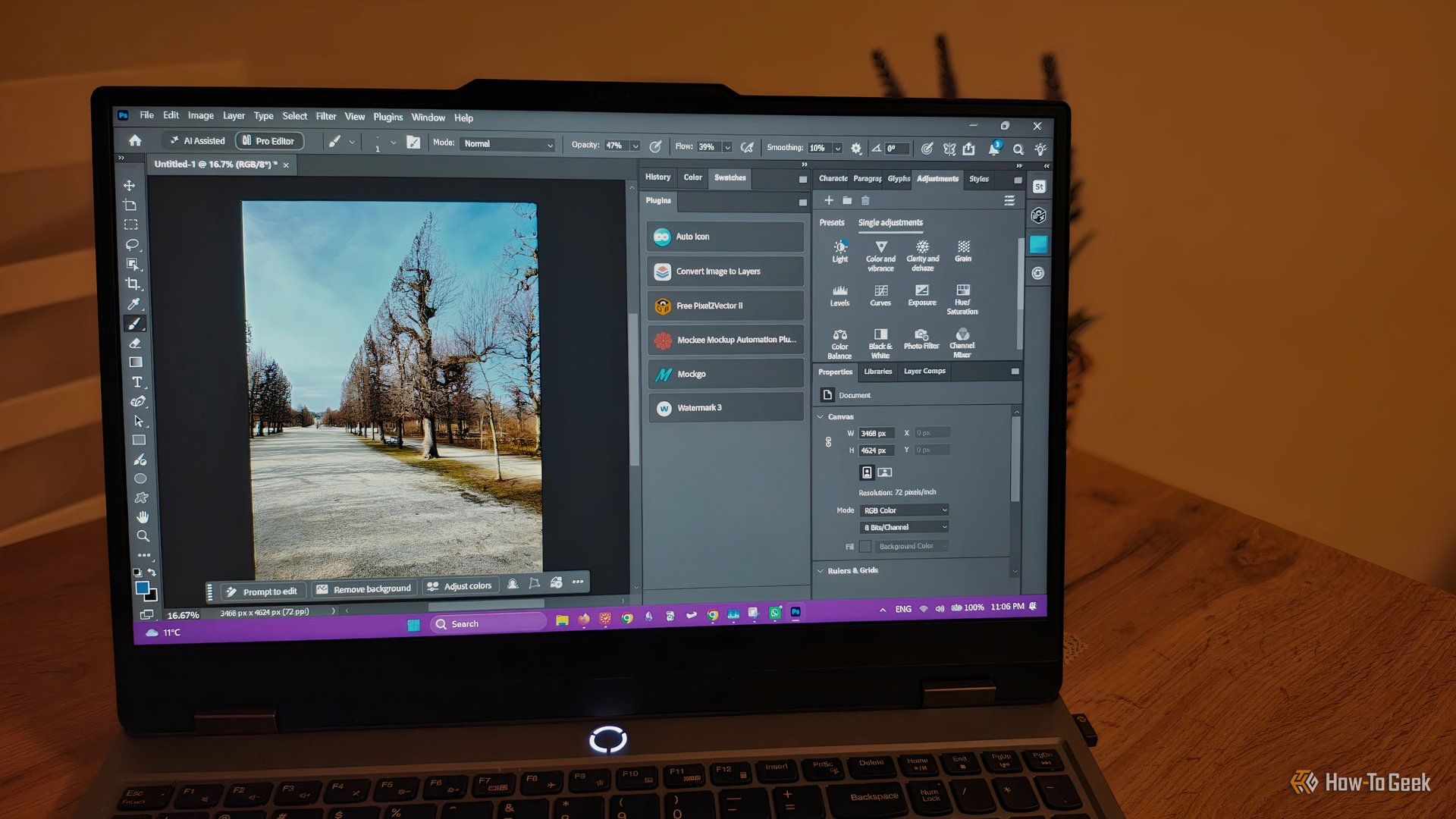
howto: 4 Photoshop plugins so essential they should be built-in
Discover four essential Photoshop plugins that streamline your workflow, save time, and unlock new creative possibilities, making you wonder why they aren't built-in features.

Nothing CMF Clip Pro Review: Open-Ear Awareness at a Steal
The Nothing CMF Clip Pro offers a unique open-ear listening experience, designed for situational awareness and comfort. Now $30 off at $69, it's an appealing option for those seeking spacious sound without sealing off the world.

Apple's Touchscreen MacBook Pro: A Long-Awaited Touch
The Verdict Apple's rumored touchscreen MacBook Pro represents a long-overdue evolution, promising to blend the convenience of direct screen interaction with the powerful macOS laptop experience. While not an essential

Building Passkey Authentication with WebAuthn, Next.js, and NestJS
Password-based authentication has long been the default for digital identity, yet it presents a myriad of challenges for both users and developers. Users grapple with remembering complex passwords, often resorting to

The Super Mouse puts a touchscreen macro pad under your hand: Tech
Arctic Fox Technologies has launched the Super Mouse, an innovative peripheral featuring a 3.1-inch touchscreen for dynamic app controls, macros, and enhanced productivity. Available on Kickstarter for $199, this wired mouse aims to consolidate multiple desktop devices into one intuitive command center. Its contextual display and advanced features redefine user interaction.

Wizards of the Coast Crowns New President, Signaling a Digital Future
Dan Ayoub, former Senior VP of D&D and an ex-Halo studio head, is the new President of Wizards of the Coast and Hasbro Digital Games. His appointment signals a strong push into digital and video games for the company, creators of Magic: The Gathering and Dungeons & Dragons. Upcoming titles include the sci-fi RPG Exodus and the D&D action-adventure Warlock.