
Samsung Galaxy vs. Google Pixel: Why Samsung Still Reigns for Power
For many, Google's Pixel phones represent the pinnacle of the Android experience: clean software, timely updates, and superb cameras. They offer a compelling package for those seeking simplicity and Google's unique AI
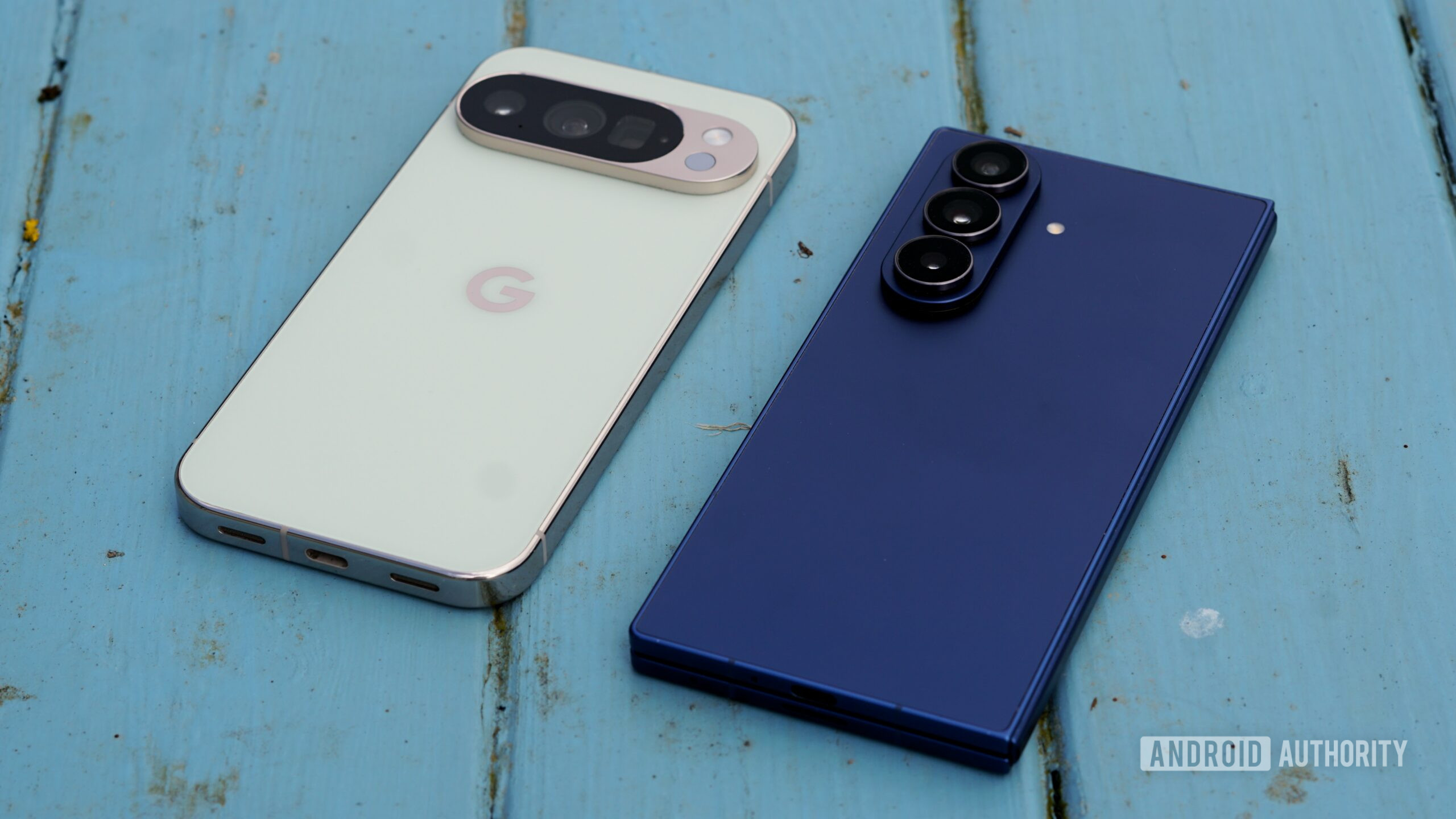
For many, Google's Pixel phones represent the pinnacle of the Android experience: clean software, timely updates, and superb cameras. They offer a compelling package for those seeking simplicity and Google's unique AI features. However, for a significant segment of users, particularly those who demand deep customization, robust automation, and seamless multi-device integration, Samsung's Galaxy phones continue to hold a distinct advantage.
While Pixel devices excel in delivering a 'pure Android' feel, the trade-off is often a more limited feature set when compared to Samsung's comprehensive ecosystem. This review delves into the key areas where Samsung distinguishes itself, providing a more capable and versatile smartphone experience for those willing to explore its depths.
The Unmatched Customization of Good Lock
One of the most immediate differences between a Pixel and a Samsung Galaxy phone lies in the level of personalization available. Pixel phones are celebrated for their clean, minimalist interface, which certainly appeals to a broad audience. Yet, this simplicity often translates to fewer options for tailoring the user experience. Basic elements like removing the search widget from the home screen are often not possible.
Samsung, on the other hand, embraces customization. Beyond the already feature-rich One UI, the 'Good Lock' app suite elevates personalization to an entirely new level. Modules like Keys Cafe allow users to design a keyboard from the ground up, dictating custom colors, typing sounds, and even gestures. LockStar provides granular control over the lock screen, enabling changes to clock styles, widget placement, shortcut arrangement, and Always-On Display (AOD) decoration. Good Lock isn't merely aesthetic; it also introduces functional enhancements like advanced gestures, an improved one-handed mode, and searchable notification history, offering countless quality-of-life improvements that Pixel users simply don't have access to.
Superior First-Party Applications Out of the Box
Samsung often faces criticism for including its own suite of apps alongside Google's. While this can lead to some app duplication, many users, after experiencing both, find themselves preferring Samsung's offerings due to their deeper system integration and advanced features. This 'choice' rather than 'limitation' is a significant pro for many.
Take Samsung Notes, for instance. While Google Keep is competent, Samsung Notes is profoundly integrated into the Galaxy ecosystem. It allows for note creation directly from the Edge Panel or lock screen and boasts powerful features like automatic formatting, note summarization, drawing assistance, and comprehensive PDF reading and annotation capabilities. Similarly, Samsung Gallery often trumps Google Photos for those who prefer a traditional gallery experience that prioritizes local storage and comprehensive on-device search. Unlike Google Photos, which often limits searches to cloud-backed content, Samsung Gallery searches across all photos on the device. Apps like Secure Folder, Samsung Keyboard, and Samsung Calendar also offer unique advantages and robust feature sets that often surpass their Google equivalents for many users. The beauty of a Samsung phone lies in the freedom to mix and match, utilizing the best applications from both ecosystems.
Samsung Routines: Automation Beyond Pixel Rules
For power users, automating daily tasks can significantly enhance the smartphone experience. Samsung's Modes and Routines are exceptionally powerful and, in our opinion, highly underrated. They offer an extensive array of triggers and actions, enabling users to automate complex sequences based on various conditions.
Consider a 'morning routine' that activates upon dismissing an alarm, switching the phone to sound mode and opening a personalized 'Now Brief' with weather, calendar events, and news. Or a battery-saving routine that intelligently lowers the screen refresh rate, enables dark mode, turns off AOD, and switches to Light performance mode when the battery drops below 50% and the user is away from home or office. The flexibility here is immense. Google's Pixel Rules, while a step in the right direction, offer a much more limited set of triggers and actions, falling far short of the sophisticated automation possibilities available on Galaxy devices.
Seamless Integration with Windows PCs
Another significant advantage for Samsung Galaxy users, particularly those who frequently work on Windows PCs, is the unparalleled level of integration between the two platforms. Samsung provides PC versions of several core mobile apps, including Gallery, Notes, and Internet, allowing users to effortlessly access notes, resume browsing sessions, and manage local device backups across devices. This creates a cohesive multi-device workflow.
The integration is further enhanced through Microsoft's Phone Link. While Phone Link works with most Android devices, specific features are exclusive to Galaxy phones. These include full RCS messaging support, seamless clipboard syncing between phone and PC, and Instant Hotspot, which allows your computer to connect to your phone's mobile data without manually enabling the hotspot or entering a password. For Windows PC users, this integration can dramatically streamline workflows, an experience largely absent from Pixel phones.
DeX: A Desktop Experience in a Pocket
Samsung DeX is arguably one of the most innovative and mature features on Galaxy phones, transforming the device into a desktop PC by connecting it to a monitor or TV. It provides a full desktop-like interface complete with a taskbar, resizable app windows, keyboard shortcuts, and drag-and-drop support. Users can even use their phone as a touchpad and keyboard, though a Bluetooth mouse and keyboard elevate the experience to that of a true desktop.
DeX enables multitasking with all your favorite apps on a large screen, making it a viable laptop replacement for many, especially for browser-based work. This portability means carrying one less device. Google has introduced a similar 'Desktop Mode' on Pixel 8 and newer models, but it is currently a nascent feature compared to DeX. Pixel Desktop Mode lacks wireless connectivity, requiring an HDMI dongle, and the overall desktop experience is less polished. DeX has been evolving since 2017, giving it a substantial lead in functionality and refinement. For those seeking a phone that can double as a desktop PC, Samsung remains in a class of its own.
Comparison Table: Samsung Galaxy vs. Google Pixel Features
| Feature Category | Samsung Galaxy (with One UI / Good Lock / DeX) | Google Pixel (Stock Android / Pixel Rules / Desktop Mode) | Advantage for Samsung |
|---|---|---|---|
| Customization | Deep customization via Good Lock (Keys Cafe, LockStar, etc.), extensive One UI settings. | Clean, minimalist interface; fewer native customization options (e.g., cannot remove search widget). | Unparalleled control over UI elements, appearance, and system behavior. |
| First-Party Apps | Feature-rich, deeply integrated apps (Notes, Gallery, Secure Folder) offering advanced capabilities. | Relies heavily on Google's excellent but sometimes less integrated apps (Keep, Photos, etc.). | More choice and often more powerful, integrated features within Samsung's apps. |
| Automation | Highly flexible and powerful Modes & Routines with extensive triggers and actions. | Limited Pixel Rules with a handful of triggers and actions. | Enables sophisticated, multi-step automation for complex daily tasks. |
| Windows Integration | Seamless through Phone Link exclusives (RCS, clipboard sync, Instant Hotspot) and Samsung PC apps. | Standard Phone Link features; lacks exclusive Galaxy functionalities. | Creates a cohesive, efficient workflow for users working across Windows and Android. |
| Desktop Mode | Samsung DeX offers a mature, full desktop-like experience, wireless support. | Pixel Desktop Mode (beta-like), limited features, requires HDMI dongle. | Transforms the phone into a capable desktop PC replacement with a polished interface. |
Buying Recommendation
Pixel phones are an excellent choice for users who prioritize a clean, uncluttered Android experience, prompt updates, and Google's cutting-edge computational photography and AI features. They offer a straightforward and satisfying user experience without overwhelming complexity.
However, if you're a power user who craves deep customization, values highly integrated first-party applications, relies on sophisticated automation for daily tasks, works extensively with a Windows PC, or dreams of a phone that can double as a desktop computer, a Samsung Galaxy device will undoubtedly offer a more complete and satisfying experience. While Pixel focuses on essential, high-quality basics, Samsung empowers its users with an expansive toolkit that makes the smartphone feel significantly more capable and adaptable to diverse needs.
FAQ
Q: Is Samsung's Good Lock essential for a good user experience? A: Not essential for everyone, as One UI itself offers good customization. However, for users who want to dive deep into personalizing their phone's look and feel, Good Lock is a game-changer that unlocks an unparalleled level of control over UI elements, gestures, and overall functionality, making it a highly recommended addition for customization enthusiasts.
Q: Can Google Pixel phones replicate Samsung DeX's functionality? A: Google has introduced 'Desktop Mode' on Pixel 8 and newer models, which offers a nascent desktop-like experience. However, it's not as mature, feature-rich, or wirelessly capable as Samsung DeX, which has been evolving since 2017. For a true desktop replacement experience from your phone, DeX remains the superior option.
Q: Do Samsung phones come with too much bloatware? A: While Samsung phones do come pre-loaded with both Google's and Samsung's apps, some users perceive this as 'bloatware.' However, many of Samsung's first-party apps (like Notes, Gallery, Calendar) offer distinct advantages and deeper system integration compared to their Google counterparts. For many, having the choice to use either ecosystem's apps, or even a mix of both, is a benefit rather than a drawback, especially considering the power and functionality Samsung's apps provide.
Related articles
Android 17 QPR2 Beta 7.1: The Performance Relief You've Been Waiting
Android 17 QPR2 Beta 7.1: Finally Fixing the QPR1 Performance Woes Verdict: Android 17 QPR2 Beta 7.1 is a crucial and highly anticipated software update for Google Pixel users, specifically targeting and resolving the

DJI Solo Video Setups: Smart Choices for Lone Creators
This review delves into DJI's recommended solo video setups, highlighting the Osmo Pocket 3 Creator Combo as a top pick for its integrated camera, gimbal, and mic. It also covers stabilizers like the Osmo Mobile 8 and RS 4, and the DJI Mic Mini series for enhanced audio, providing honest pros, cons, and clear buying advice.

Ars Technica's Rocket Report: Your Essential Space Industry Briefing
Quick Verdict Ars Technica's Rocket Report, presented by veteran space reporter Stephen Clark, offers an invaluable and meticulously organized weekly (or similar frequency, implied by "Edition 9.15") digest of the most

Apple iPhone Duo: A Daring Debut with Notable Compromises
Apple's highly anticipated iPhone Duo, priced at $2,000, has gone on pre-order. While hailed as "Apple's most exciting device in a decade" for its innovative foldable design and immersive display, it comes with significant drawbacks like the absence of FaceID and a premium camera.

KDE Plasma 6.8: A Future-Focused 30th Anniversary Update
Quick Verdict KDE Plasma 6.8, arriving as the "30th Anniversary Edition," is a pivotal release that decisively pushes the desktop environment into the future. With a definitive farewell to native X11 sessions and a
Galaxy Watch One UI 9 Beta: Promising Progress, But Patience Needed
Galaxy Watch 8, Watch Ultra, and Watch 7 are receiving a new One UI 9 Watch beta build with bug fixes and a security patch. Active development signals progress, but a stable release date remains elusive.