
RetroPad: The Ultra-Compact Notepad Revival
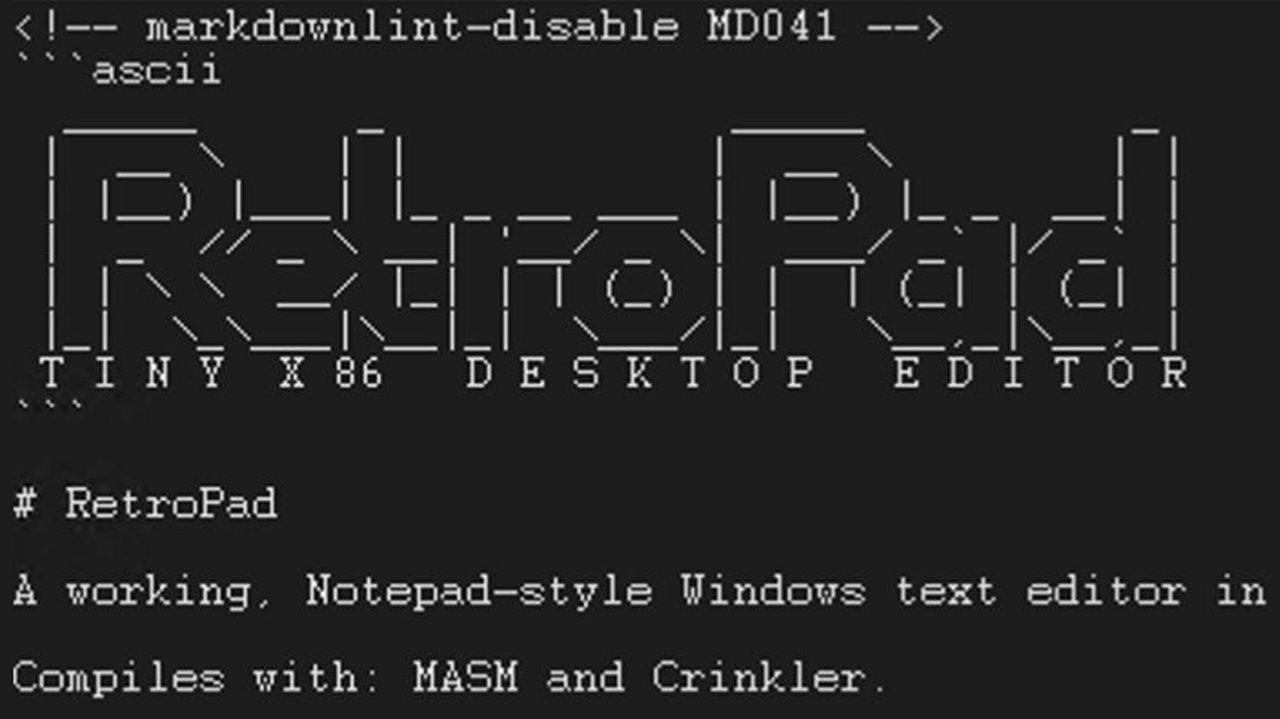
RetroPad, a full-feature-parity Windows XP Notepad re-creation by Dave W. Plummer, shrinks the app to under 3KB using x86 assembly. It's a technical marvel showcasing extreme optimization, but its current Windows 11 compatibility is a significant hurdle for general users.
Introduction: A Return to Efficiency
In an era where software applications seem to relentlessly expand in size and complexity, a refreshing counter-narrative has emerged in the form of RetroPad. This remarkable utility, a complete re-implementation of the Windows XP version of Notepad, boasts an astonishingly diminutive footprint of just 2,749 bytes. The genius behind this feat of software engineering is none other than Dave W. Plummer, a revered figure in the Windows development community, whose reputation for optimizing code precedes him. RetroPad isn't merely a nostalgic nod; it represents a powerful statement against what many perceive as pervasive software bloat.
Technical Marvel: Sub-3KB Notepad
At the heart of RetroPad's appeal is its sheer technical achievement. Plummer meticulously crafted this application using x86 assembly, a low-level programming language that affords unparalleled control over system resources and memory. Initially, RetroPad clocked in at a lean 2,686 bytes, delivering full feature parity with the Notepad that shipped with Windows XP. This alone is a significant accomplishment, especially when contrasted with the approximately 65KB size of the original XP Notepad. Plummer didn't stop there, however. Demonstrating a commitment to both efficiency and user experience, he subsequently integrated optional line numbering, a much-requested dark mode, and a comprehensive set of Notepad's classic keyboard shortcuts. These additions, while enhancing functionality, only incrementally increased the application's size to a still minuscule 2,794 bytes. This dedication to compactness is truly extraordinary and sets RetroPad apart. For accessibility, Plummer has made RetroPad available on GitHub, providing both the source code and a pre-compiled executable (.exe) under an Apache 2.0 license, making it easy for both developers and general users to access.
User Experience: Simplicity and Speed
For anyone familiar with the Windows XP iteration of Notepad, RetroPad offers an instant sense of familiarity. It aims for "full-feature-parity," meaning the user interface and core functionality should mirror the classic experience. This focus on simplicity ensures a quick learning curve and a streamlined workflow for basic text editing tasks. The extremely small size of the application suggests near-instantaneous launch times and minimal resource consumption, which could be particularly beneficial on older hardware or systems where every megabyte counts.
Plummer thoughtfully provided a pre-compiled trpad.exe on GitHub, intending to simplify deployment for users who prefer not to engage with MASM/Crinkler to compile the assembly code themselves. This move is commendable, as it broadens RetroPad's potential audience beyond seasoned developers. However, it's crucial to address a significant practical hurdle: the provided trpad.exe reportedly did not run on a Windows 11 laptop during testing. This compatibility issue is a major concern for widespread adoption and a critical point for potential users to consider. While the code is open for modification, the executable's inability to run out-of-the-box on a common modern operating system diminishes its immediate utility for many.
RetroPad vs. The Bloated Giants: A Comparative Analysis
RetroPad serves as a stark reminder of how much software, even basic utilities, has grown over the years. The journey of Windows' built-in Notepad is a fascinating case study in what's often termed "software bloat." Let's look at how RetroPad stacks up against its historical and modern counterparts:
| Feature/Metric | RetroPad | Windows XP Notepad | Windows 7-10 Notepad | Windows 11 Notepad (UWP) |
|---|---|---|---|---|
| Size | ~2.7 KB (x86 assembly) | ~65 KB | ~190-200 KB | ~5 MB (UWP app) |
| Core Functionality | Full XP Notepad parity, plus line numbers, dark mode, keyboard shortcuts | Basic text editing | Basic text editing | Tabs, spell check, autosave, Copilot |
| Platform | x86 assembly | N/A (built into OS) | N/A (built into OS) | UWP/WinUI |
| Modern Features | Line numbers, Dark Mode | None | None | Yes (Tabs, spell check, autosave, Copilot) |
| Compatibility (Win 11) | Reported issues with pre-compiled .exe | N/A (legacy OS) | N/A (legacy OS) | Fully compatible |
As the table illustrates, RetroPad is in a league of its own regarding size. The leap from ~65KB in Windows XP to a 5MB UWP application in Windows 11, which serves as a container for features like spell check, autosave, multiple tabs, and even Copilot integration, highlights a fundamental shift in software development philosophy. RetroPad intentionally rejects this trend, focusing instead on core functionality and minimal resource usage, albeit without the advanced features of its contemporary sibling.
Pros and Cons
Pros:
- Unparalleled Small Footprint: At under 3KB, RetroPad is an incredible example of optimized software, consuming virtually no system resources.
- XP Notepad Feature Parity: Delivers the complete functionality of the classic Windows XP Notepad experience, appealing to purists and minimalists.
- Technical Achievement: A remarkable demonstration of x86 assembly coding prowess by a respected Windows developer.
- Open Source: Available under an Apache 2.0 license, fostering community contributions and transparency.
- Thoughtful Enhancements: Includes useful optional features like line numbers, dark mode, and full keyboard shortcut support.
- Potential for Speed: Its small size promises quick launch times and responsive performance.
Cons:
- Windows 11 Compatibility Issues: The pre-compiled executable is reported not to run on Windows 11, significantly limiting its out-of-the-box usability for many modern users.
- Lacks Modern Notepad Features: By design, it foregoes features found in modern Notepad versions, such as spell check, multiple tabs, autosave, or AI integration. This is a trade-off for its minimalist philosophy.
- Assembly-Specific: While a pro from a technical perspective, it means users might need to compile from source if the provided executable doesn't work, requiring specific tools like MASM/Crinkler.
The Verdict: A Niche, Yet Brilliant, Tool
RetroPad is undeniably a fascinating project and a testament to Dave W. Plummer's extraordinary coding skills. It stands as a powerful proof-of-concept, demonstrating that core utilities don't have to be resource hogs. For developers, enthusiasts of low-level programming, or users running older Windows systems where every byte matters, RetroPad is a highly intriguing and potentially valuable tool. Its open-source nature means that community efforts could potentially address the Windows 11 compatibility challenges, unlocking its full potential for a broader audience.
However, for the average Windows 11 user simply looking for a functional text editor, the current reported compatibility issues with the pre-compiled executable are a significant deterrent. If those issues are resolved, and a reliable .exe for modern Windows is provided, RetroPad could become a fantastic lightweight alternative for those who don't need or want the bells and whistles of the latest 5MB Notepad. As it stands, it's a brilliant niche product for a specific audience, more of a philosophical statement and a technical marvel than a universally recommended daily driver for most Windows 11 users right now. Keep an eye on its development, as its potential is immense.
FAQ
Q: Will RetroPad replace my current Windows 11 Notepad?
A: While RetroPad offers a lightweight alternative with XP-era feature parity plus a few modern touches like dark mode, its reported compatibility issues with Windows 11's pre-compiled executable mean it's not a direct replacement for most users at this time. It also lacks features like spell check, tabs, and autosave found in the Windows 11 Notepad.
Q: Is RetroPad safe to use?
A: RetroPad is developed by a respected figure in the Windows community, Dave W. Plummer, and is open source under the Apache 2.0 license. This transparency allows for community review of the code. However, as with any software downloaded from the internet, exercising caution and perhaps running it in a sandboxed environment if you have concerns is always a good practice, especially if you're compiling it yourself.
Q: What are the main benefits of using such a small application?
A: The primary benefits of RetroPad's extremely small size are minimal resource consumption (CPU, RAM), very fast launch times, and a significantly reduced disk footprint. This can be particularly advantageous for older systems, virtual machines, or environments where efficiency is paramount.
Related articles

Crystal Lake Series on Peacock: A Deep Dive into Horror's Past
Crystal Lake Series Review: A Deep Dive into Horror's Past Verdict: Is Crystal Lake Worth the Dive? The long-awaited Friday the 13th prequel, Crystal Lake, is finally arriving on Peacock, promising a fresh, in-depth
Google's AI Branding Fix: A Clearer Vision for Gemini
This article critiques Google's fragmented AI branding, proposing a unified 'Gemini Intelligence' system to simplify user experience and strengthen Gemini's identity.

Chuwi UniBox AI495 Pro Review: A Mini AI Powerhouse
Chuwi's UniBox AI495 Pro review: A powerful mini workstation with 192GB RAM and an AMD Ryzen AI chip for local LLM processing, packed into a compact, Mac Pro-esque design.
Pixel Connectivity: Battery Drain, Not Data Speed, Is the Real
Google's Pixel series has consistently offered a compelling Android experience, often earning a spot on recommendation lists for its clean software and camera prowess. However, a recurring shadow has loomed over the

CNET's NYT Connections: Sports Edition Hints & Answers - Daily Puzzle
CNET's daily guide for NYT Connections: Sports Edition offers clear, spoiler-protected hints and answers, making it an efficient and reliable resource for sports puzzle enthusiasts.
Unofficial Sony Headphone PC Apps: Ditch Your Phone, Take Control
Tired of Sony's mobile app? These unofficial, open-source PC tools like Sony Device Center and SonyBridge offer desktop control over your Sony headphones' ANC, EQ, and more. A convenient, albeit unofficial, solution for Windows, Linux, and Mac users looking to ditch their phone for audio adjustments.