
Reorganize Your Obsidian Vault with Claude Code and CLI for Clarity
Are years of accumulated notes in Obsidian starting to feel less like a second brain and more like a digital junk drawer? You're not alone. Many long-term Obsidian users find their vaults growing into a chaotic mess of
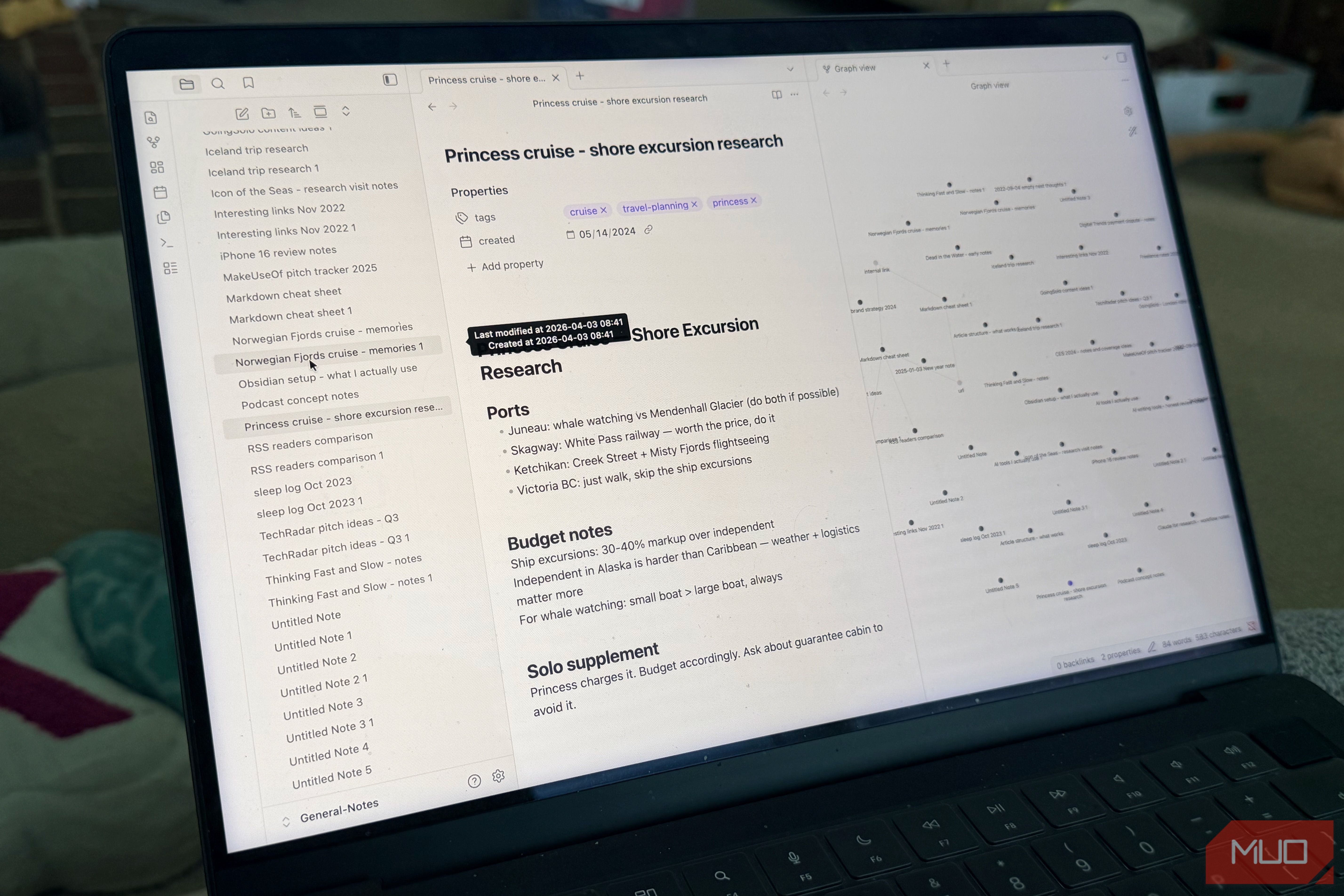
Are years of accumulated notes in Obsidian starting to feel less like a second brain and more like a digital junk drawer? You're not alone. Many long-term Obsidian users find their vaults growing into a chaotic mess of inconsistent tags, orphaned files, and confusing folder structures. Manually fixing this can feel overwhelming, leading to abandonment.
But what if an AI could do the heavy lifting for you? This guide will show you how to leverage Claude Code, Anthropic's command-line AI, paired with the notesmd-cli tool, to systematically audit, propose, and execute a complete reorganization of your Obsidian vault. What used to take years of frustration can be accomplished in a matter of hours, giving you back control and clarity over your knowledge base.
What You'll Accomplish
By the end of this guide, you will have:
- A Clean, Organized Vault: Your notes will be structured logically with consistent tagging and clear folder categories.
- Actionable Insights: Understand the actual content clusters within your notes, not just what you intended them to be.
- Reclaimed Headspace: Eliminate the cognitive burden of a messy vault and enjoy a more functional knowledge graph.
- A Streamlined Workflow: Learn a powerful method for large-scale note management.
Prerequisites and Requirements
Before diving in, make sure you meet these requirements:
- Comfort with the Terminal: This process involves working directly in your command-line interface. While not expert-level coding, a basic understanding of terminal commands is necessary.
- Claude Code Access: You'll need access to Anthropic's Claude Code (which operates in your terminal, not a browser chatbox).
notesmd-cliInstalled: This community-standard CLI tool is essential for Claude Code to interact with your Obsidian files. It's free and installs via Homebrew (brew install notesmd-cli). (Note: While Obsidian has an official CLI,notesmd-cliis currently the de facto community standard for this type of task.)- Obsidian Vault Backed Up: This is critical. Always create a complete backup of your Obsidian vault before allowing any automated tool to make changes. This ensures you can revert to a previous state if anything goes awry.
- A Phased Approach Mindset: Be prepared to follow the recommended audit-propose-execute structure. Rushing the process or skipping review steps is not advised.
Understanding Claude Code's Role
Claude Code is unique because it's an AI that operates directly in your terminal. Unlike traditional chatbots, it can read files from your local system, write code, and execute multi-step tasks autonomously. For vault reorganization, this means it can:
- Read all your notes: It processes the actual content of your files, not just metadata or filenames.
- Understand context: It grasps the meaning and relationships within your notes.
- Take action: Using
notesmd-cli, it can rename files, edit frontmatter (for tags), and move notes without you micro-managing every decision.
This distinction is vital; Claude Code approaches your file system like a developer, systematically working through problems with a defined goal, rather than requiring constant input.
Step-by-Step Guide to Reorganizing Your Vault
This process follows a three-phase approach, keeping you in control at every stage.
Phase 1: Audit Your Vault
Your first step is to instruct Claude Code to analyze your vault and report its findings without making any changes. This 'look-but-don't-touch' protocol is essential for safety and understanding.
- Brief Claude Code: Provide Claude Code with a specific prompt outlining its task:
- "Audit my Obsidian vault located at [path to your vault]. Catalog all file names, existing tags, folder locations, and identify rough content categories based on the actual text of the notes. Do not make any changes yet. Report back a detailed summary of your findings."
- Review the Audit Summary: Once Claude Code completes its analysis, it will present a summary. This report will be eye-opening. You'll likely discover:
- Untagged Notes: A significant number of notes with no tags at all.
- Inconsistent Tags: Variations of tags that mean the same thing, or tags applied inconsistently.
- Overlapping Folders: Folders with similar or redundant purposes.
- "Untitled" Notes: Many files named generically.
- Empty Files: Notes with no content.
- Content Clusters: Claude Code will identify natural groupings of your notes based on their content, such as 'professional writing,' 'personal journaling,' or 'technology reference.' This evidence-based categorization is often more accurate than your initial intentions.
This summary provides a factual basis for the next steps, revealing the true state of your vault.
Phase 2: Propose a Structure
Now that you understand your vault's current state, instruct Claude Code to propose an optimal organization scheme based on its audit findings.
- Prompt for Proposal: Give Claude Code a new brief:
- "Based on your audit of my Obsidian vault, propose a new folder structure and tagging taxonomy. Focus on a clean, consistent scheme that reflects the identified content clusters. Suggest how to handle empty files and generically named notes. Remember, do not make any changes yet; just provide the proposal."
- Review the Proposal: Claude Code will return a proposed structure. Expect it to be cleaner and more logical than anything you might have designed manually, precisely because it's based on actual content.
- It will likely suggest a relatively flat folder structure with top-level folders matching the main content clusters.
- A consistent tagging scheme, perhaps using lowercase, hyphenated tags, will be recommended.
- Empty files might be flagged for deletion (with your confirmation).
- Untitled notes could be moved into a dedicated 'Review' folder, rather than attempting to guess their categories.
- Make Modifications (Optional): This is your opportunity to fine-tune the proposal. For example, the original author split a generic 'travel' folder into 'travel-planning' and 'travel-memories' to better distinguish active plans from archival resources.
Phase 3: Execute the Reorganization
With a clear, approved plan, you can now instruct Claude Code to carry out the changes.
- Give the Go-Ahead: Provide Claude Code with the final instruction:
- "Proceed with the proposed folder structure and tagging taxonomy, incorporating my modifications [mention any specific changes you made]. Execute the reorganization file by file. Create a plain text change log in the vault root documenting every action taken (file moves, renames, tag changes, deletions) so I can review it afterward."
- Let Claude Code Work: The AI will now systematically apply the changes to your vault. This process can take some time depending on the size of your vault, but you don't need to babysit it. You can work on other tasks while it runs.
- Review the Change Log: Upon completion, Claude Code will have generated a plain text file in your vault's root directory detailing every single change it made. This log is crucial for accountability and allows you to verify the actions taken.
- Spot-Check Your Vault: Open your vault in Obsidian. You should immediately notice the difference. Your graph view, which might have previously looked like a jumbled mess, will now likely show distinct, legible clusters representing your new content categories. Spend some time spot-checking files and folders against the change log. The original author found only three files they wanted to move differently after the process, demonstrating the high accuracy of this method.
The Real Limits
While incredibly powerful, Claude Code isn't a magic bullet for every organizational challenge:
- Ambiguous Notes: Truly unclear notes (e.g., a clipped article snippet with no content, a random list of names) will still require your manual review. They'll typically end up in a 'miscellaneous' folder as a default.
- Quality of Content: Organization is a prerequisite for a useful vault, not a substitute for well-written, coherent notes. Claude Code won't improve the quality of your actual writing or thinking.
- Terminal Comfort: As mentioned in the prerequisites, setting up and running CLI tools requires a certain level of comfort with the command line. This isn't a plug-and-play solution for mainstream consumers just yet.
Why This Method Succeeds
Previous plugin-based solutions often fail because they still put the burden of decision-making on you, requiring hundreds of micro-decisions. Claude Code changes this dynamic by:
- Decision-Making at Scale: It makes intelligent organizational decisions across your entire vault simultaneously.
- Content-Driven Analysis: It reads the actual text of your notes, understanding their true meaning, rather than relying solely on filenames or metadata.
- Oversight, Not Micromanagement: The audit-propose-execute structure gives you full control and oversight without getting bogged down in the minutiae of every individual choice.
Next Steps and Best Practices
- Continue Reviewing: Dedicate time to going through the 'Review' or 'Miscellaneous' folders to address any remaining ambiguous notes.
- Maintain Consistency: Now that your vault is organized, commit to consistent tagging and filing for new notes to prevent future chaos.
- Explore Further: Consider how Claude Code could assist with other large-scale text-based tasks in your workflow.
FAQ
Q: Is it safe to let an AI move and delete my notes? A: Yes, when you follow the recommended phased approach and create a backup. The 'look-but-don't-touch' audit phase, the review of the proposed structure, and the detailed change log give you multiple checkpoints to ensure safety. The critical step is always backing up your vault beforehand.
Q: What if I don't like the changes Claude Code made? A: Because you have a complete backup of your vault, you can always revert to its previous state. Additionally, the change log allows you to identify specific changes you want to undo or modify manually, giving you precise control post-execution.
Q: Do I need to be a coding expert to use Claude Code and notesmd-cli?
A: No, but you do need to be comfortable with basic terminal commands. The setup isn't 'plug-and-play,' and navigating the command line is a prerequisite. If you're new to the terminal, there might be a learning curve, but it's manageable for anyone willing to learn the basics.
Related articles

Ditch Merge & Center: The Better Way to Align Text in Excel
Learn to use Excel's "Center Across Selection" to align text across cells without merging, avoiding common data manipulation issues. This guide provides steps to utilize this newly accessible feature and add it to your Quick Access Toolbar.

Ars Technica's Rocket Report: Your Essential Space Industry Briefing
Quick Verdict Ars Technica's Rocket Report, presented by veteran space reporter Stephen Clark, offers an invaluable and meticulously organized weekly (or similar frequency, implied by "Edition 9.15") digest of the most

AI's Confidence vs. Formal Methods' Rigor: Design Flaws & Verification
While AI accelerates code generation, formal methods remain critical for ensuring system correctness. Languages like TLA+ and tools like Quint enable developers to model and verify system designs before coding, catching subtle flaws. Quint makes formal methods more accessible with developer-friendly syntax and executability. This approach is vital for verifying AI-generated code through trace validation and model-based testing, ensuring reliability against real-world data.

Stop Android Auto Battery Drain: Essential Features to Disable and
Android Auto offers unparalleled convenience, bringing your phone's most useful features directly to your car's display. From navigation and calls to messages and music, it keeps you connected without distracting you
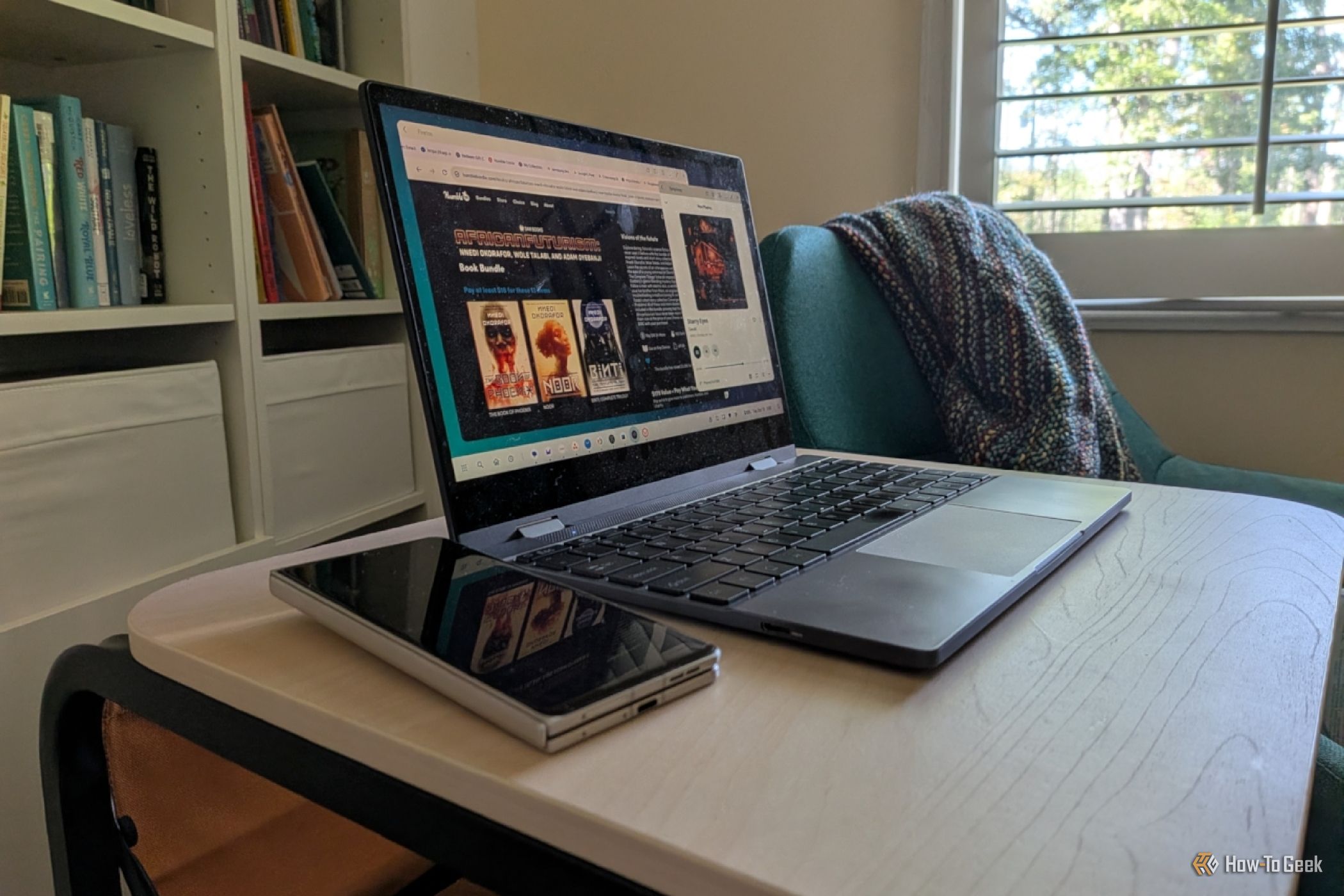
Turn Your Android Phone into a Powerful Desktop Replacement
Learn how to transform your Android phone into a full-fledged desktop computer using external displays and accessories, providing a cost-effective and integrated alternative to new Googlebooks.

howto: Four Ways the Fitbit Edge Is Better Than the Charge 6, and Two
Learn the key differences between the Fitbit Edge and Charge 6, including four advantages of the Edge and two areas where it falls short, to help you choose the best fitness tracker for your needs.