
Proper Ethernet Cable Routing: Prevent Connector Failure & Boost
Learn to properly route Ethernet cables by understanding bend radius and connector limitations, preventing common failures, and boosting network reliability.
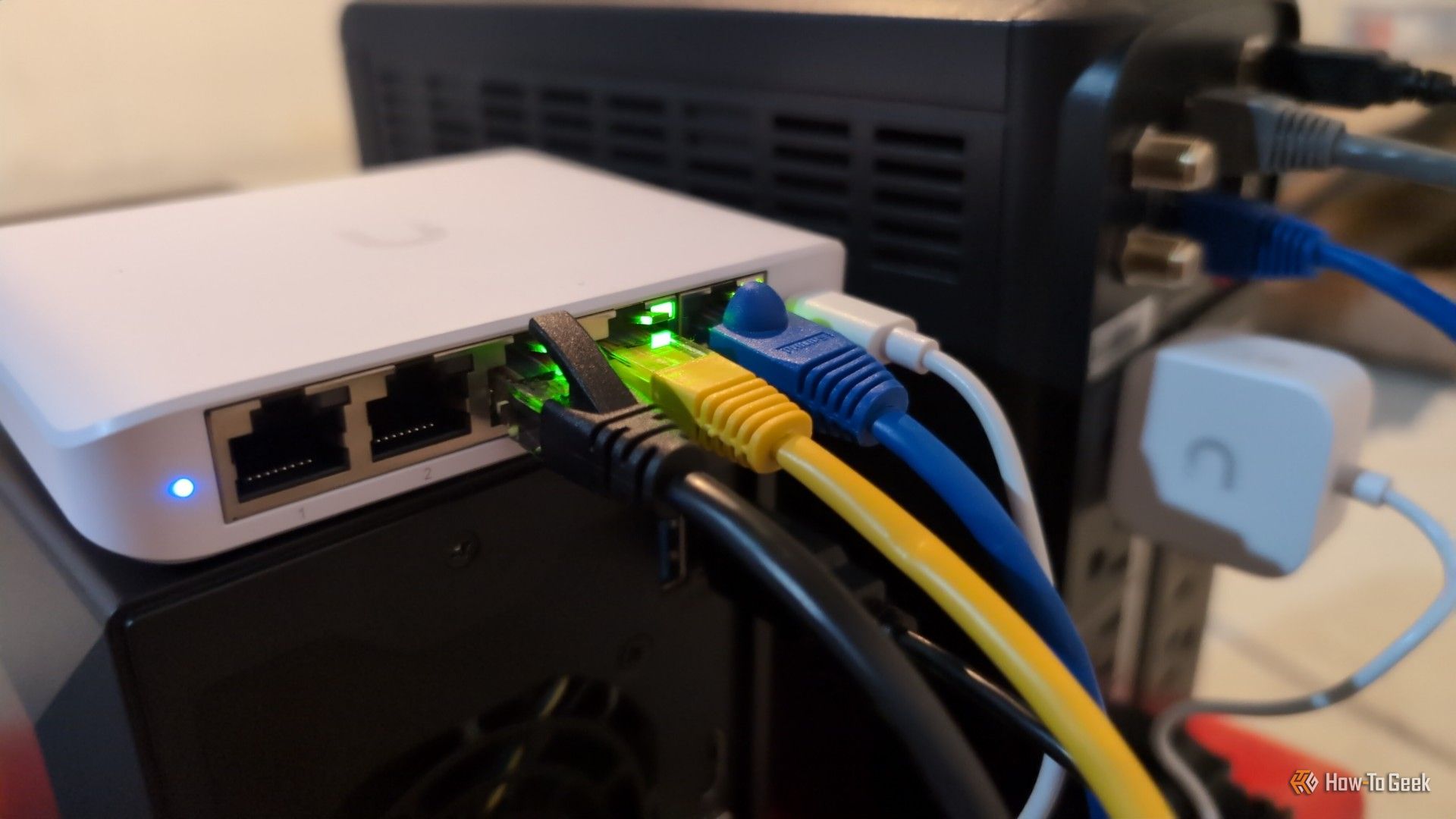
Ethernet cables are often seen as simple plug-and-play components, but improper routing can silently degrade your network performance and shorten cable lifespan. A common mistake is allowing the connector itself to bear the cable's weight or endure sharp bends, which can lead to frustrating and intermittent connection issues.
This guide will teach you how to properly route Ethernet cables, understand critical factors like bend radius, and select the right cable types for different parts of your network to ensure stable, high-speed internet.
What You'll Need
- An existing Ethernet network setup.
- Ethernet cables you wish to route or inspect.
- An understanding that careful handling of cables can significantly improve network reliability.
Step 1: Understand the Connector's Role (and Its Limits)
Many users make the mistake of plugging an Ethernet cable into a device (like a router, switch, or PC) and then immediately pulling it sharply downward or to the side to follow a desired path. This practice forces the RJ45 connector to support the cable's weight and subjects the section directly behind the plug to constant tension and a sharp bend. This is problematic because the small rubber boot behind the connector, designed for strain relief, is not intended to be a load-bearing element. Its purpose is to distribute movement and pulling forces across a wider area of the cable, not to act as a mounting point or support structure.
Think of it like the GPU power connectors that caused issues when bent too sharply while fully seated; a similar principle applies here. If your Ethernet cable is constantly tugging on the connector or flexing excessively, you're accelerating wear and tear. While Ethernet cables are robust, they aren't indestructible, and such mishandling will inevitably lead to premature failure and unreliable connections.
Step 2: Respect the Ethernet Cable's Internal Geometry (Bend Radius)
Beyond just physically breaking the connector, sharp bends can significantly impact your internet connection's quality even if the cable appears intact. Ethernet cables transmit data through several pairs of copper wires that are precisely twisted together. This specific internal geometry is crucial for maintaining signal integrity and preventing interference (crosstalk).
When you force a cable into a tight corner or kink it sharply, you can distort these twisted pairs. This distortion disrupts the intended electrical properties, affecting how cleanly the data signal travels through the cable. Most cabling guidelines recommend leaving sufficient room between the cable and any wall or obstruction. For example, a common rule of thumb for Cat6 cables suggests a minimum bend radius of about four times the cable's outside diameter.
Ignoring these guidelines and subjecting your Ethernet cables to excessive bending can lead to noticeable network problems. You might experience symptoms such as packet loss, data errors, an unstable network link, or even your network devices negotiating a slower connection speed than they're capable of. If you encounter these issues, it's worth checking your cable routing before blaming your internet service provider.
It’s important to note that a cable isn't automatically doomed just because it has a bend. The key factor is whether the bend is tighter than the cable's designed minimum bend radius. For instance, some high-flex patch cords can tolerate a smooth 180-degree loop at their minimum permitted bend radius for extended periods without performance degradation. A smooth, gradual curve is generally acceptable, while a sharp, crimp-like 90-degree angle is more likely to cause damage.
Step 3: Choose the Right Cable for the Right Job (Solid-Core vs. Patch Cables)
To maximize durability and performance, consider distinguishing between the cables used for long, permanent runs and those connecting directly to your devices. The section of cable closest to your equipment is typically where it's most likely to be bent, moved, or stressed.
For longer cable runs that are installed permanently, such as those routed through walls or along baseboards, solid-core Ethernet cables are generally preferred. These cables are designed for stability and less frequent movement. To connect these permanent runs to your devices, terminate the solid-core cable at a wall jack or keystone, then use a short patch cable for the final connection to your device.
Patch cables, which typically use stranded conductors, are much more flexible. This flexibility makes them ideal for the short, dynamic connections behind your equipment where cables are frequently adjusted or moved. By using a flexible patch cable for the final stretch, you isolate the stress and movement to an easily replaceable component, preserving the integrity of your more permanent, less flexible solid-core infrastructure.
Step 4: Plan Your Cable Routing to Avoid Strain
The simplest and most effective way to prevent Ethernet cable damage is to use them as intended – without undue stress or sharp bends. This means planning your cable routes with care:
- Allow Slack: Always leave a small amount of slack in your cables, especially near connection points. This prevents tension from building up and pulling on the connector.
- Gentle Curves: Guide cables in gradual, smooth curves rather than forcing them into sharp angles. Remember the bend radius guidelines.
- Support the Cable: Ensure the cable's weight is supported independently of the connector. Use cable ties, clips, or trays to route cables along surfaces, preventing them from hanging freely or putting strain on the port.
- Avoid Immediate Bends: After plugging in a cable, allow it to extend straight out from the port for a short distance before starting any turns. This reduces stress on the connector and the wire pairs directly inside the boot.
Troubleshooting Common Ethernet Cable Issues
If you're experiencing unexpected network problems like packet loss, frequent disconnections, an unstable link, or unexpectedly slow speeds, your Ethernet cables might be the culprit.
- Inspect Visually: Carefully examine all connected Ethernet cables, paying close attention to the areas near the connectors and any points where the cable might be sharply bent, crushed, or kinked.
- Replace Patch Cables First: Since patch cables are often subjected to more movement and stress, they are frequently the first point of failure. Try replacing short patch cables with new ones that are properly routed.
- Check Connection Stability: After inspecting or replacing cables, monitor your network performance to see if the issues have resolved.
Next Steps for an Optimized Home Network
Proper cable routing is a crucial step towards a reliable home network. Once your physical connections are solid, consider exploring other aspects of network optimization, such as identifying hidden bottlenecks in your home network (even with fiber internet) or repurposing old Wi-Fi routers for new uses.
FAQ
Q: Why is a sharp bend bad for an Ethernet cable, even if the connector isn't broken?
A: Ethernet cables rely on precisely twisted pairs of internal wires to transmit data cleanly. A sharp bend can distort this geometry, compromising signal integrity and leading to issues like data errors, packet loss, or a reduction in negotiated network speeds.
Q: How can I tell if my Ethernet cable is causing network problems?
A: Look for symptoms like intermittent internet access, frequent disconnections, unusually slow speeds, or packet loss during online activities. Physically inspect your cables for sharp kinks, crimps, or severe bends, particularly near the connectors. Replacing a suspect cable, especially a short patch cable, is a good first troubleshooting step.
Q: Does the type of Ethernet cable (e.g., flat vs. round) affect how easily it can be damaged by bending?
A: While some cables, like flat ones, might appear more flexible, all Ethernet cables have a minimum bend radius. The primary distinction the source highlights is between solid-core cables (better for long, permanent runs) and stranded-conductor patch cables (more flexible for short, dynamic connections). Regardless of shape, exceeding the cable's bend radius or subjecting any connector to constant strain will lead to damage over time.
Related articles

Mastering Claude for Web Design: Essential Plugins for Polished
Discover the top 3 essential Claude plugins—Frontend Design, Playwright, and Impeccable—to eliminate generic AI outputs and streamline your web design workflow from generation to testing and polish. Learn to install and use them for better results in Claude Code.

Build a Functional Android App with AI in Under 30 Minutes – No
Learn to build a functional Android app in under 30 minutes using AI code assistants like Claude Code, Codex, or Antigravity, without writing any code. This guide provides step-by-step instructions, essential prerequisites, and tips for prompt engineering to bring your app ideas to life quickly.

iPhone 18 Pro Max: Major AT&T Cellular Flaw Forces Free Replacements
The iPhone 18 Pro Max on AT&T is suffering from a critical cellular service failure, rendering phones unable to call or text. Apple has released preventive software updates but will replace already affected devices for free, acknowledging a hardware-level problem.

Lyft's Driver Settlement: A Win, But How Big
Quick Verdict: A Significant, Yet Incomplete, Victory Lyft has reached a landmark $272.5 million settlement in California, addressing allegations that it improperly classified its drivers as independent contractors
Boost Your Old HDD's Life: What 400k Drives Reveal About Reliability
Discover how HDD reliability varies by brand, backed by a study of over 400,000 drives. Learn which manufacturers offer the most robust drives, understand age-related failure patterns, and get actionable tips to optimize drive temperature and safeguard your data for maximum longevity.

Understanding Why a Tiny Kindle Isn't Coming Soon - Amazon's
Understand Amazon's official stance on small e-readers and the key reasons why a tiny Kindle isn't in their immediate plans, from market focus to design compromises.