
Local AI Chatbots on iPhone: A Capable, Private Alternative
When most people picture AI chatbots, they envision powerful systems housed in distant data centers, constantly pinging servers to process requests. While cloud-based AI like ChatGPT and Gemini dominate the narrative,
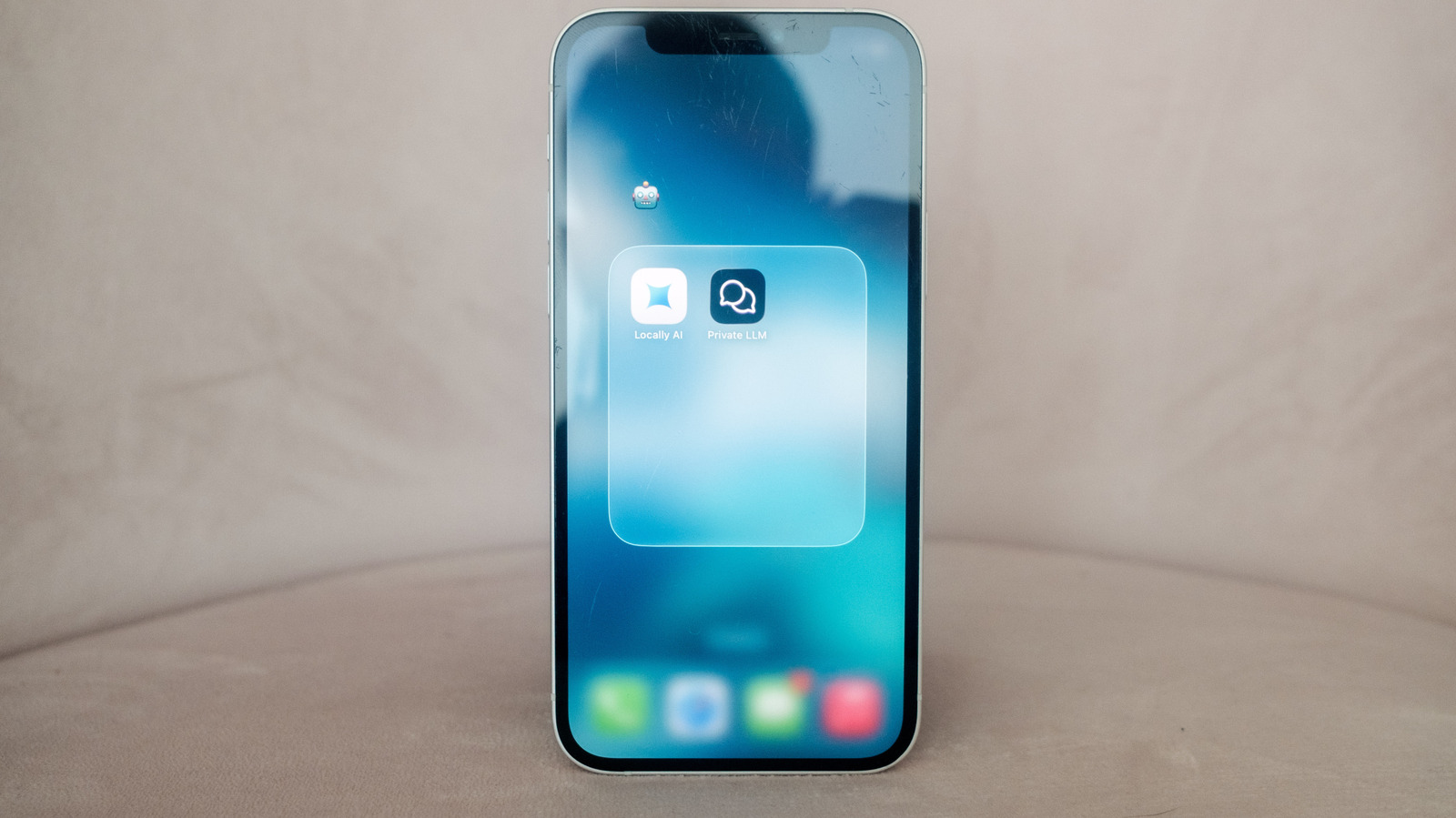
When most people picture AI chatbots, they envision powerful systems housed in distant data centers, constantly pinging servers to process requests. While cloud-based AI like ChatGPT and Gemini dominate the narrative, there's a compelling alternative emerging: running AI chatbots directly on your iPhone. This guide delves into the world of open-weight models that operate locally, offering a detailed look at why you might consider making the switch, what benefits it brings, and what limitations you should be aware of.
Quick Verdict
Running a local AI chatbot on your iPhone is a surprisingly robust and highly appealing option for users prioritizing cost savings, privacy, and offline accessibility. While these local models may not match the raw power or advanced conversational memory of their cloud-based counterparts, they offer a secure, subscription-free AI experience that can be incredibly useful for a wide range of tasks. For the privacy-conscious power user tired of monthly fees and data sharing concerns, this is a clear winner, provided you manage your expectations regarding real-time information and complex interaction.
The Allure of Local AI: Why Ditch the Cloud?
Operating an AI chatbot directly on your iPhone sidesteps the traditional cloud infrastructure, meaning your device handles all the processing. This approach brings several significant advantages worth exploring.
Financial Freedom: No More Subscriptions
One of the most attractive reasons to embrace local AI is the potential for substantial cost savings. Running an AI model on your iPhone typically involves, at most, a one-time purchase of around $5 for an app. This stands in stark contrast to cloud-based services: ChatGPT Plus, for instance, costs $20 per month, while Google AI plans can range from $8 to $100 monthly. Power users of proprietary models often face daily usage limits unless they pay for premium tiers. With a local chatbot, you can use it as much as you want, free from recurring charges or artificial restrictions.
Uncompromised Privacy: Your Data Stays Yours
For those concerned about data privacy, local chatbots offer a clear advantage. The options typically recommended for iPhone use require no login and no sharing of your data with the labs that trained the models. Furthermore, the app developers themselves state they do not collect usage information. With proprietary models like ChatGPT, Claude, or Gemini, you should generally assume that your prompts, and any information, images, audio, or video you share, will be used to train future models, unless you specifically opt-out through various settings. Local AI ensures your conversations remain entirely on your device, private by design.
Always On, Anywhere: Offline Capability
Unlike cloud-based chatbots that are entirely dependent on an internet connection, local AI models function perfectly fine offline. This makes them invaluable companions in areas with spotty Wi-Fi or cellular service, during flights, or whenever you simply don't have connectivity. Your AI assistant is always ready, regardless of your network status.
Understanding the Trade-offs: What You Give Up
While the benefits of local AI are compelling, it's crucial to acknowledge where these systems fall short compared to their sophisticated cloud-powered rivals.
Less Sophistication and Memory
Open-weight models, while highly capable, generally do not possess the same level of sophistication as the latest proprietary models from companies like OpenAI and Anthropic. Cloud models benefit from massive, powerful hardware, allowing them to offer longer "context windows." This means they can reference information from much earlier in a conversation, making interactions feel more intelligent and reducing the need for you to repeat yourself. Additionally, proprietary models often feature robust "memory" capabilities that personalize responses over time, remembering user preferences or facts you've shared – a feature largely absent in current local implementations.
Timeliness and Real-time Information
All large language models (LLMs) have a "knowledge cutoff," the point in time beyond which their training data does not cover. For instance, Llama 3.2's knowledge cutoff is December 2023, while GPT-5.5 Instant's is August 2024. To provide up-to-date answers beyond this cutoff, models ideally integrate with robust web search tools. Proprietary cloud models have two advantages here: they are often updated more frequently with newer training data, and crucially, they can easily access the internet to augment their answers. Open-source local models, by default, lack this real-time web search capability, requiring third-party extensions to achieve it.
Getting Started: The Apps That Make It Possible
Bringing open-source LLMs to your iPhone requires a dedicated application. Two notable contenders make this process incredibly straightforward:
- Locally AI: This app is free to download and stands out for its intuitive onboarding experience. Upon first launch, it recommends one of three models to get you started, handling the download seamlessly. It's easy to explore and download other models from the settings, and you can even personalize the chatbot's response style with a system prompt.
- Private LLM: Priced at $5, Private LLM also offers an easy way to install and run local chatbots. Its website provides helpful resources, including a list of models available through the app, complete with recommended on-device RAM requirements for each.
Model Selection and Performance Considerations
When choosing a model within these apps, pay attention to "parameter counts." Models with more parameters generally produce better, more complex answers, as they represent more intricate systems. However, this comes with trade-offs:
- Storage: Larger models consume significantly more storage space. For example, Meta's 3-billion parameter Llama 3.2 model requires 1.81GB, while its 1-billion parameter version needs only 695MB.
- Performance: Greater compute requirements mean larger models will run slower. For the best experience with larger models, an iPhone 15 Pro or newer is recommended. That said, lighter versions of models like Llama 3.2 and Gemma 3 can run without issue even on older devices like an iPhone 12. As a general rule, an iPhone 15 or better is ideal for larger models, but don't hesitate to experiment with smaller models on older hardware.
Local AI Chatbots vs. Cloud AI Chatbots: A Comparison
To help you decide, here's a direct comparison of the core characteristics of local AI chatbots on your iPhone versus their cloud-based counterparts:
| Feature | Local AI Chatbots (e.g., Locally AI, Private LLM) | Cloud AI Chatbots (e.g., ChatGPT, Gemini) |
|---|---|---|
| Cost | Mostly free; one-time app purchase (up to $5) | Free tiers with limits; subscriptions ($8-$100/month) |
| Privacy | High: No login, no data sharing, runs on-device | Lower: Prompts often used for training (opt-out required) |
| Offline Use | Yes, works without internet connection | No, requires active internet connection |
| Sophistication | Good, but generally less powerful | Very high, cutting-edge models |
| Context/Memory | Shorter context, limited personalization | Long context windows, robust memory & personalization |
| Timeliness | Limited by knowledge cutoff, no real-time web search (by default) | More current data, real-time web search integration |
| Device Impact | Uses device storage & processing, faster on newer phones | Minimal device impact (just an app interface) |
Buying Recommendation
Running a local AI chatbot on your iPhone is highly recommended for users who:
- Are budget-conscious: Eliminate monthly subscription fees.
- Prioritize privacy: Keep your data and conversations entirely on your device.
- Need offline access: Ensure AI availability regardless of internet connectivity.
- Own a recent iPhone (iPhone 12 or newer): While an iPhone 15 Pro offers the best experience with larger models, even older devices can handle lighter versions effectively.
It's a fantastic solution for generating text, drafting emails, brainstorming ideas, or getting quick answers on known topics without any external dependencies or privacy concerns. However, if you require the absolute latest information, highly sophisticated multi-turn conversations with personalized memory, or image/video processing, proprietary cloud models might still be your preferred choice.
FAQ
Q: Will a local AI chatbot replace ChatGPT or Gemini for most tasks?
A: It depends on your priorities. For basic text generation, brainstorming, and getting factual information within its knowledge cutoff, a local AI can be an excellent, private, and free alternative. However, for real-time information (e.g., current events), very long, complex conversations with deep memory, or multimodal AI features (image generation/analysis), cloud-based models still hold an advantage due to their superior computational power and web access.
Q: Do I need the latest iPhone model to run a local AI chatbot?
A: Not necessarily. While an iPhone 15 Pro or newer is recommended for the best experience with larger, more powerful local models, older devices like an iPhone 12 can still capably run smaller parameter models (e.g., 1-billion parameter versions of Llama 3.2 or Gemma 3) without significant issues. The key is to select models appropriate for your device's capabilities.
Q: Is it complicated to set up and use a local AI chatbot on my iPhone?
A: No, it's designed to be straightforward. Apps like "Locally AI" offer an intuitive onboarding process, recommending initial models and simplifying the download and chat experience. You simply choose a model, download it within the app, and you can start interacting immediately, making it much easier than you might anticipate.
Related articles

Apple Unveils iPhone Duo: Pricey Foldable Sees Soaring Demand
Apple has officially entered the foldable smartphone arena with the long-anticipated launch of the iPhone Duo. Priced starting at a hefty $1,999, the device features a 5.4-inch outer display and a larger 7.6-inch inner
Android 17 QPR2 Beta 7.1: The Performance Relief You've Been Waiting
Android 17 QPR2 Beta 7.1: Finally Fixing the QPR1 Performance Woes Verdict: Android 17 QPR2 Beta 7.1 is a crucial and highly anticipated software update for Google Pixel users, specifically targeting and resolving the

DJI Solo Video Setups: Smart Choices for Lone Creators
This review delves into DJI's recommended solo video setups, highlighting the Osmo Pocket 3 Creator Combo as a top pick for its integrated camera, gimbal, and mic. It also covers stabilizers like the Osmo Mobile 8 and RS 4, and the DJI Mic Mini series for enhanced audio, providing honest pros, cons, and clear buying advice.

in-depth: Chicago-Area Cops Helped HSI Spy on Minnesota Anti-ICE
Chicago-area law enforcement, including local police and HSI agents, conducted undercover surveillance on Minnesota anti-ICE activists at an April 2, 2022, talk in Chicago. This operation was part of a federal conspiracy probe into 15 Minnesota activists facing felony charges related to immigration enforcement resistance. Civil liberties advocates have condemned the surveillance as a troubling intrusion into protected political activity.

Ars Technica's Rocket Report: Your Essential Space Industry Briefing
Quick Verdict Ars Technica's Rocket Report, presented by veteran space reporter Stephen Clark, offers an invaluable and meticulously organized weekly (or similar frequency, implied by "Edition 9.15") digest of the most

Apple iPhone Duo: A Daring Debut with Notable Compromises
Apple's highly anticipated iPhone Duo, priced at $2,000, has gone on pre-order. While hailed as "Apple's most exciting device in a decade" for its innovative foldable design and immersive display, it comes with significant drawbacks like the absence of FaceID and a premium camera.