
How to Escape the Amazon Kindle Ecosystem Without Ditching Your Device
Are you a long-time Kindle user who loves your device but feels constrained by Amazon's ecosystem? Perhaps you're concerned about privacy, want more control over your reading experience, or simply wish to access books
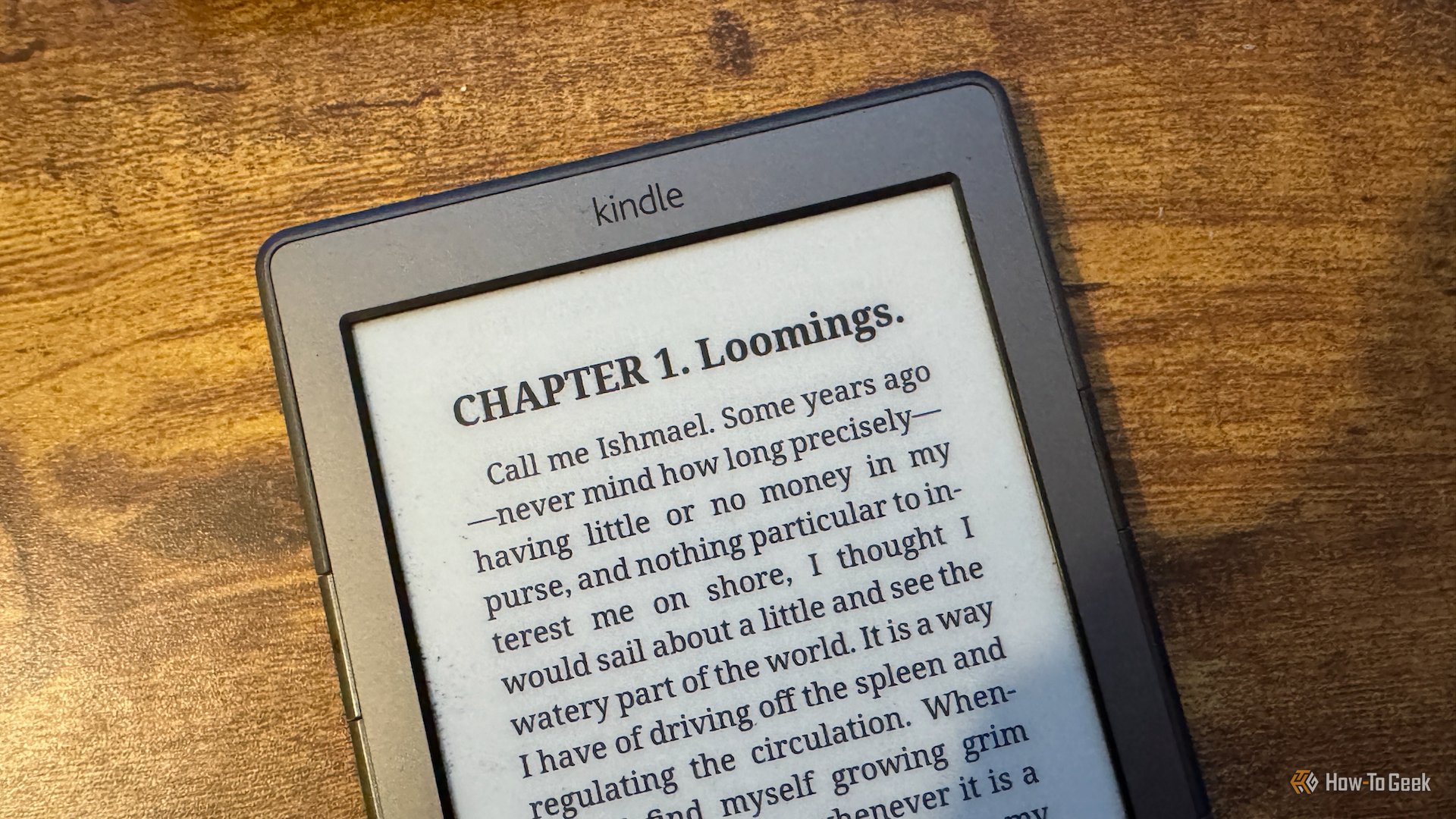
Are you a long-time Kindle user who loves your device but feels constrained by Amazon's ecosystem? Perhaps you're concerned about privacy, want more control over your reading experience, or simply wish to access books from sources other than Amazon. You're in luck! It's entirely possible to break free from Amazon's grip and unlock new functionalities on your Kindle, all without having to buy a new e-reader. This guide will walk you through the process, transforming your Kindle into a more versatile reading device.
What you'll accomplish by following this guide:
- Gain freedom from Amazon's ecosystem: No longer rely on Amazon for buying books or using features like 'Send to Kindle.'
- Enhance your reading experience: Access advanced customization options for fonts, margins, and PDF viewing.
- Discover new content sources: Browse and download free public domain books directly to your device or access your personal eBook library.
- Extend the life of older Kindles: Breathe new life into devices that Amazon might no longer support, keeping them functional and useful.
Why Consider Escaping Amazon's Ecosystem?
Many users, including the author of the source content, initially used their Kindles as intended, purchasing books through Amazon or sending them via the 'Send to Kindle' feature. This worked well for convenience, especially when traveling, allowing dozens of books to be carried on a single, light device. However, concerns about Amazon's privacy practices often lingered. For some, the final push came when Amazon announced that older Kindle models, like the Kindle 4, would lose key functionalities such as the ability to purchase books directly or use 'Send to Kindle,' effectively forcing users to upgrade or find alternatives. This moment of forced obsolescence can be the perfect catalyst to explore what more your existing Kindle can do.
Prerequisites and Requirements
Before you begin the journey to liberate your Kindle, make sure you have the following:
- An Amazon Kindle device: While the process works for many models, older Kindles might require more specific methods. Be prepared to search for instructions tailored to your exact model.
- A computer: You'll likely need a computer to download necessary software and transfer files to your Kindle.
- USB cable: To connect your Kindle to your computer.
- Time and patience: The jailbreaking process, especially for older or less common Kindle models, can be trial-and-error. Allow ample time and be prepared for potential setbacks.
- Reliable internet access: For downloading software and accessing online guides.
- An understanding that this process may void your warranty: While not explicitly stated in the source, jailbreaking typically carries this risk. Proceed at your own discretion.
Step-by-Step Guide to Liberating Your Kindle
Step 1: Researching and Preparing for the Jailbreak (The Hard Part)
The most challenging part of this entire process is usually the initial jailbreak. Due to the multitude of Kindle models released over the years, there isn't a single universal jailbreaking method. What works for one Kindle might not work for another, especially with older hardware.
- Identify your specific Kindle model: This is crucial. Search online forums and communities dedicated to Kindle jailbreaking for instructions that precisely match your Kindle's model and firmware version. Generic instructions covering a broad range of models may lead to dead ends or errors.
- Turn off your Kindle's Wi-Fi: This is a critical step. Before you begin any jailbreaking attempt, ensure your Kindle's Wi-Fi is completely disabled in its settings. The source content highlights that leaving Wi-Fi on can allow Amazon to immediately lock you out of any custom app launchers, forcing you to restart the entire process. You can safely re-enable Wi-Fi from within specific apps once they are installed.
- Follow model-specific instructions carefully: Once you've found a reputable guide for your Kindle model, follow each step meticulously. Be aware that you might encounter issues, and in some cases, you may need to factory reset your Kindle and start over if a step goes wrong or an application launcher gets locked.
Troubleshooting Tip: If you hit a roadblock, double-check that your Wi-Fi is off. If it is, and you're still stuck, search specifically for troubleshooting tips related to your Kindle model and the jailbreaking method you're using. A factory reset might be your last resort to get back to a clean slate.
Step 2: Installing KUAL and KOReader
Once your Kindle is successfully jailbroken, the rest of the process becomes significantly smoother. You'll install two key pieces of software that will replace Amazon's native interface and open up new possibilities.
- Install Kindle Unified Application Launcher (KUAL): KUAL acts as a simple menu system on your Kindle. It allows you to access and launch any custom applications or extensions you install. Think of it as your new gateway to a liberated Kindle experience.
- Install KOReader: After KUAL is set up, install KOReader. This powerful application completely replaces the native Kindle reading interface. KOReader is packed with features that often surpass what Amazon's software offers, providing a highly customizable reading experience.
With KOReader installed, you'll immediately notice improvements. For example, you gain granular control over:
- Font weights: Adjust fonts to your exact preference.
- Word and line spacing: Fine-tune the readability to your comfort.
- Margin control: Set precise margins on all four sides of the page.
- Superior PDF handling: KOReader can transform complex PDF files into a more readable, book-style format, making them much easier to consume on your Kindle's screen.
- Accurate reading statistics: Features like time-to-finish stats, based on your historical reading speed, are often more precise than the standard Kindle software.
Step 3: Accessing Books Without Amazon
With the Amazon ecosystem out of the picture, you'll need new ways to get books onto your device. Thankfully, KOReader offers excellent built-in solutions.
- Utilize Open Publication Distribution System (OPDS): KOReader features an OPDS client that allows you to directly access free digital libraries. Sources like Project Gutenberg and ManyBooks offer vast catalogs of public domain titles. You can browse these collections directly from your Kindle and download books with ease, providing you with a huge number of free reading options.
- Connect to a Calibre server: If you already manage a personal library of eBooks using Calibre on your computer, you can connect KOReader to your Calibre server. This allows you to browse and download books from your personal collection directly to your Kindle without needing to physically connect the device to your computer via USB. This integration is incredibly convenient for managing and accessing your own eBook archives.
The Benefits of Your Liberated Kindle
Once you've made the transition, you might find, like the author of the source, that you don't miss the native Kindle experience at all. KOReader provides a richer, more customizable reading environment, and the ability to access books from free libraries or your personal Calibre collection ensures you're never short of reading material. Beyond core reading, jailbreaking your Kindle opens the door to even more possibilities, such as installing additional custom applications or even finding creative ways to use your device, as demonstrated by the author who managed to turn their fingers into a wireless page-turner.
Troubleshooting Tips
- Always check Wi-Fi: As emphasized, keeping Wi-Fi off during the initial jailbreaking process is paramount to prevent Amazon from interfering.
- Model-specific instructions: Generic guides are dangerous. Take the time to find instructions tailored exactly to your Kindle model and firmware version to avoid errors and potential bricking.
- Backup (if possible): While not explicitly mentioned in the source for Kindles, for any device modification, it's generally good practice to back up existing data before starting.
- Be prepared for a factory reset: If things go wrong during the jailbreak, you may need to factory reset your Kindle and start over. This can be frustrating but is often the quickest way to recover.
Next Steps and Further Exploration
Now that your Kindle is liberated, you can explore the wider world of custom applications and functionalities available to jailbroken e-readers. Look into communities like MobileRead for more custom apps, hacks, and discussions on how to get even more out of your device. You might discover tools for note-taking, dictionary enhancements, or even ways to integrate your Kindle with other parts of your digital life.
FAQ
Q: Will jailbreaking void my Kindle's warranty? A: While not directly stated in the source content, modifying a device's firmware, like jailbreaking, typically voids its manufacturer warranty. This is a common consequence of such modifications across various devices.
Q: Can I revert my Kindle back to the original Amazon software after jailbreaking? A: The source content focuses on the escape from the Amazon ecosystem and doesn't explicitly detail a reversal process. Generally, returning to stock firmware is possible but can be as complex as the jailbreaking process itself, often requiring specific firmware files and tools. A factory reset might remove custom software but won't necessarily re-enable Amazon's restricted features if they were deprecated for your model.
Q: Is jailbreaking my Kindle safe for the device? A: If done correctly by following precise, model-specific instructions from reputable sources, jailbreaking is generally safe. However, using incorrect methods or firmware can potentially lead to issues, including rendering your device unusable (bricking). Always proceed with caution and be prepared for potential setbacks, including the need for a factory reset.
Related articles

Ditch Merge & Center: The Better Way to Align Text in Excel
Learn to use Excel's "Center Across Selection" to align text across cells without merging, avoiding common data manipulation issues. This guide provides steps to utilize this newly accessible feature and add it to your Quick Access Toolbar.

Amazon Prime Video Launches AI-Powered Prime 360 for NBA Coverage
Amazon Prime Video is elevating its NBA coverage with the introduction of Prime 360, an AI-powered replay system offering immersive, 'fly through' views of the action. Kicking off its second season, Prime Video also adds Yahoo fantasy integration and gains exclusive Eastern Conference Finals rights, expanding its tech-driven sports broadcast. The new features aim to deliver a unique and interactive viewing experience for basketball fans.

Stop Android Auto Battery Drain: Essential Features to Disable and
Android Auto offers unparalleled convenience, bringing your phone's most useful features directly to your car's display. From navigation and calls to messages and music, it keeps you connected without distracting you

Apple’s new HomeView smart display is $10 cheaper at Amazon: latest
In a rare move for a new Apple product, the highly anticipated HomeView smart display is already available at a discount on Amazon, weeks before its official launch. Consumers can now pre-order Apple's first dedicated
Turn Your Android Phone into a Powerful Desktop Replacement
Learn how to transform your Android phone into a full-fledged desktop computer using external displays and accessories, providing a cost-effective and integrated alternative to new Googlebooks.

howto: Four Ways the Fitbit Edge Is Better Than the Charge 6, and Two
Learn the key differences between the Fitbit Edge and Charge 6, including four advantages of the Edge and two areas where it falls short, to help you choose the best fitness tracker for your needs.