
Gradient Weather: My New Go-To Weather App (Ditching Pixel Weather)
Gradient Weather review: After two years with Pixel Weather, Gradient Weather's superior accuracy engine, advanced customization, dynamic map, and detailed notifications have made it my new go-to Android weather app, despite its premium cost and lack of a comprehensive pollen tracker.
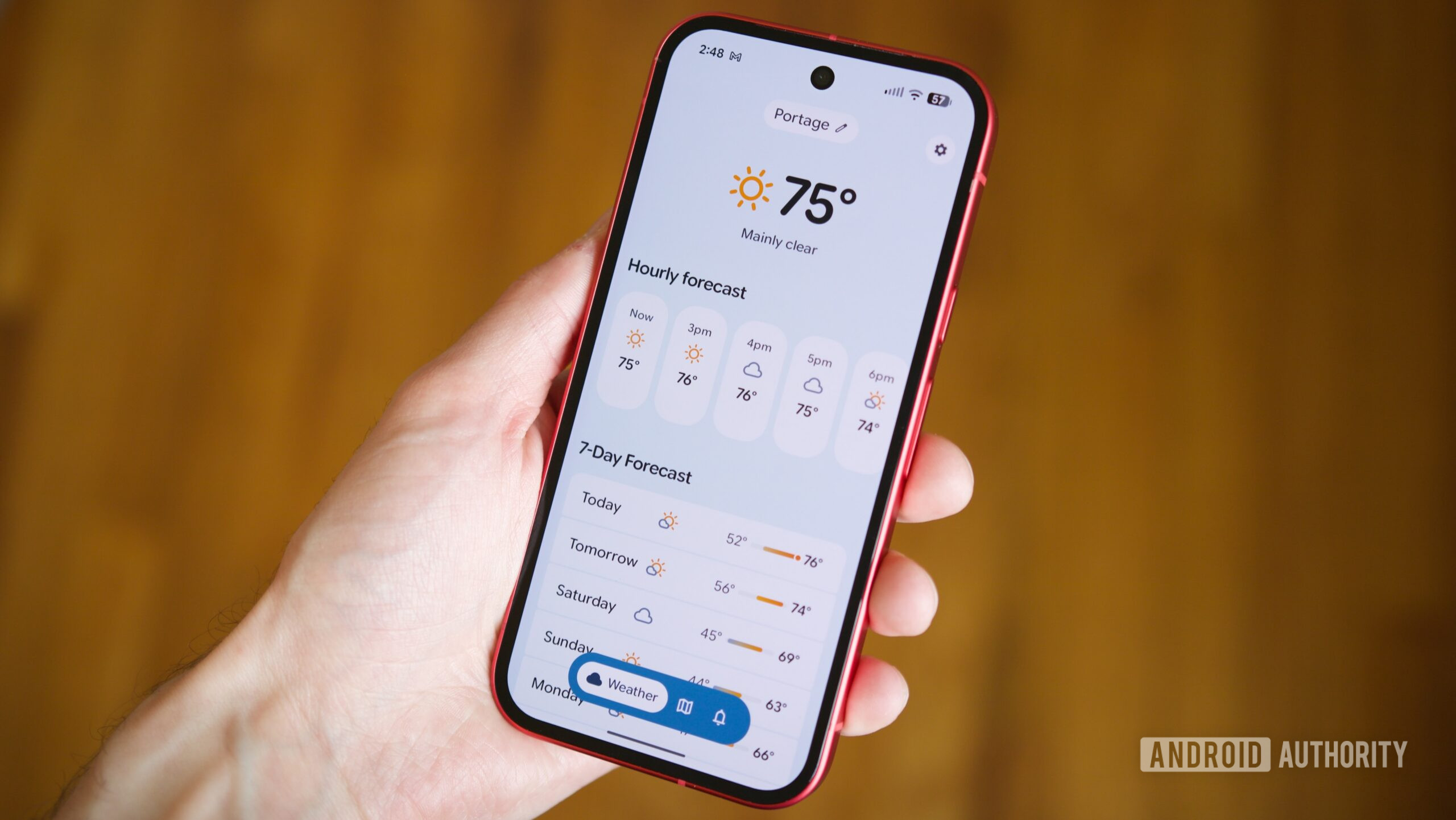
For the past two years, Google's Pixel Weather app has been my reliable companion, ever since its debut on the Pixel 9 series in 2024. Its clean, "Pixel-y" interface, adaptable home screen, and excellent pollen tracker made it a perfect fit for my needs. It truly checked nearly every box I had for a weather application. However, a recent discovery has completely shifted my perspective and, frankly, my allegiance.
Scrolling through Threads a little over a week ago, I stumbled upon Gradient Weather. After a quick download and initial exploration, it became clear I had found something exceptional. While Pixel Weather remains a strong contender, Gradient Weather has quickly proven itself to be an even better alternative, leading me to make the switch.
Why Gradient Weather is the Android Weather App I've Been Waiting For
Let's start with the fundamental aspect of any weather application: accuracy. My experience using Gradient Weather in southwest Michigan has been consistently positive. Unlike apps that rely on a single data stream, Gradient Weather intelligently pulls information from multiple sources, including public weather stations that are visible on its map. This data is then fed into its proprietary "built-in accuracy engine," designed to generate the most precise forecasts possible. So far, this approach appears to be highly effective.
Beyond just providing reliable data, Gradient Weather truly excels in how it presents that information, offering a significantly more intuitive and visually engaging experience compared to Pixel Weather.
For instance, hourly forecasts in Gradient Weather are displayed with a clear bar graph, vividly illustrating temperature changes throughout the day. While Pixel Weather shows numerical temperature shifts, it lacks this compelling visual element. The app’s presentation of weather alerts, such as watches and warnings, is also superior. Alerts change color based on their severity or type, and crucially, Gradient Weather displays the full alert text directly within the app. Pixel Weather, by contrast, inconveniently redirects you to a web browser to read these important details.
Small, thoughtful touches are abundant throughout Gradient Weather. The sunrise/sunset widget, for example, is more informative, showing not only the time but also the remaining daylight hours and a detailed graph of the sun's path. The inclusion of current and upcoming moon phases is a delightful addition, as is the fully functional compass integrated into the wind widget. These might seem like minor details, but they collectively contribute to a much richer user experience.
Advanced Features That Set Gradient Apart
Gradient Weather's weather map is remarkably more powerful than its Pixel counterpart. Where Pixel Weather's map primarily focuses on precipitation, Gradient offers an array of filters for temperature, cloud cover, wind speed, and atmospheric pressure. Furthermore, it incorporates a community-driven element, allowing users to report real-time weather conditions in their area. This isn't just limited to basic conditions like sunny or cloudy; users can even report rare sightings like rainbows and sunsets, fostering a dynamic and localized information network.
Notifications are another area where Gradient Weather truly outshines Pixel Weather. Google's app provides general forecasts and precipitation alerts, and that's largely where its capabilities end. Gradient Weather, however, offers an astonishing level of customization for virtually every conceivable weather condition. Users can opt for daily evening notifications about the next day's weather, activate frost alerts for colder months, and even receive imminent rain alerts 10, 15, or 20 minutes before precipitation is expected. The depth of notification control here is extensive and makes Pixel Weather's offerings seem rudimentary by comparison.
Finally, the level of personalization available in Gradient Weather is a sheer delight. You can set the app theme to dynamically match current weather conditions, align with your phone’s system accent color, or craft a completely custom theme. The dark theme is also customizable, and you have the freedom to change the font style and rearrange the entire home screen layout to your liking. The inclusion of custom app icons and a highly customizable widget, which surpasses any other third-party weather app widget I’ve encountered, truly solidifies its position as a personalization powerhouse.
Where Pixel Weather Still Holds Ground (and Gradient's Premium Cost)
Despite its numerous advantages, Gradient Weather isn't entirely perfect, and Pixel Weather still retains a couple of key benefits.
Currently, Gradient Weather lacks an equivalent to Pixel Weather's comprehensive pollen tracker. While there's a "Pollen Alert" notification option, it isn't supported in all areas, including mine. As someone who battles seasonal allergies (and lives with someone whose allergies are even more severe), this is a noticeable drawback.
The other significant point of differentiation is the pricing model. Gradient Weather operates on a "Premium" membership to unlock its full suite of features, including complete notification/alert support, all theme and layout tools, and widget customization. This costs $22 annually, $3.50 per month, or a one-time payment of $33 for lifetime access. While I appreciate the lifetime purchase option and am happy to support independent development, it's a financial consideration when Pixel Weather offers all its features completely free of charge.
The Verdict: My New Favorite Weather App
| Feature | Pixel Weather | Gradient Weather |
|---|---|---|
| UI/UX | Simplistic, "Pixel-y", basic visuals | Visually engaging, bar graphs for hourly, better alert presentation, detailed widgets |
| Accuracy Source | Single source (implied) | Multiple sources + "built-in accuracy engine", public weather stations |
| Weather Map | Primarily precipitation | Precipitation, temp, clouds, wind, pressure filters; user-reported conditions |
| Notifications | General forecast, precipitation alerts | Highly customizable: daily forecasts, frost alerts, imminent rain, extensive options |
| Customization | Customizable home screen | Customizable themes (weather-matched, accent, custom), dark theme, fonts, icons, widget |
| Pollen Tracker | Excellent, integrated | "Pollen Alert" notification (area dependent), no integrated tracker |
| Alerts Display | Redirects to browser for full alert | Full alert displayed in-app, color-coded |
| Daylight Info | Basic | Detailed graph of sun's path, hours/minutes of daylight remaining |
| Moon Phase | Not mentioned | Current and upcoming moon phase included |
| Compass | Not mentioned | Functioning compass on wind widget |
| Availability | Pixel phones only | Any Android phone |
| Cost | 100% Free | $22/year, $3.50/month, or $33 lifetime for Premium features |
Comparing Gradient Weather side-by-side with Pixel Weather, it's clear that Gradient Weather brings a refreshing level of detail, customization, and user-centric features that are hard to ignore. While the absence of a comprehensive pollen tracker and the premium pricing are valid considerations, the sheer breadth of what Gradient Weather offers makes it an incredibly compelling choice.
Considering it was only released a little over a week ago and is already this refined, I am genuinely excited to see how Gradient Weather evolves. It’s not perfect, but it’s undeniably my new favorite weather app on Android. Pixel Weather still holds a special place, but for now, Gradient Weather has won me over.
FAQ
Q: Is Gradient Weather worth the premium cost?
A: If you prioritize extensive customization, advanced map features, highly granular notifications, and a more visually engaging presentation of weather data, the premium subscription (especially the lifetime option) offers significant value over free alternatives. However, if basic forecasts and a pollen tracker are your main needs, Pixel Weather remains a solid free choice.
Q: Can Gradient Weather be used on non-Pixel Android phones?
A: Yes, one of Gradient Weather's key advantages is its availability on any Android phone, unlike Google's Pixel Weather which is exclusive to Pixel devices.
Q: How does Gradient Weather's accuracy compare to Pixel Weather?
A: From my experience, Gradient Weather provides highly reliable forecasts by utilizing multiple data sources and its proprietary "accuracy engine." While Pixel Weather is generally accurate, Gradient Weather's multi-source approach and user-reported conditions may offer a more robust and localized forecast.
Related articles

Crystal Lake Series on Peacock: A Deep Dive into Horror's Past
Crystal Lake Series Review: A Deep Dive into Horror's Past Verdict: Is Crystal Lake Worth the Dive? The long-awaited Friday the 13th prequel, Crystal Lake, is finally arriving on Peacock, promising a fresh, in-depth
Google's AI Branding Fix: A Clearer Vision for Gemini
This article critiques Google's fragmented AI branding, proposing a unified 'Gemini Intelligence' system to simplify user experience and strengthen Gemini's identity.

Chuwi UniBox AI495 Pro Review: A Mini AI Powerhouse
Chuwi's UniBox AI495 Pro review: A powerful mini workstation with 192GB RAM and an AMD Ryzen AI chip for local LLM processing, packed into a compact, Mac Pro-esque design.
Pixel Connectivity: Battery Drain, Not Data Speed, Is the Real
Google's Pixel series has consistently offered a compelling Android experience, often earning a spot on recommendation lists for its clean software and camera prowess. However, a recurring shadow has loomed over the

CNET's NYT Connections: Sports Edition Hints & Answers - Daily Puzzle
CNET's daily guide for NYT Connections: Sports Edition offers clear, spoiler-protected hints and answers, making it an efficient and reliable resource for sports puzzle enthusiasts.
Unofficial Sony Headphone PC Apps: Ditch Your Phone, Take Control
Tired of Sony's mobile app? These unofficial, open-source PC tools like Sony Device Center and SonyBridge offer desktop control over your Sony headphones' ANC, EQ, and more. A convenient, albeit unofficial, solution for Windows, Linux, and Mac users looking to ditch their phone for audio adjustments.