
Google Live AI Search: A Conversational Revolution
Google's Live AI Search transforms mobile searching from typing keywords to a natural, interactive conversation with Gemini 3.1 Flash Live. It offers follow-up questions, camera input, and feels more like a personal shopper than traditional search, marking a significant evolution.
For over two decades, the act of searching for information has largely meant typing queries into a search bar. However, Google's introduction of Live AI Search is poised to fundamentally redefine this experience, transforming it from a keyword-driven process into an interactive, natural-feeling conversation. Having tried this new feature, it feels less like a traditional search engine and more like engaging with a knowledgeable personal assistant.
Quick Verdict
Google Live AI Search marks a radical shift in how we interact with information. Integrating Gemini 3.1 Flash Live, it offers a highly intuitive, conversational interface that goes beyond simple query-response. With its ability to understand context, ask follow-up questions, leverage camera input, and maintain a continuous dialogue while browsing, Live Search feels like a personal shopper for information. It's an overwhelmingly positive step forward that effectively replaces the traditional search paradigm for many everyday uses.
A New Era of Search Interaction
The concept of searching has been evolving, with Google's AI Mode previously offering a glimpse into a more intelligent query-response system. While initially met with mixed reactions, AI Mode quickly became a familiar and often effective way to get answers. Live Search, however, takes this evolution to an entirely new level, pushing the boundaries of what 'search' entails.
Integrated directly into the Google mobile app, Live Search harnesses the power of Gemini, Google's popular AI. Users familiar with Gemini's 'Live' mode will recognize the conversational style, but Live Search tailors this experience specifically for information retrieval. It's based on the latest Gemini 3.1 Flash Live model, which boasts enhanced accuracy, improved ease of use, and better handling of interruptions compared to its predecessors. Crucially, it's a multilingual feature, ensuring global accessibility.
User Experience and Key Features
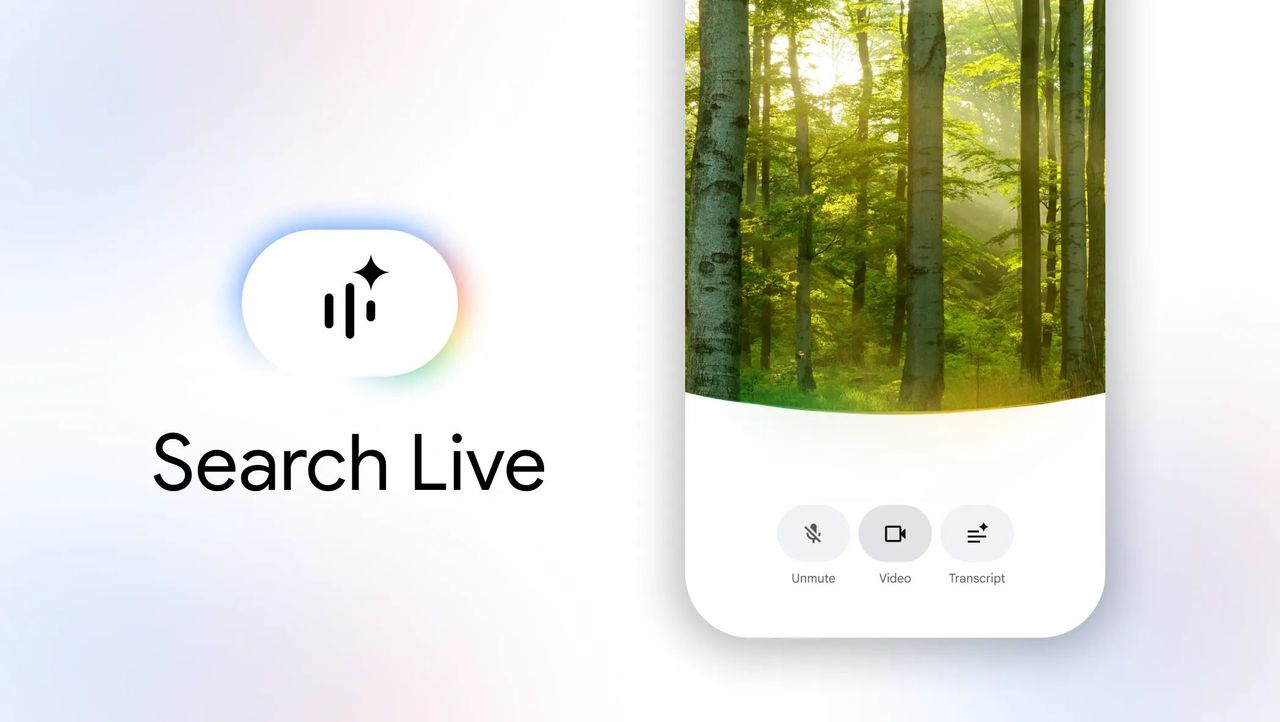
Accessing Live Search is straightforward: simply open the Google app on your mobile device and tap the new 'Live' icon located just below the search bar. This immediately ushers you into the conversational search interface. At the bottom of the screen, you'll find three essential buttons:
- Mute: Temporarily halts Gemini's listening function.
- Video: Activates your device's camera, allowing Gemini to 'see' what you're pointing it at. This is particularly useful for visual searches, such as identifying an object and asking Gemini to find it online.
- Transcript: Provides a written record of your conversation with Gemini, allowing you to review past interactions.
One notable distinction from the standalone Gemini app's Live mode is the necessity to tap an 'Interrupt' button if you wish to speak over Gemini. Attempts to simply talk over it will be ignored. Interestingly, this design choice was preferred, as speaking over an AI could often feel awkward.
A Personal Shopper for Information
The true power of Live Search shines through in its interactive nature. Once you initiate a search, Gemini doesn't just provide a list of results; it engages you in a dialogue. It asks intelligent follow-up questions to refine your needs, much like a helpful human assistant. For instance, if you ask it to find a PC for home use, it will inquire about your intended usage, guiding you towards the most suitable options.
This conversational approach extends to visual queries too. Pointing your camera at an object, like an AirPods Pro 2 case, and asking Live Search to find it online can lead to surprisingly insightful interactions. Not only will it locate the item, but it might even proactively suggest upgrades, such as the AirPods Pro 3, and then find them at a competitive price on platforms like Amazon.
Throughout these interactions, Live Search conveniently displays links to relevant web pages at the bottom of the screen. Clicking on one of these links takes you directly to the website, all while your conversation with Gemini seamlessly continues in the background. This allows for uninterrupted browsing and discussion, creating an experience that feels remarkably efficient and intuitive. It's this continuous, adaptive, and proactive engagement that makes Live Search feel less like a search tool and more like a dedicated personal shopper.
Performance and Accuracy
The underlying Gemini 3.1 Flash Live model is crucial to Live Search's effectiveness. This iteration significantly improves upon previous versions, offering enhanced accuracy and a smoother user experience. The improved handling of interruptions makes the conversational flow feel more natural and less frustrating, addressing a common pain point in earlier AI interactions. The multilingual capability further broadens its appeal, making this advanced search accessible to a global audience in their preferred language.
What We Liked (Pros)
- Revolutionary User Experience: Transforms searching into a natural, interactive conversation.
- Intelligent Follow-Up Questions: Gemini proactively refines your search with relevant inquiries.
- Seamless Camera Integration: Allows for visual searches, identifying objects and finding them online.
- Continuous Conversation: Maintains the dialogue while you browse external links.
- Enhanced Accuracy and Smoothness: Powered by Gemini 3.1 Flash Live, it offers better performance and interruption handling.
- Multilingual Support: Accessible to users worldwide in their native language.
- Intuitive Interface: Easy to access and use with clear controls (Mute, Video, Transcript).
- Preferred Interrupt Mechanism: The 'tap to interrupt' button is less awkward than voice interruption.
- Feels Like a Personal Shopper: The entire experience is geared towards helping you find exactly what you want with minimal effort.
Areas for Consideration (Cons)
- Tapping to Interrupt: While preferred by the reviewer, some users might initially expect full voice-over interruption capabilities, as found in some other AI interactions. However, this is more of a design choice than a drawback, especially given the stated preference.
Buying Recommendation
Google Live AI Search represents a significant leap forward in information retrieval. For anyone looking for a more intuitive, conversational, and efficient way to search, especially on a mobile device, this new feature is an absolute must-try. It moves beyond the limitations of traditional keyword searches and even improves upon earlier AI-powered modes by offering a truly interactive assistant. If you find yourself frequently using your phone for searches, Live AI Search will undoubtedly enhance your experience. It's a genuine replacement for traditional search that you won't want to go back from.
FAQ
Q: What is Google Live AI Search?
A: Google Live AI Search is a new feature within the Google mobile app that transforms the search experience into a natural, interactive conversation with Google's Gemini 3.1 Flash Live AI. Instead of typing keywords, you speak your queries and engage in a dialogue to find information.
Q: How does Live AI Search differ from traditional Google search or AI Mode?
A: Unlike traditional search, Live AI Search is conversational, asking follow-up questions to refine your needs. It goes beyond Google's earlier AI Mode by offering real-time, continuous dialogue, camera input, and an overall experience that feels more like interacting with a personal assistant than simply getting an answer.
Q: Can I use my camera with Live AI Search?
A: Yes, Live AI Search includes a 'Video' button that allows you to activate your mobile device's camera. You can point your camera at an object and ask Gemini to identify it or find it online, making visual searches highly intuitive and practical.
Related articles
Android 17 QPR2 Beta 7.1: The Performance Relief You've Been Waiting
Android 17 QPR2 Beta 7.1: Finally Fixing the QPR1 Performance Woes Verdict: Android 17 QPR2 Beta 7.1 is a crucial and highly anticipated software update for Google Pixel users, specifically targeting and resolving the

DJI Solo Video Setups: Smart Choices for Lone Creators
This review delves into DJI's recommended solo video setups, highlighting the Osmo Pocket 3 Creator Combo as a top pick for its integrated camera, gimbal, and mic. It also covers stabilizers like the Osmo Mobile 8 and RS 4, and the DJI Mic Mini series for enhanced audio, providing honest pros, cons, and clear buying advice.

Ars Technica's Rocket Report: Your Essential Space Industry Briefing
Quick Verdict Ars Technica's Rocket Report, presented by veteran space reporter Stephen Clark, offers an invaluable and meticulously organized weekly (or similar frequency, implied by "Edition 9.15") digest of the most

Apple iPhone Duo: A Daring Debut with Notable Compromises
Apple's highly anticipated iPhone Duo, priced at $2,000, has gone on pre-order. While hailed as "Apple's most exciting device in a decade" for its innovative foldable design and immersive display, it comes with significant drawbacks like the absence of FaceID and a premium camera.

Amazon Prime Video Launches AI-Powered Prime 360 for NBA Coverage
Amazon Prime Video is elevating its NBA coverage with the introduction of Prime 360, an AI-powered replay system offering immersive, 'fly through' views of the action. Kicking off its second season, Prime Video also adds Yahoo fantasy integration and gains exclusive Eastern Conference Finals rights, expanding its tech-driven sports broadcast. The new features aim to deliver a unique and interactive viewing experience for basketball fans.

KDE Plasma 6.8: A Future-Focused 30th Anniversary Update
Quick Verdict KDE Plasma 6.8, arriving as the "30th Anniversary Edition," is a pivotal release that decisively pushes the desktop environment into the future. With a definitive farewell to native X11 sessions and a